3
Using the microphone
Positioning the microphone on a drum B
X
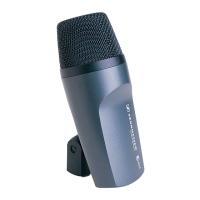
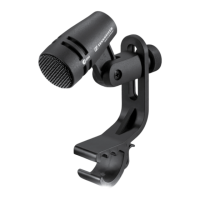
Use the microphone clamp
2
to attach the e 604 to the rim of the
drum.
Pos. Resulting sound Commentary
B.1 • More fundamental
• Little overtones
Position on the drum:
3 to 5 cm above the drumskin
The fundamental to overtones ratio
can be adjusted by changing the angle
of the microphone. The most balanced
results are obtained at an angle of
30 to 60°.
B.2 • Less fundamental
• Many overtones
B.3 Use of a second 604 for picking up
the bottom of the drumskin and the
snares.
NB: The lower microphone must
be phase-reversed to avoid phase-
cancellation effects due to the second
microphone being on the other side of
the drumskin.
Positioning the monitor loudspeakers
X
To prevent feedback and crosstalk, postion your monitor loudspea-
kers in the angle area of the highest cancellation of the microphone
(approx. 135°).
Cleaning and maintaining the e 604
Caution Liquids can damage the electronics of the product!
Liquids entering the housing of the product can cause a
short-circuit and damage the electronics.
X
Keep all liquids away from the product.
X
Do not use any solvents or cleansing agents.
X
Only use a soft, slightly damp cloth to clean the product.




 To Next Page