
 Need help?
Do you have a question about the Sennheiser EPOS SD Series and is the answer not in the manual?
Guidelines to prevent hearing damage and accidents, including keeping products away from children and pets.
Instructions to prevent product damage from environmental factors, improper use, and electrical issues.
Defines the product's intended use for professional office or call center communication and liability limitations.
Details the different base station models and their component compatibility for fixed line phones and computers.
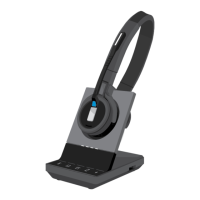
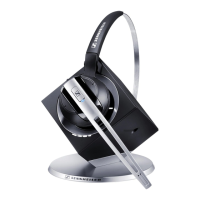
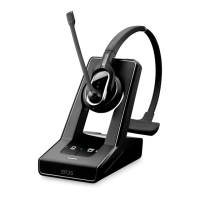
Lists the available headset models and their specific wearing styles and features.
Illustrates and labels the components of the SD Office - HS headset.
Illustrates and labels the components of the SD Pro1 and SD Pro2 - HS headsets.
Details the functions of the Phone and PC buttons on the base station.
Explains the functions of the Link and Audio buttons on the headset.
Describes the meaning of the LEDs on the PC and Phone buttons and the Link LED.
Explains the function of the charge status LED and its segments.
Guides on how to wear and adjust the SD Office - HS headset with an ear hook for comfort.
Instructions for attaching and adjusting the SD Office - HS headset with a headband.
Guidance on adjusting the microphone boom and fit for SD Pro1 and SD Pro2 headsets.
Explains how to use DIP switches on the base station to configure headset system settings.
Guidance on adjusting radio range via DIP switch to avoid DECT interference.
Describes DIP switch settings for manual versus automatic wireless link establishment.
Explains DIP switch settings for wideband vs. narrowband audio for optimal speech quality and battery life.
Details DIP switch settings for standard or country-specific volume limitations.
How to establish a wireless link by pressing the Link button or base station buttons.
Procedure to disconnect the wireless link between headset and base station.
Steps to adjust audio signal clarity using the dial tone and ABC switch.
Guidance on adjusting microphone volume for call transmission and USB audio.
Explanation of the Auto Audio function for automatic audio transmission and how to activate/deactivate it.
Instructions on adjusting ring tone, acoustic signal, and audio signal volumes.
How to reverse the volume up/down function of the Audio button.
Procedure to mute and unmute the headset microphone using the Audio button.
Describes what happens when leaving the DECT range and how to resume the call.
Instructions on selecting between Phone and PC mode using base station buttons.
Steps for making, accepting, and ending calls using the headset with a fixed line phone.
How to manage calls using EHS or HSL 10 for accepting, making, and ending calls.
Procedure to switch calls between headset and fixed line phone handset.
Steps for making, accepting, and ending calls using the headset with a computer softphone.
Instructions for accepting, making, and ending calls using the HeadSetup software.
Steps to pair the master headset with the base station for conference calls.
Procedure to add additional guest headsets to an ongoing conference call.
How to remove a guest headset from an active conference call.
Method to end a conference call by placing the master headset in the base station.
Ensures the headset is fully charged by storing it in the base station.
Information on using the optional CH 10 charger for additional headsets.
Instructions to switch off the base station and headset for extended periods.
Steps to turn on the system and re-pair the headset and base station.
Instructions for pairing the headset with third-party DECT-GAP base stations.
Steps to re-pair a headset with an existing SD series base station.
Guide on how to replace ear pads for hygiene and comfort on different headset models.
Step-by-step guide for replacing the battery in the SD Office - HS headset.
Instructions for opening the compartment and replacing the battery in the SD Pro1 - HS headset.
Detailed steps for replacing the rechargeable battery in the SD Pro2 - HS headset.
Solution for when the headset is not recognized by the base station due to improper placement.
Troubleshooting steps for failed link establishment, including operating mode and range issues.
Advice on adjusting the microphone boom to prevent it from rubbing on the cheek.
Solutions for interference caused by multiple DECT systems, including radio range and transmission settings.
Troubleshooting steps for charging issues, including dirty contacts or defective batteries.
Addresses issues of batteries depleting quickly, suggesting checking for overaged batteries.
Solutions for poor audio quality, including microphone sensitivity and base station adjustment.
Technical details for SD BS, SD BS ML, SD BS USB, and SD BS Phone base stations.
Technical details for SD Office - HS and SD Pro1/Pro2 - HS headsets, including dimensions, talk time, and range.
Technical details for the power supply unit, including input voltage and output current.
Details on DECT transmission frequency and SAR values for headset models.
Details the 24-month warranty period and where to find current conditions.
Lists compliance with WEEE, Battery, R&TTE, EMC, Low Voltage, ErP, and RoHS directives.
 General
| Brand | Sennheiser |
|---|---|
| Model | EPOS SD Series |
| Category | Headsets |
| Language | English |






 To Next Page