10
Putting the radio microphone into operation
Changing the microphone head
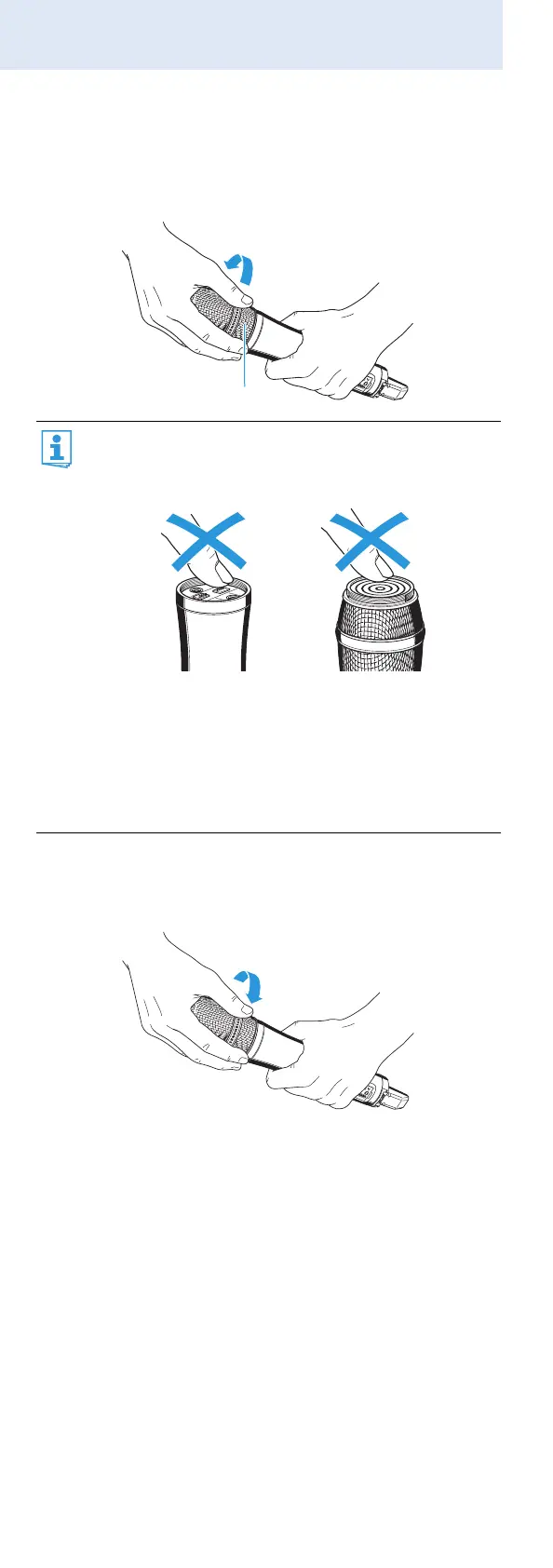
The microphone head 쐃 is easy to change.
Unscrew the microphone head 쐃.
Screw the desired microphone head to the radio micro-
phone.
The radio microphone is operational again.
Do not touch the contacts of the radio microphone
nor the contacts of the microphone head 쐃. The
contacts can become dirty or damaged if touched.
When unscrewing the microphone head 쐃 during
operation, the muting function is automatically acti-
vated. “MUTE” appears on the display panel.
When screwing the microphone head 쐃 back to the
radio microphone, the muting is canceled. “MUTE”
disappears from the display panel.
쐃



 To Next Page