16
Using the radio microphone
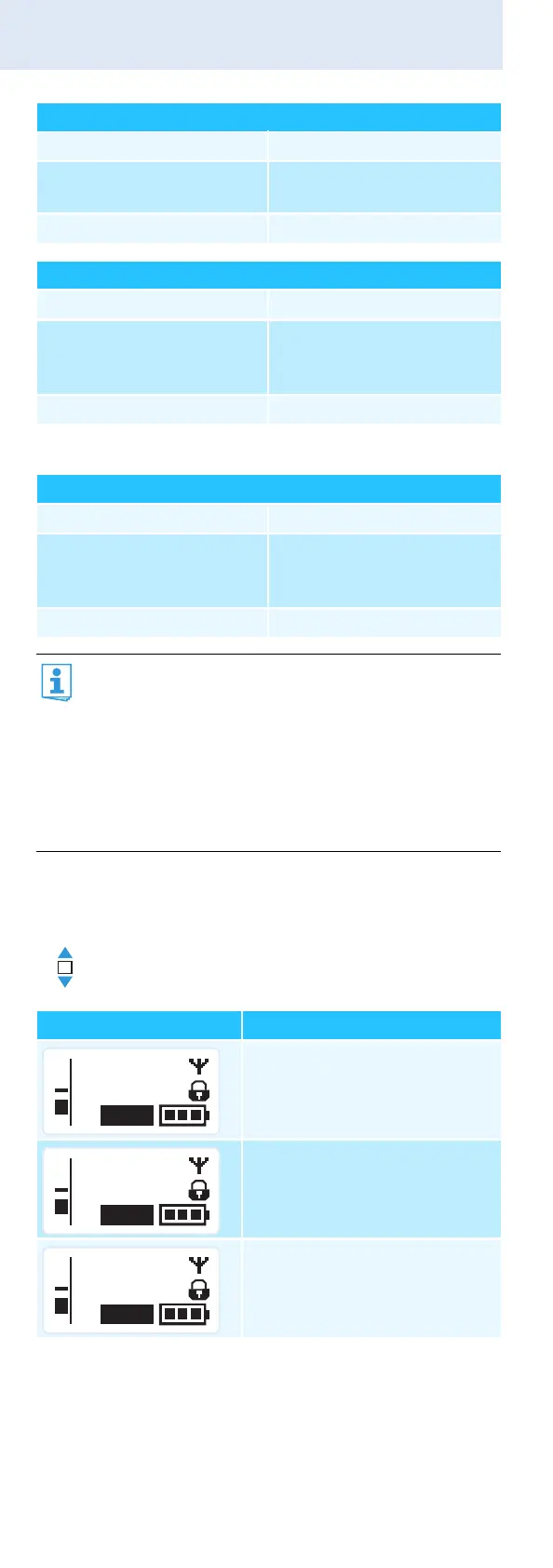
Selecting a standard display
Audio signal is activated (muting is deactivated)
MIC button 쐋: backlit in red
Radio microphone’s display
panel:
“MUTE” 햸 is not displayed
Receiver’s display panel: “TX Mute” is not displayed
RF signal is deactivated
MIC button 쐋: not backlit
Radio microphone’s display
panel:
transmission icon 햵 is not
displayed, “MUTE” 햸 is
displayed
Receiver’s display panel: “RF Mute” is displayed*
* only when activated on the receiver (see above)
RF signal is activated
MIC button 쐋: backlit in red
Radio microphone’s display
panel:
transmission icon 햵 is
displayed, “MUTE” 햸 is not
displayed
Receiver’s display panel: “RF Mute” is not displayed
You can also deactivate the RF signal on switch-on.
For more information, refer to the chapter
“Switching the radio microphone on/off” on
page 13.
Using the ON/OFF button, you can also activate/
deactivate the RF signal during operation. To do so,
briefly press the ON/OFF button and proceed as
described on page 13.
Move the multi-function switch to select a
standard display.
Contents of the display Selectable standard display
“Frequency/Name”
“Frequency bank/Channel/
Frequency”
“Name/Frequency bank/
Channel”
ew300 G3
MHz
531.375
MUTE
P
AF
MHz
531.375
B.Ch: 20.24
MUTE
P
AF
B.Ch: 20.24
MUTE
P
AF
ew300 G3




 To Next Page