58
!
#
& )
'
87
6
$
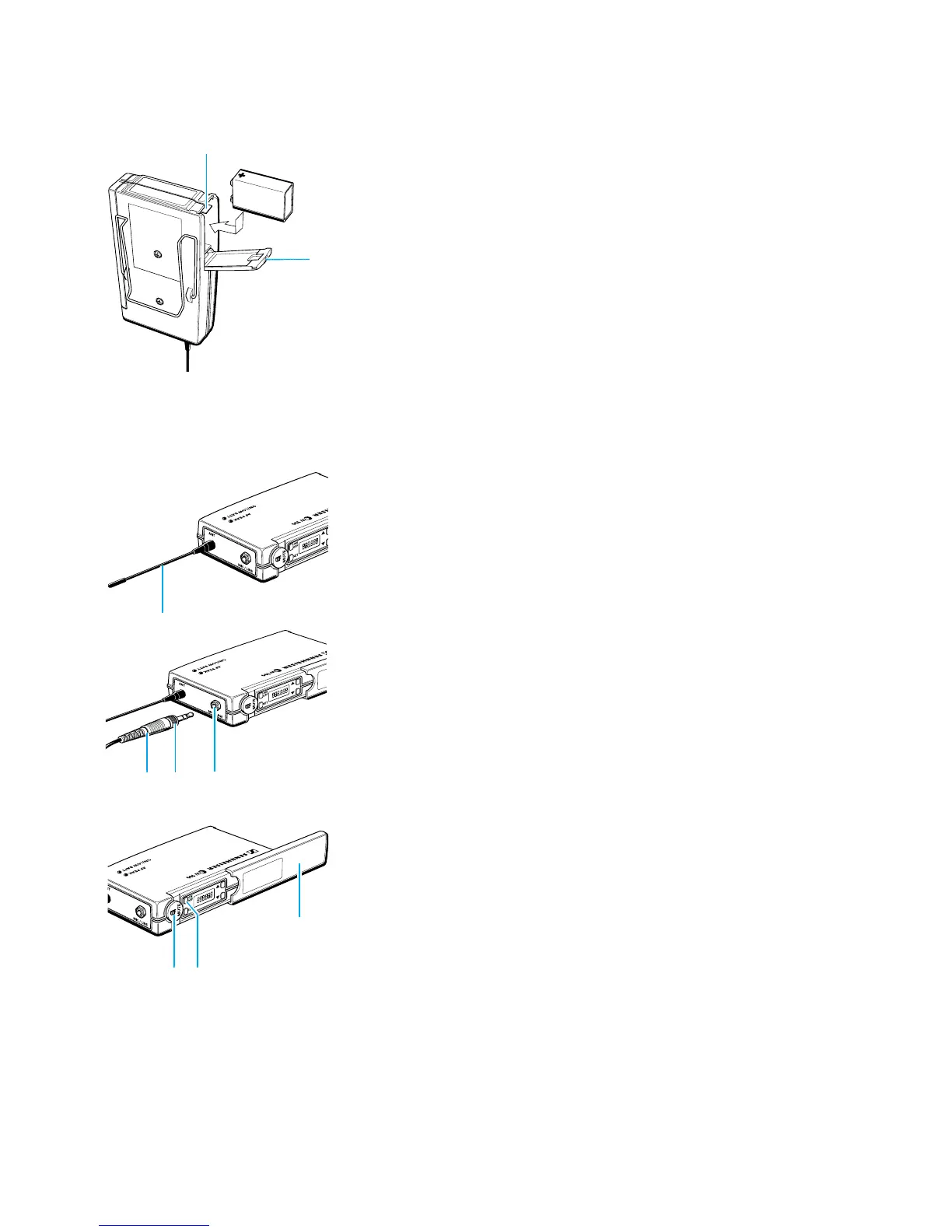
Inserting and changing the battery
! Slide the cover of the battery compartment / in the direction of the
embossed arrow until it clicks audibly.
! Open the cover.
! Insert the 9 V PP3 battery (IEC 6 LR 61). Please observe correct polarity
when inserting the battery.
! Close the battery compartment.
! To remove the battery, push the small red lever 6 in the battery
compartment towards the bottom side of the transmitter.
Note:
We recommend powering the transmitter by a standard PP3 alkaline
battery. If powered by a rechargeable 9 V battery, the operating time
will be drastically reduced.
Connecting the antenna
! Screw the antenna , onto the antenna socket (M3 connection).
Connecting the microphone/line cable
Electret powering (“plug-in” power) is available at the AF input for powering
the microphone.
! Connect the 3.5 mm jack plug 7 from the microphone/line cable to
the AF input (MIC/LINE) '.
! Lock the jack plug by screwing down the locking ring 8.
Switching the transmitter on/off
! Slide back the cover plate 0.
! Press the ON/OFF button 4 to switch the transmitter on. The red
LED lights up.
! To switch the transmitter off, press the ON/OFF button until “OFF”
appears on the display. You can then release the button. The red LED
goes off.
Muting the transmitter
Use the MUTE switch & to noiselessly mute the transmitter’s audio signal
(this switch does not switch off the transmitter).


 To Next Page