65
5
Battery status indication
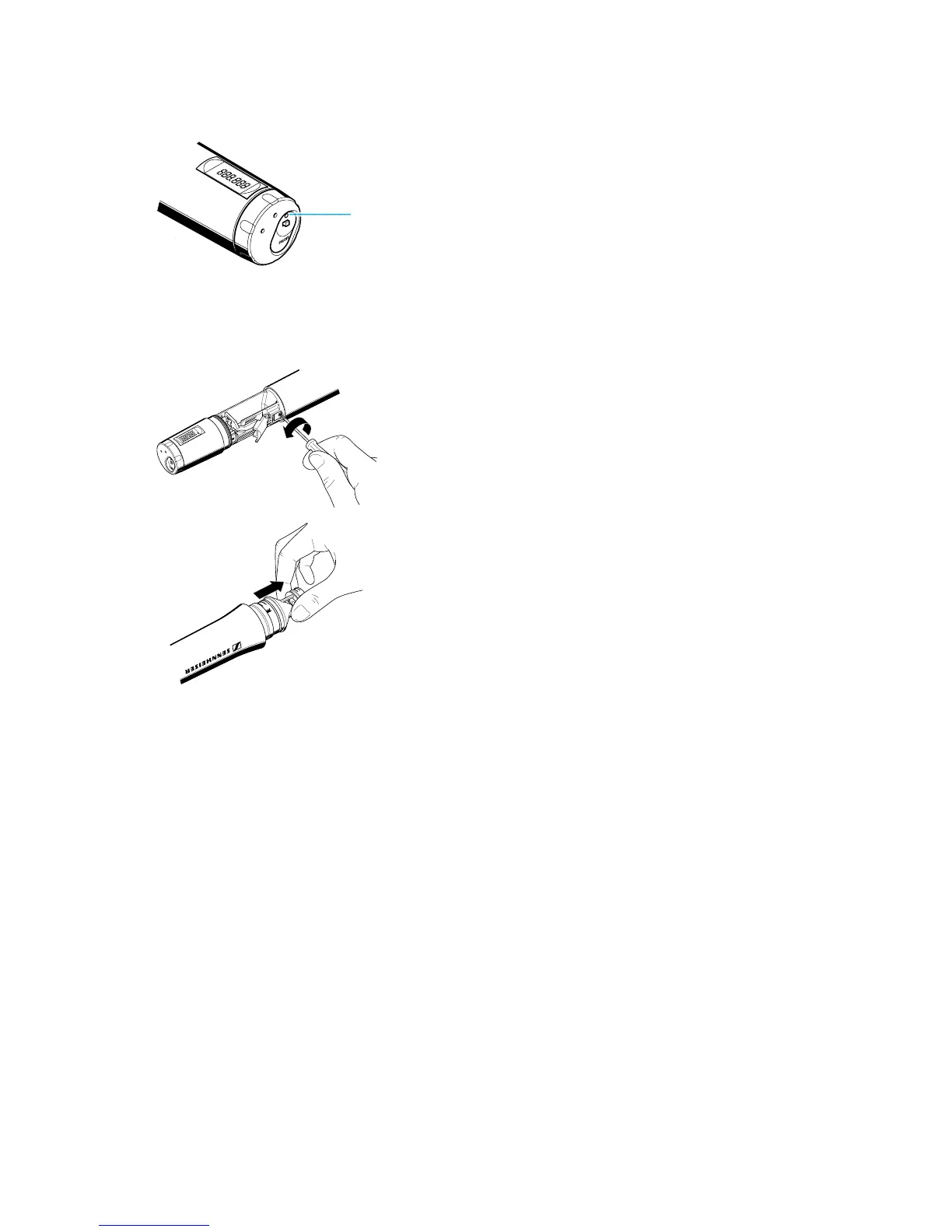
The red LED 5 provides information on the (remaining) battery capacity:
LED lit up:
The transmitter is switched on and the battery capacity is sufficient.
LED flashing:
The battery i
s
going flat
!
You should immediately replace the battery!
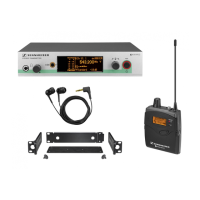
Changing the microphone module
! First remove the battery and leave the radiomicrophone open.
! Unscrew the sound inlet basket.
! Loosen the screw and put it aside.
! Remove the microphone module, as shown. Do not touch the contacts!
! Insert the new module, secure the capsule by tightening the screw,
put on the suitable sound inlet basket and coloured identification ring
and screw it tight.
! Insert the battery, close the radiomicrophone and put it into operation.
Note:
Microphone module, sound inlet basket and foam insert form an
acoustic unit and must therefore always be exchanged all together.
Each microphone module comes with a colour-coded identification
ring to distinguish different microphone modules from each other
(green = MD 835, blue = MD 845, red = ME 865).


 To Next Page