6
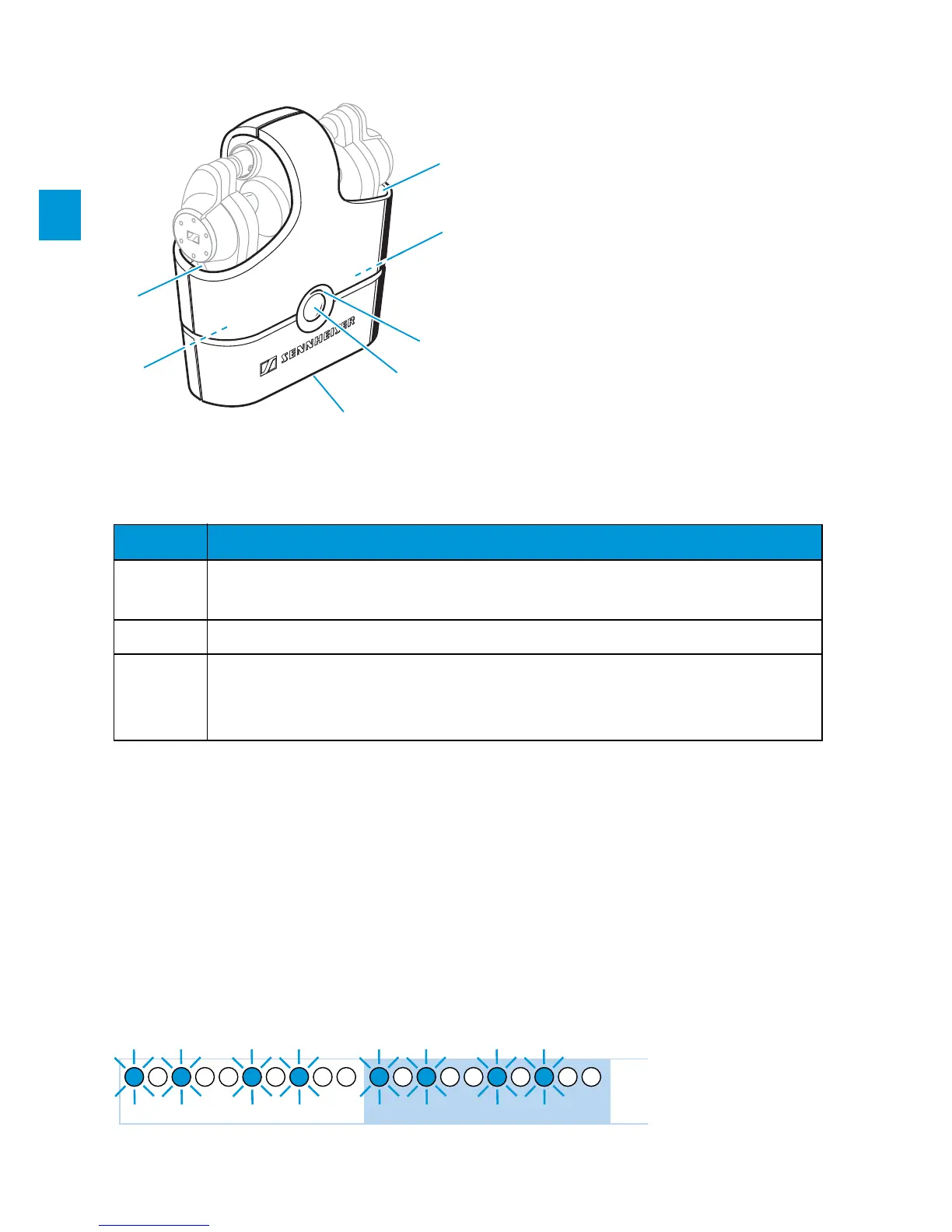
Docking station
LED indications of the devices
Putting the MX W1 into operation
Charging the MX W1
Charge the rechargeable batteries of all MX W1 devices for
3 hours before first use.
When the battery is almost flat, the LED , or flashes
orange. You then have to charge the device.
Charging compartment for
earphones
Charging plugs for
earphones (inside the
charging compartment)
LED (orange/red)
Charging button
2.5 mm charging jack
LED Description
orange Charging of a device (see following chapter)
Docking station: Battery capacity < 5%
red Charging of the docking station (see following chapter)
blue
Associating the earphones to the transmitter (see page 9)
Switching the devices on/off (see page 14)
Transmitter/earphones: Battery capacity < 5%
1s0 2s




 To Next Page