EasyManua.ls Logo

Sennheiser PXC 550 - User Manual

Sennheiser PXC 550
54 pages
Print Icon
To Next Page IconTo Next Page
Loading...
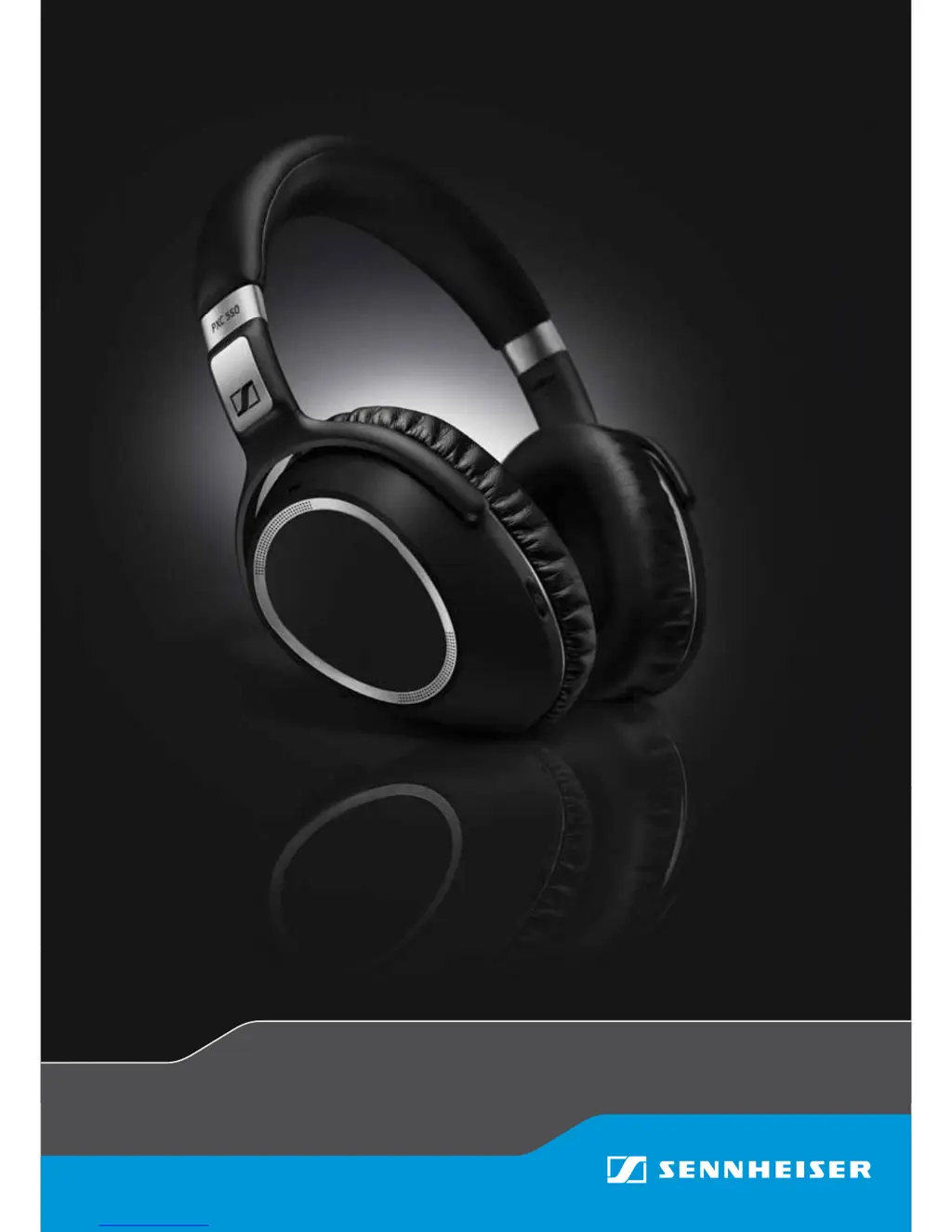
PXC 550
Wireless headphones
Instruction Manual

Other manuals for Sennheiser PXC 550

Questions and Answers

  • G
    Gary DavisAug 19, 2025
    Why my Sennheiser Headphones cannot be switched on?
    • R
      Richard RossAug 20, 2025
      If your Sennheiser Headphones won't turn on, it's likely due to one of these reasons: * The battery is empty, so you should charge the headphones. * The battery is completely exhausted or worn out. In this case, you should visit an authorized Sennheiser service center for a battery replacement.
  • S
    Sonia MarksAug 22, 2025
    How to fix Sennheiser PXC 550 Bluetooth/NFC connection issues?
    • J
      Jasmine WhiteAug 22, 2025
      If your Sennheiser Headphones and smartphone aren't connecting via Bluetooth or NFC, consider these possibilities: 1. Ensure the headphones are powered on during pairing. 2. If your smartphone doesn't support NFC pairing, manually pair the headphones using Bluetooth. 3. If the headphones are in flight mode, activate Bluetooth. Also, unplug any audio cable from the audio input. 4. Make sure that Bluetooth is activated on the headphones.
  • J
    Joseph FrenchAug 25, 2025
    Why Sennheiser Headphones do not enter pairing mode after pressing the Effect Mode Control button?
    • M
      marshalldanielAug 25, 2025
      If your Sennheiser Headphones aren't entering pairing mode after pressing the Effect Mode Control button for 4 seconds, here's what might be happening: * Bluetooth might be deactivated on the headphones, so ensure it's turned on. * Music might be playing through the headphones, or a call might be in progress. Restart the headphones by turning them off and on again, as they can't enter pairing mode during music playback or calls.
  • W
    whitney26Aug 26, 2025
    How to fix Sennheiser Headphone that cannot be switched on?
    • H
      harrisonbrookeAug 26, 2025
      If your Sennheiser Headphones aren't turning on, the most likely reason is that the battery is empty. Try charging them. If charging doesn't help, and you suspect the battery is completely exhausted or worn out, you should visit an authorized Sennheiser service center to get the battery replaced.
  • H
    harrisbrianAug 27, 2025
    What to do if there is no audio signal from my Sennheiser Headphones?
    • A
      Abigail HarrisAug 28, 2025
      If you're not getting any sound from your Sennheiser Headphones, here are a few things to check: * Make sure your headphones are properly paired with your smartphone. If they aren't, try pairing them again. * Increase the volume, as it might be set too low. * Ensure that the headphones and smartphone are successfully paired, and that the headphones are not stuck in pairing mode.
  • L
    Laura MaddenAug 29, 2025
    Why Sennheiser Headphones do not automatically go to pairing mode?
    • M
      Mary SmithAug 29, 2025
      If your Sennheiser Headphones aren't automatically going into pairing mode, the most likely reason is that Bluetooth is deactivated on the headphones. Make sure to activate Bluetooth.
  • J
    Jennifer SmithAug 31, 2025
    What to do if there is no audio signal in Sennheiser PXC 550 Headphone?
    • P
      pstoneSep 1, 2025
      If you're not getting any sound from your Sennheiser Headphones, there might be a few reasons. First, check if the headphones are properly paired with your device; if not, pair them again. Also, make sure the volume isn't too low and that your headphones are switched on.
  • M
    melissajohnsonSep 2, 2025
    What to do if Sennheiser Headphones do not respond to button presses?
    • L
      Lisa MillerSep 2, 2025
      If your Sennheiser Headphones aren't responding when you press any buttons, it could be due to a malfunction. Try restarting them by switching them off and on again. If that doesn't work, perform a reset.
  • A
    Ashlee MccartySep 5, 2025
    Why can't I hear voice prompts on my Sennheiser Headphones?
    • M
      Mackenzie BrandtSep 5, 2025
      If you can't hear the voice prompts specified in the instruction manual for your Sennheiser Headphones, it might be because Voice Prompt is deactivated in CapTune. Activate Voice Prompt in CapTune to resolve this.
  • V
    Valerie GarciaSep 6, 2025
    Why does audio stop when adjusting Sennheiser Headphones?
    • J
      Justin ThomasSep 7, 2025
      If the audio stops when you adjust your Sennheiser Headphones, it's likely because Smart Pause is active. Adjusting or taking off the headphones triggers a pause command. Make sure that the headphones fit comfortably around the ears with gentle pressure. If needed, deactivate Smart Pause in CapTune.

Summary

Getting Started

Initial Charging Process

Guides on how to charge the headphones for the first time.

Bluetooth and NFC Pairing

Instructions for connecting headphones to Bluetooth or NFC-enabled devices.

Using the Headphones

Powering On and Off

Procedures for turning the headphones on and off.

Feature Management

Controls for Bluetooth, NoiseGard ANC, TalkThrough, and sound effects.

Listening to Music

Music Playback Sources

Instructions for listening to music wirelessly via Bluetooth or USB.

Call Management

Procedures for answering, rejecting, ending, and transferring calls.

Troubleshooting Common Issues

Power and Connection Issues

Solutions for problems with switching on, pairing, and device connection.

Sennheiser PXC 550 Specifications

General IconGeneral
Impedance490 Ω
Driver typeDynamic
Ear couplingCircumaural
Headphone frequency17 - 23000 Hz
Headphone sensitivity110 dB
Total Harmonic Distortion (THD)0.5 %
Battery recharge time3 h
BluetoothYes
Bluetooth version4.2
Connectivity technologyWired & Wireless
Headset typeBinaural
Product typeHeadset
Product colorBlack, Grey
Wearing styleHead-band
Recommended usageMusic
Microphone typeNot available
Weight and Dimensions IconWeight and Dimensions
Weight227 g

Related product manuals