Operation
47
Operation
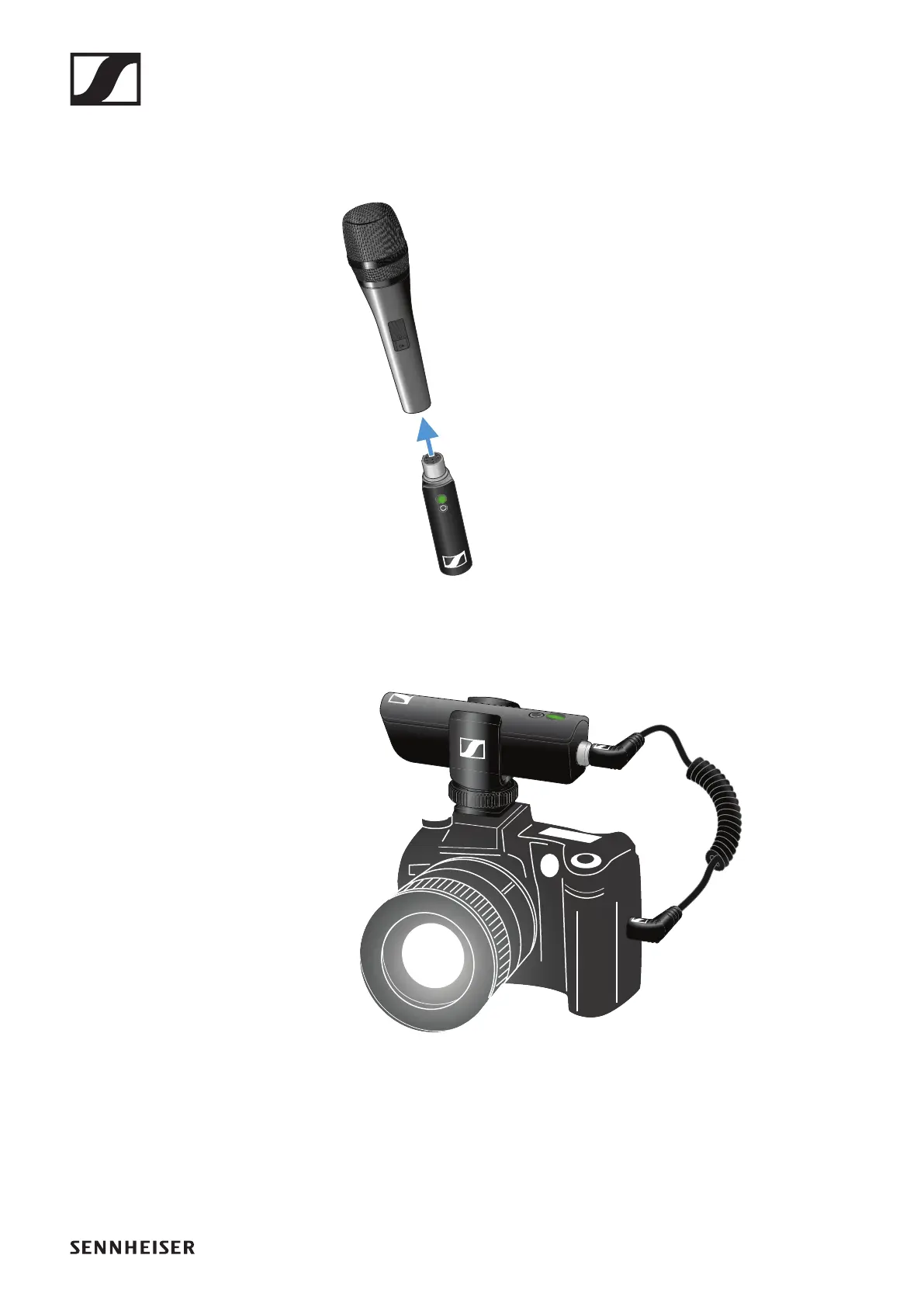
Connecting the transmitter to the microphone
►
▷ Plug the transmitter into the XLR socket on your microphone.
Connecting the receiver to the camera
►
▷ Plug the camera cable’s screw-on jack plug into the jack socket on the
receiver.
▷ Lock the jack plug by screwing down the coupling ring.
If the jack plug is not firmly locked, crackling noise can appear in the
audio signal.
▷ Insert the receiver into the hot shoe adapter.
▷ Slide the hot shoe adapter onto your camera.
▷ Plug the camera cable’s simple jack plug into the jack socket on your
camera.










 To Next Page