Warning Display
If you see “Flo” in the display, the breath sample was not strong enough
for measurement. Please power on the unit again and make sure the
breath is strong and steady during sampling.
If you see “bAt” in the display, the battery power is low.
Please replace the batteries.
Unit is on grace period of calibration, please contact local
distributor for the recalibration
Out of operating temperature,
please follow operating temperature condition
Out of required calibration period, please contact local distributor
Problem with sensor, please contact local distributor
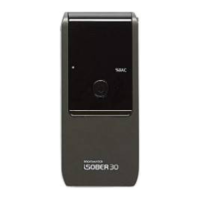
iSOBER30 memorizes various information related with test counting and time.
Especially the warning of remaining counts & dates until next calibration is helpful to
prepare calibration service on time.
To enter the menu mode, hold power button 5 seconds to turn on the device. The latest
test result will be shown briefly and then 3 selectable menu will be
displayed.
To move between 3 menus, press power button once.
To confirm target menu, press & hold power button 3 seconds
To out of menu mode, select or press & hold power button 3 seconds under the
toggle displaying is going on
Menu mode


 To Next Page