6X Multispectral Sensor Reflectance Panel User Guide
www.sentera.com Page 13 of 13 Updated August 13, 2020
844.SENTERA © 2020 Sentera, LLC. All rights reserved.
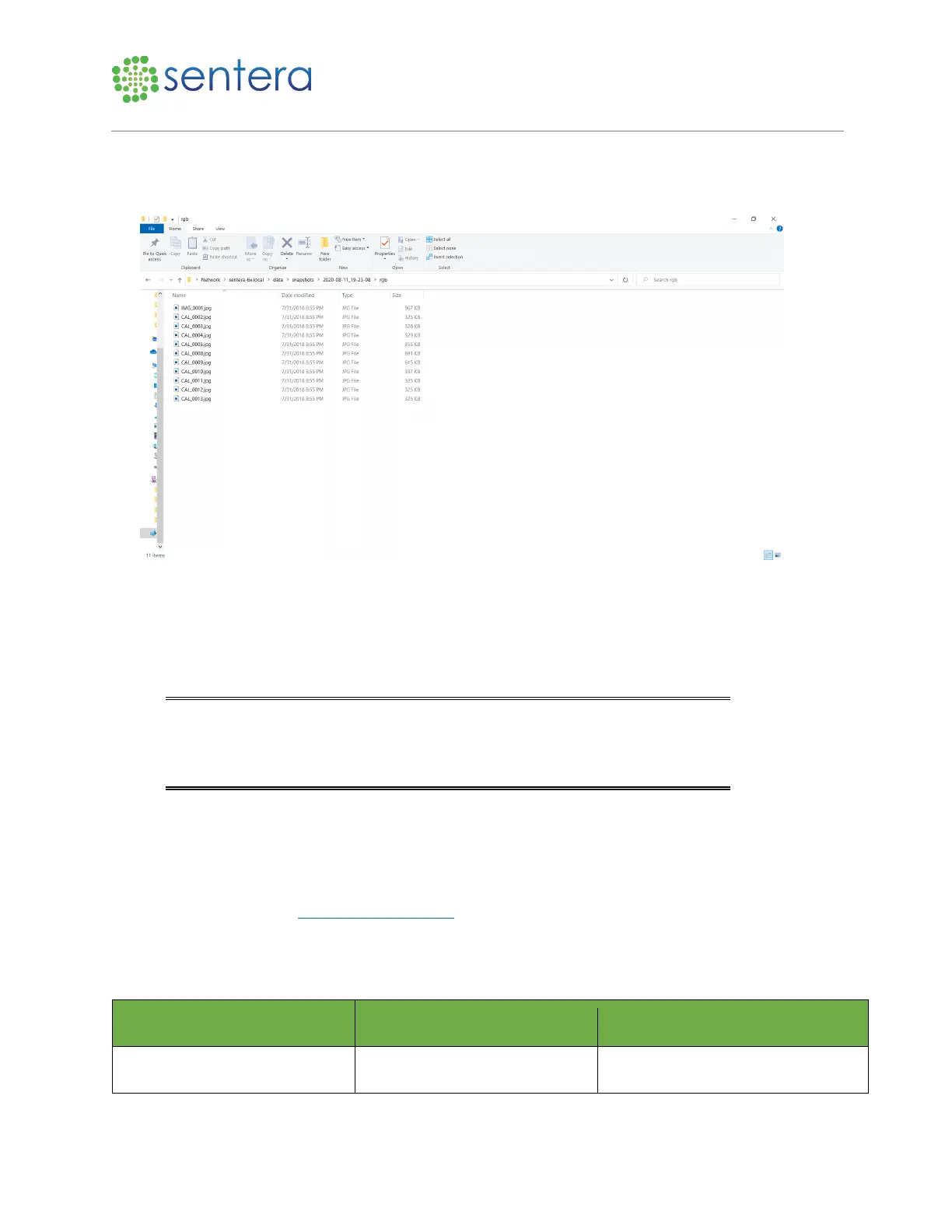
6. To verify, navigate to the image location on your laptop, as shown in Figure 11. Refresh the page in
the browser window to start a session. This session will contain images of the reflectance panel and
the subsequent flight images.
Figure 11: Image Verification
7. If no image is present, ensure all of the steps were performed correctly, and if necessary, restart the
process.
8. Once the images are verified, set the drone back on the ground at the launch location.
9. Pack away the reflectance panel, being sure to only handle it by the edges.
Note: You may not need to repeat this process every time you power cycle the
drone or do a new flight, however, for ease of use, doing so will make sure the
reflectance panel images are in the same folder as the flight data, which makes
it easier to share.
10. Once the reflectance panel images have been recorded it is time to fly and the imagery can be
converted to reflectance values after the flight.
4 Support
Need Support? Email us at support@sentera.com or call us 844-736-8372. Support hours are 8:00 AM
CST to 5:00 PM CST, Monday through Friday.
5 Revision History



 To Previous Page