6X Multispectral Sensor Reflectance Panel User Guide
www.sentera.com Page 9 of 13 Updated August 13, 2020
844.SENTERA © 2020 Sentera, LLC. All rights reserved.
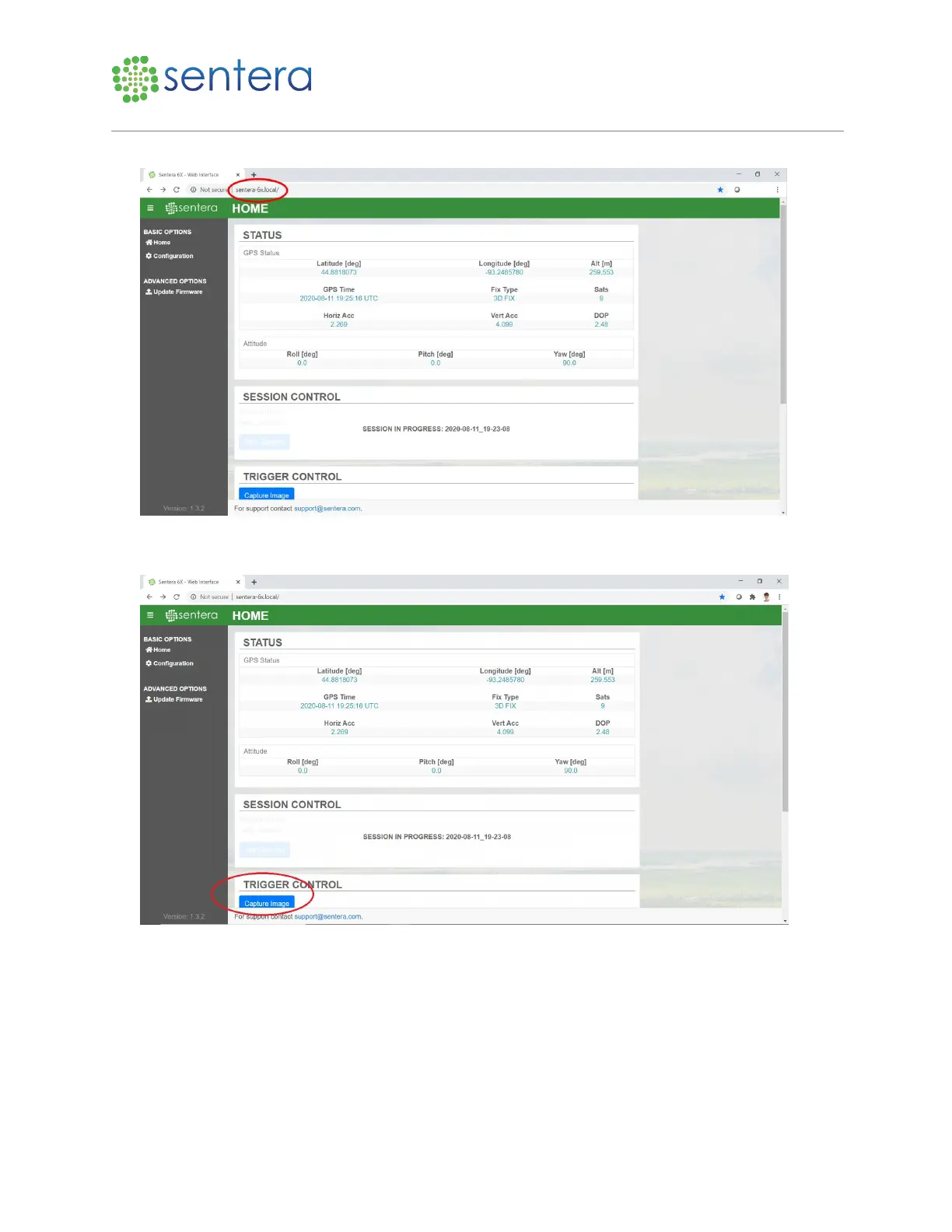
Figure 5: Enter URL
2. To ensure the camera is ready to go, click Capture Image, as shown in Figure 6.
Figure 6: Capture Image Button
3. In File Explorer, navigate to \\sentera-6x.local\ and find the current session folder. Check to make
sure the single image you captured is present, as shown in Figure 7.



 To Next Page