EasyManua.ls Logo

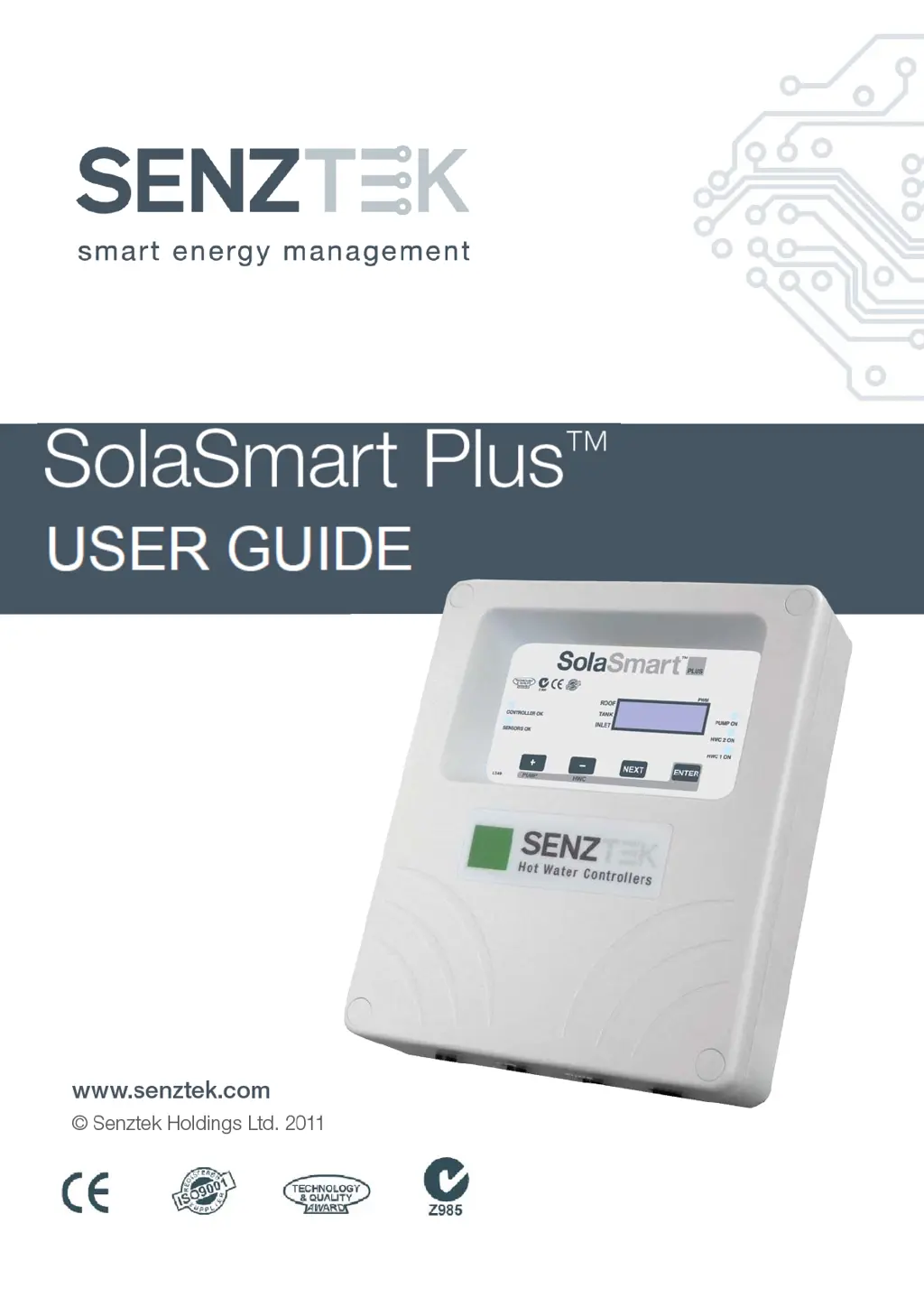
Senztek SolaSmart Plus - User Manual

Default Icon
12 pages
Print Icon
To Next Page IconTo Next Page
Loading...

Other manuals for Senztek SolaSmart Plus

Questions and Answers

  • T
    Terrance CarpenterAug 21, 2025
    Why is my Senztek Controller pump not running, even though it's sunny and the pump light is ON?
    • G
      Gina ThompsonAug 21, 2025
      The pump may not be running due to several reasons. First, check if the pump has become unplugged. If not, wait one minute to see if the pump restarts. If it doesn't, test the controller pump outlet for power. If there is power, the pump needs to be replaced. If there's no power, the controller needs to be replaced.
  • D
    daniel43Sep 3, 2025
    What to do if the Sensor O.K. light is OFF on my Senztek Controller?
    • W
      whitneytuckerSep 3, 2025
      If the Sensor O.K. light is off, the roof sensor may not be detected. Check that the sensor is plugged in. Try plugging in a spare roof sensor to test. If the test sensor works, then replace the original roof sensor.
  • S
    samantha22Sep 1, 2025
    What does it mean if my Senztek Controller pump only comes ON for a few seconds every few minutes?
    • B
      briansanchezSep 1, 2025
      This is normal operation for Advanced Topout and Recovery. This prevents banging in the tank (steam implosions).
  • J
    Joseph RuizAug 31, 2025
    Why does my Senztek SolaSmart Plus pump only come ON when the Roof sensor is above 100ºC?
    • M
      Mary RodriguezAug 31, 2025
      This is normal operation for Advanced Topout.
  • E
    Evelyn HarrisonAug 29, 2025
    How to troubleshoot a Senztek SolaSmart Plus Controller with no operation and no lights ON?
    • T
      Trevor CarterAug 29, 2025
      If there is no operation and no lights are on, check the mains outlet. Then, press the pump button. If the pump light comes on, the controller is okay.
  • W
    walkerheatherAug 28, 2025
    What to do if Senztek Controller pump is not running, while sunny outside and pump light is OFF?
    • S
      Stephanie ParsonsAug 28, 2025
      The pump may not be running because the system is in Topout or there's a sensor mounting problem. Check the display to see if the system is in Topout, which is normal. Also, check the sensor readings. If the readings do not match the actual water/plumbing temperatures, ensure the sensor makes good contact with the pocket/surface, thermal paste might be needed to ensure good thermal conductivity.
  • J
    Jennifer ReynoldsAug 27, 2025
    Why is my Senztek Controller HWC light staying on too long?
    • R
      Richard ReynoldsAug 27, 2025
      The HWC light may stay on for an extended period due to excess water draw off or a leak, the HWC power not getting to the controller or element, or the element being open circuit (blown). Verify excess hot water is not being drawn off. If the tank temperature at the controlling sensor is less than 50ºC, the issue may be interrupted power or a faulty element. If it's greater than 50ºC, the issue may be the tank thermostat. Ensure the thermostat is turned up to max; if this doesn’t work, the thermostat is too inaccurate for this application.
  • K
    Kathleen MercadoAug 25, 2025
    What to do if my Senztek SolaSmart Plus pump is running continuously?
    • A
      allentorresAug 25, 2025
      If the pump sounds like stones are passing through it, the pump may be cavitating. Long pump times may be normal for a variable speed pump or a special installation. Unplug the pump for 1 minute. If the system behaves normally after plugging it back in, then an airlock was present. If return pipe temperature losses are greater than the ‘pump off’ value, the system may lock on for extended periods. Insulate the return pipe better or change the pump off value.
  • C
    csnyderAug 23, 2025
    What to do if Senztek SolaSmart Plus hot water stored drops significantly at night?
    • E
      Elizabeth Howe MDAug 23, 2025
      Significant drops in stored hot water at night, even without much use, can occur because the system is reverse thermo-siphoning, located in a high frost area, or the tank is losing heat. The non-return method may not be effective or is malfunctioning, potentially linked to nighttime pump activity. Check the roof sensor reading at night to verify this. Install better insulation on the hot water tank.

Summary

The Display Panel

Controller and Sensor Status Lights

Status indicators for controller operation and sensor connectivity on the display panel.

Front Panel Buttons and Functions

Explains the function of the +/-, ENTER buttons for comfort level and boost operations.

Displayed Sensor Data

The 3 sensor temperatures (Roof, Tank, Inlet) cycle on the display.

Navigation and Additional Screens

NEXT button cycles through additional screens like time and diagnostics.

Important Safety Precautions

Warns about no user-serviceable parts and dangerous voltages inside the enclosure.

Solar Control Methods

Differential Control

Pump activates when collector is hotter than the tank by a set level.

Frost Protection

Protects system from freezing by activating pump to slightly warm water.

Topout Control Methods

Manages tank temperature limits, including 'Simple' and 'Advanced' options.

BioSafe and Boost Functions

BioSafe Operation

Periodically sterilises collector pipes and tank using elements to prevent bacterial growth.

Boost Function

A one-off operation to temporarily increase the hot water target temperature.

Tariff Tables

Tariff Table Configuration

Allows controller setup to minimise electricity costs by matching hot water use to time bands.

Comfort Control Settings

Comfort Level Adjustment

User control for balancing efficiency vs. guaranteed hot water storage.

Holiday Mode

Setting Comfort to 0% disables electric element heating except for BioSafe sterilisation.

Display and Diagnostics

Basic Screen Display

Scrolling display of Roof, Tank, and Inlet temperatures with indicator dots.

Advanced Diagnostics Mode

Access advanced diagnostics screens by pressing the NEXT button.

Diagnostic Screen Details

Screen 4: PWM Duty Cycle

Shows the speed of the variable speed pump (0 to 100%).

Screen 5: Time Display

Time is shown in HH:MM format.

Screen 6: Diagnostics Interpretation

Explains segments displaying active solar rule, HWC rule, active element, and tariff band.

Setting Time and Hot Water Profile

Procedure for Setting Time

Step-by-step guide to set the current time using ENTER and NEXT buttons.

Procedure for Setting Hot Water Profile

Step-by-step guide to select and set the hot water profile (e.g., H1, H2, H3).

Troubleshooting Guide

No Operation or Lights

Troubleshooting steps for when the controller shows no activity or lights.

Sensor O.K. Light Issues

Diagnosing problems when the Sensor OK light is OFF or flashing.

Pump Operation Anomalies

Addressing issues like pump not running, running continuously, or intermittent operation.

HWC Light and Element Issues

Troubleshooting HWC light staying on too long or element-related faults.

Senztek SolaSmart Plus Specifications

General IconGeneral
Maximum Input Voltage100V
Battery Voltage12V/24V Auto
Operating Temperature-20°C to +55°C
Input Voltage12V/24V
Output Voltage12V/24V
CertificationsCE, RoHS
MPPT Efficiency99%
Humidity Range10% to 90% (Non-condensing)