DS2 – Two-Camera Vehicle Event Recording System
DS2 Quick Installation and Setup Guide
Part #700-1078 R5
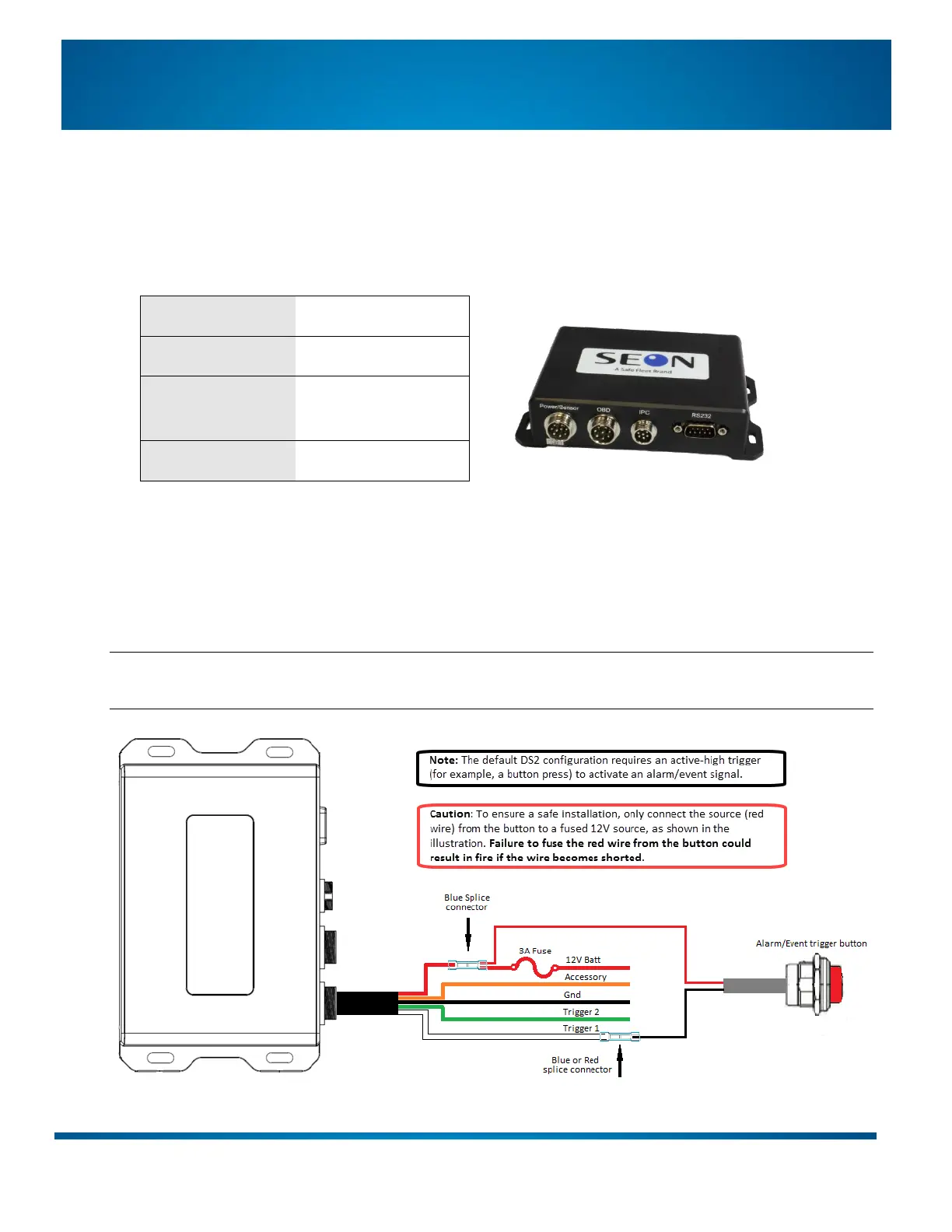
Step 5: Install the Control Unit
1. Place the Control Unit in the desired location. Leave room to connect the cables.
2. Plug the Power Harness into the Power/Sensor input on the Control Unit.
3. Make the following electrical connections from the Power Harness to the vehicle:
Fused Ignition source/
Accessory
Step 5a (optional): Install the Alarm/Event Trigger Button
If the installation includes the optional Alarm/Event trigger button, make the following additional
connections from the Power Harness (in the diagram, the white/SENSOR IN1 wire is labeled Trigger 1 and the
green/SENSOR IN2 wire is labeled Trigger 2):
Note: The optional Alarm/Event Trigger Button (WSA20) ships with a 1x2 Micro-Fit connector. You need to
cut the Micro-Fit off of the cable before making the Power Harness connections shown below.


 To Next Page