DS2 – Two-Camera Vehicle Event Recording System
DS2 Quick Installation and Setup Guide
Part #700-1078 R5
Step 6: Run/Connect Camera Cables
Warning: The “A” pillar (beside the windshield) may contain an air bag. Do not attempt to run cables
down the “A” pillar unless you are sure you understand how the safety system may be affected.
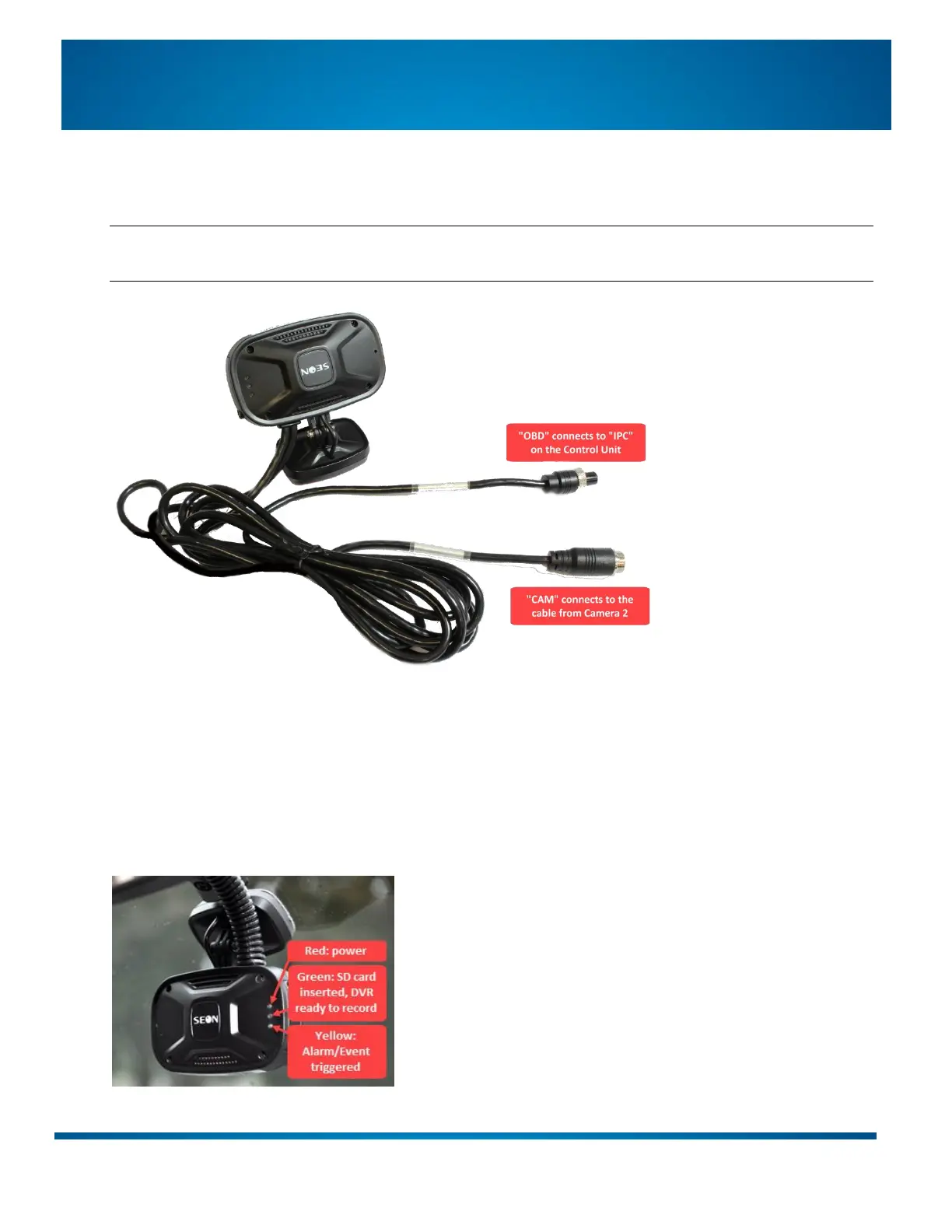
Connect CAM from Camera 1 to the cable from Camera 2.
Connect OBD from Camera 1 to the IPC input on the Control Unit.
Step 7: Verify Operation
Turn on the vehicle ignition and ensure the red light on Camera 1 is illuminated, indicating the system has
power and is operational. If the red light does not come on, check the Power Harness connections.


 To Next Page