DS2 – Two-Camera Vehicle Event Recording System
DS2 Quick Installation and Setup Guide
Part #700-1078 R5
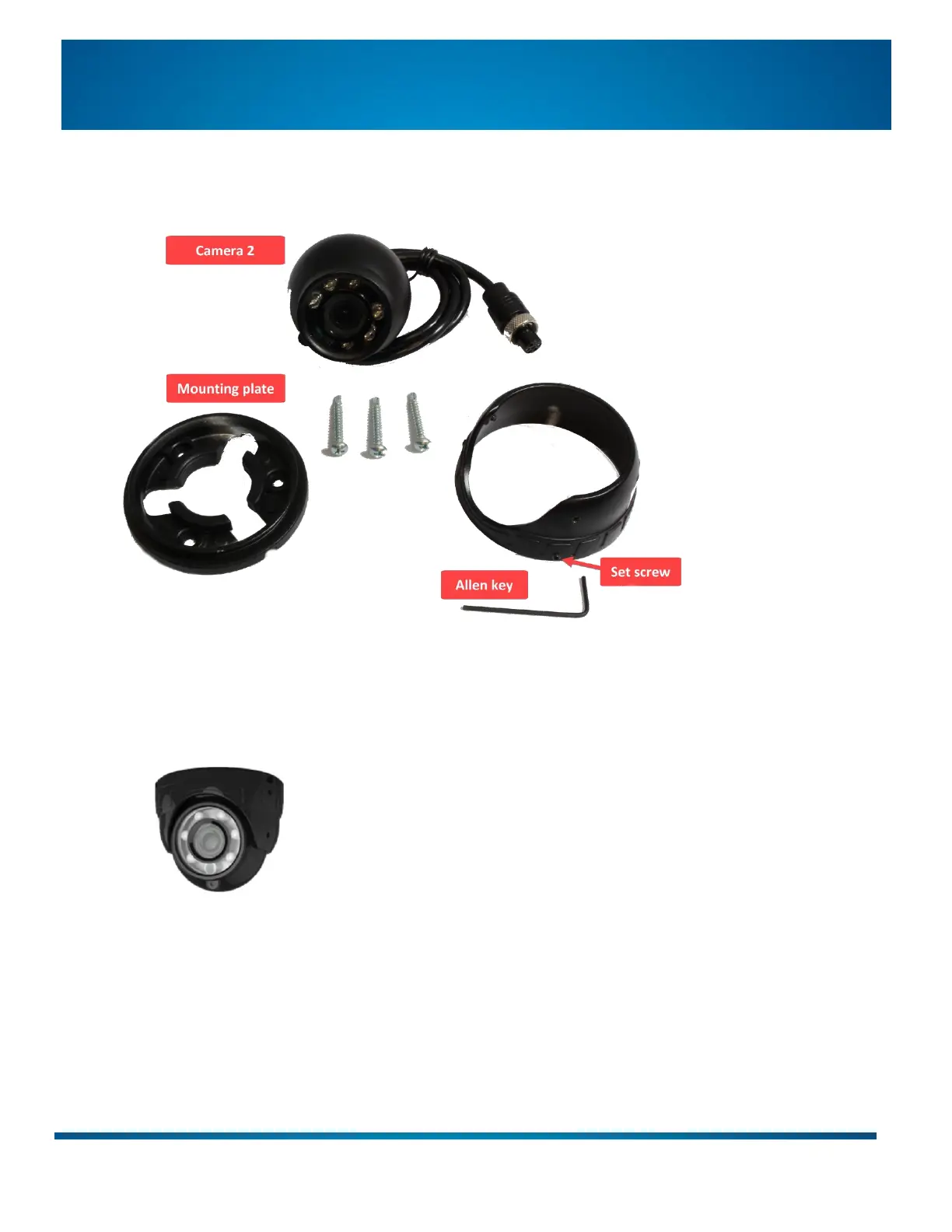
Step 4: Mount Camera 2
1. Use the supplied Allen key to loosen the 3 set screws and separate the mounting plate from the housing.
2. Thread the cable through the plate and attach the flat side to the mounting surface with the 3 screws.
3. Re-assemble the camera/housing.
Aim the camera appropriately before fully tightening the set screws.


 To Next Page