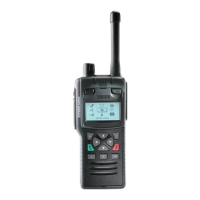
Shirt/Pocket clip
The shirt/pocket clip (part no. 300-01922) is used to attach the radio to clothing, such as a shirt or
trouser pocket. The shirt/pocket clip is attached to the radio using the carrying aid attachment points
on the back of the radio
Removing the shirt/pocket clip
1. Use a PZ1 screwdriver to remove the two screws securing the shirt/pocket clip to the
attachment points on the back of the radio. Remove the shirt/pocket clip from the radio.
Attaching the shirt/pocket clip
Caution! Risk of damage to the radio. Ensure the shirt/pocket clip screws are
secure, but do not over tighten as this can cause damage to the cover. If using
a torque screwdriver, apply a maximum torque of 45 Ncm or equivalent.
1. Place the shirt/pocket clip onto the back of the radio, aligning the two attachment points on the
back of the radio with the mounting holes on the shirt/pocket clip.
2. Use a PZ1 screwdriver, secure the shirt/pocket clip into position using the screws provided.
MAX 45 Ncm
PZ1 x 2
Do not over tighten
Level 1 Service Guide 9



 To Next Page
 Loading...