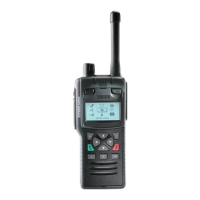
4. Inspect the keypad (9), paying particular attention to the keypad bezel lugs (10), after removal.
If the lugs are damaged, the keypad bezel (10) must be replaced.
Fit the keypad and keypad bezel
1. Place the keypad (9) onto the radio in the correct orientation. Lay the keypad bezel (10) over
the keypad (9).
2. Carefully push down on the keypad bezel lugs in the order shown. An audible click is heard
when the snap hooks latch (securing the keypad (9) into position). Ensure the keypad is
secure.
3. After fitting the new keypad (9) and bezel (10), all keys should be pressed to check they
operate correctly.
Smartcard Holder Poron Pad (Mod State 1-3)
A small pad is attached to the top of the smartcard holder retainer to ensure that the card holder
remains secure during a heavy impact, for example the radio being dropped. Should the pad become
worn or is missing, it must be replaced.
The pad has an adhesive backing and can be easily removed from the card holder retainer using
tweezers or your fingers.
To replace, remove the protective backing from the pad to expose the adhesive surface. Place the
adhesive side of the pad onto the top of the smartcard holder retainer. Press firmly to secure into
position.
Level 1 Service Guide 31



 To Next Page
 Loading...