EasyManua.ls Logo

SeQual eQuinox 4000 - User Manual

SeQual eQuinox 4000
26 pages
Print Icon
To Next Page IconTo Next Page
Loading...
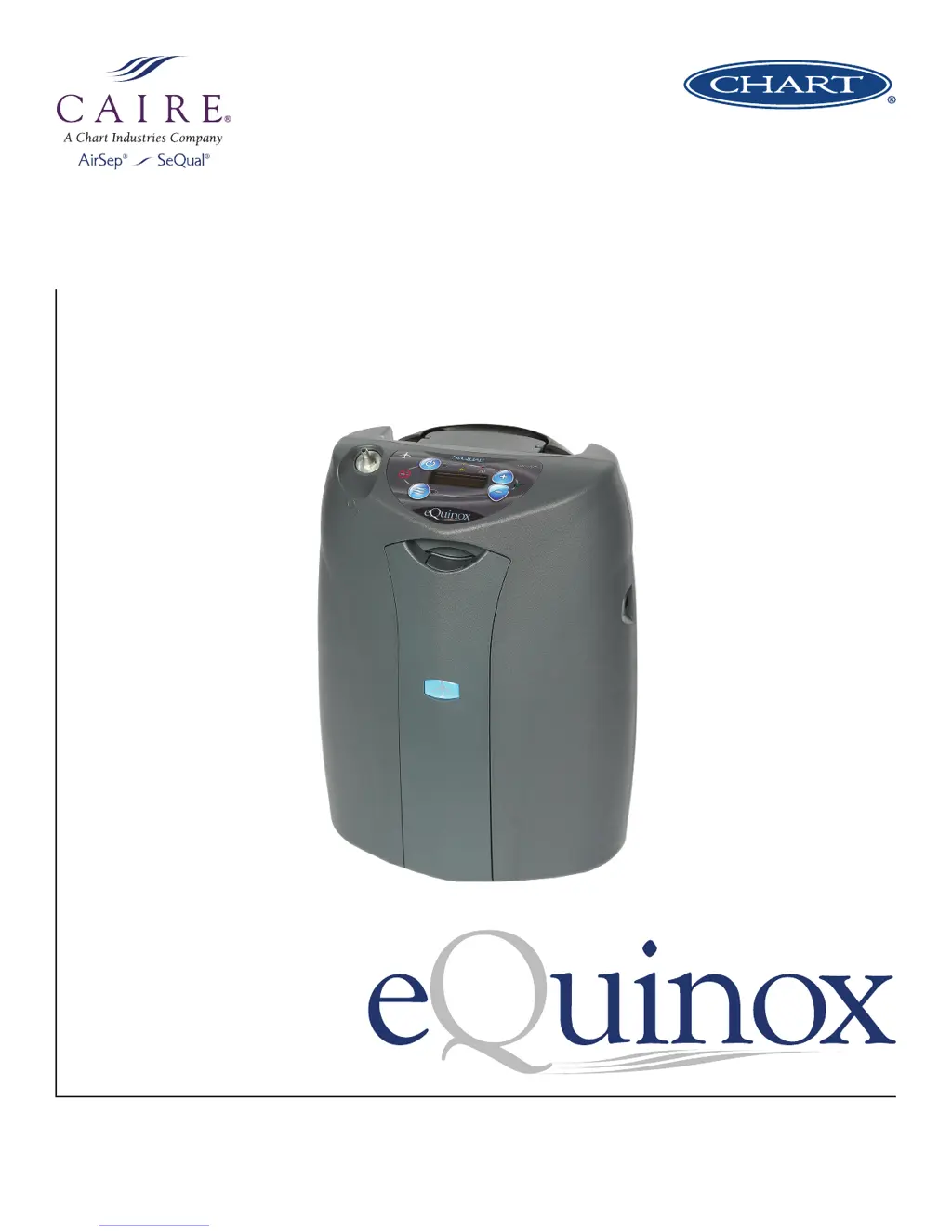
eQuinox
TM
Model 4000
User Manual

Questions and Answers

  • L
    larrysheaAug 17, 2025
    What to do if the red light is flashing and the alarm is giving 3 beeps every 2 minutes on my SeQual Medical Equipment?
    • B
      Barbara LewisAug 17, 2025
      If your SeQual eQuinox has detected low oxygen levels, ensure the air intake filter is not clogged or restricted, and clean or replace it if necessary. Also, make sure the eQuinox is in a well-ventilated area, with at least 3 inches of space between the back and any obstructions. If operating in a car, ensure the back faces outward. If the problem continues, switch to an alternate oxygen source and contact your healthcare provider immediately.
  • M
    marcuswuAug 19, 2025
    What to do if the yellow light is flashing and the alarm is giving 1 beep every 2 minutes on my SeQual Medical Equipment?
    • G
      Gina SteinAug 20, 2025
      If your SeQual eQuinox has detected a flow restriction causing low or blocked flow, first clean and replace the cabinet inlet filter. Then, make sure the cannula isn't kinked or blocked, and if you're using a humidifier bottle, ensure it's filled properly and not causing a blockage. Also, ensure the eQuinox has proper ventilation with at least 3 inches of space around it. If the problem continues, switch to an alternate oxygen source and contact your healthcare provider.
  • S
    Sharon ChandlerAug 22, 2025
    Why is my SeQual Medical Equipment battery pack draining while plugged in?
    • K
      Kenneth RoweAug 22, 2025
      If your SeQual eQuinox battery pack is draining while plugged in, it means the eQuinox is not receiving power from the attached power supply. First, verify that the outlet is providing power and is not a dimmer circuit or power strip. Next, check that cable connections on power supplies are secure to the wall/vehicle and concentrator; if using AC power, check the cable connection on the power supply transformer as well. Ensure that the power verification lights are on: a green light on the power supply box and a green light on the eQuinox concentrator control panel in the shape of a power cord. If power verification LEDs are not lit, remove all connections of the power supply for 20 seconds and reconnect. If the condition persists, contact your healthcare provider.
  • A
    aaronwilliamsAug 26, 2025
    What to do if the red light is flashing and the alarm is giving a constant beep on my SeQual Medical Equipment?
    • M
      Matthew MoranAug 26, 2025
      If your SeQual eQuinox has lost power temporarily while running on external power, inspect the external (AC or DC) power supply and ensure that its connections are secure at the eQuinox, the transformer, and the external power outlet. If possible, attempt to use another electrical (AC or DC) outlet to power the eQuinox. If the condition persists, switch to an alternate source of oxygen and contact your healthcare provider immediately.
  • K
    Kimberly BlairAug 28, 2025
    Why is the battery pack charge not lasting as long as it should on my SeQual Medical Equipment?
    • E
      Erica TrevinoAug 28, 2025
      If your SeQual eQuinox battery pack isn't lasting as long as it should, make sure it was fully charged by connecting to AC power for 2-5 hours until the battery icon is full and not flashing. Ensure that you are using the flow rate prescribed by your physician and that pulse or continuous flow is being used as required. You can also attempt to drain the battery pack completely by running the eQuinox on battery power until it shuts off, then let the battery cool for 30 minutes before recharging it using AC power. If the battery still doesn't last, contact your healthcare provider.
  • J
    Jon ElliottAug 30, 2025
    What to do if the yellow light is flashing and there is no audible alarm on my SeQual Medical Equipment?
    • N
      nschneiderAug 31, 2025
      If your SeQual eQuinox has detected low oxygen levels, ensure the air intake filter is not clogged or restricted, and clean or replace it if necessary. Also, ensure the eQuinox is in a well-ventilated area, making sure there are at least 3 inches between the back of the eQuinox and any obstructions. If operating in the car, be sure the back of the eQuinox is facing outward in the seat. If the condition persists, switch to an alternate source of oxygen and contact your healthcare provider immediately.
  • D
    Danielle WrightSep 2, 2025
    What to do if the Battery Pack (battery) is not charging on my SeQual Medical Equipment?
    • R
      Rachel GalvanSep 2, 2025
      If the SeQual eQuinox is not receiving external AC power to charge the battery, verify that the outlet is providing power and is not connected to a dimmer circuit or a power strip. Check that cable connections on power supplies are secure to the wall/vehicle and concentrator, and if using the AC power supply, check the cable connection on the power supply transformer as well. Ensure that the power verification lights are on: a green light on the power supply box and a green light on the eQuinox concentrator control panel in the shape of a power cord. If power verification LEDs are not lit, remove all connections of the power supply for 20 seconds and reconnect. If the condition persists, contact your healthcare provider.
  • J
    Jose WardSep 5, 2025
    How to fix a solid yellow light with a beep every 30 seconds on SeQual Medical Equipment?
    • H
      hchungSep 5, 2025
      If the eQuinox has detected a problem with the connection to the battery pack, remove the battery pack and re-install to ensure that it is secure in the concentrator. If possible, install a separate battery pack in the eQuinox. If this problem persists, contact healthcare provider.
  • M
    Mrs. Melissa West MDSep 8, 2025
    What does it mean if the red light is solid and the display screen says “FAIL” on my SeQual Medical Equipment?
    • A
      Amber NovakSep 8, 2025
      If your SeQual eQuinox has experienced a system malfunction, remove the battery pack and disconnect the AC or DC power supply. Wait about 20 seconds, then reconnect the power sources and try to power on the eQuinox again. If it powers on, monitor it to see if the FAIL message reappears. If it does, or if the eQuinox doesn't power back on at all, contact your healthcare provider immediately.
  • R
    Renee BridgesSep 12, 2025
    Why is the pulse mode LED flashing quickly for 15 seconds on my SeQual Medical Equipment?
    • L
      Lisa McgrathSep 12, 2025
      If the eQuinox is unable to detect the user’s breathing effort, pulse mode may not work correctly if the user has any condition that causes blocked/restricted nasal passages. Ensure cannula is no longer than 7 feet in length. Ensure that there are no kinks or blockage in cannula tubing. If a humidifier bottle is connected, remove the humidifier bottle and connect cannula directly to outlet port, as pulse mode will not work with a humidifier bottle installed. If the condition persists, contact your healthcare provider.

Summary

Quick Start Guide

Unpack Your eQuinox

Step-by-step guide to unboxing the eQuinox and its accessories.

Getting to Know Your eQuinox

Familiarize yourself with the eQuinox's key features and user control panel.

The eQuinox User Control Panel

User Control Panel Overview

Detailed explanation of the eQuinox user control panel indicators and buttons.

Powering on the eQuinox

Step-by-step guide to connecting power and turning on the eQuinox device.

Safety Guidelines

General Safety Information

Important safety warnings for hazards that might cause serious injury.

Important Cautions

Information for preventing damage to the eQuinox device.

Indications for Use

Prescribed Oxygen Levels

Warning about selecting only prescribed oxygen levels and use during sleep.

Legal Restrictions

Information on federal law restricting device sale or rental by physician order.

Contraindications for Use

Non-Prescribed Oxygen Use

Warning that non-prescribed oxygen use can be hazardous.

Flammable Substances

Warning against use in the presence of flammable anesthetics or substances.

General Safety Warnings

Fire and Burn Hazards

Warnings regarding smoking, open flames, and flammable materials with oxygen use.

Operational Hazards

Warnings about ventilation, placement, and avoiding flammable gases.

Recommended Operating Environments

Device Specifications

Chart detailing operating temperature, humidity, altitude, and placement requirements.

Proper Placement of the eQuinox

Guidance on selecting a location that avoids smoke, fumes, and pollutants, ensuring alarms are heard.

Operating Instructions

Before Operating the eQuinox

Essential steps and precautions to take before using the eQuinox.

Powering and Charging the eQuinox

Instructions on powering the device using different sources and general charging information.

DC Supply Connection

How to connect and operate the eQuinox using a DC power source, such as in a vehicle.

Rechargeable Battery Pack (Battery)

Battery Installation and Removal

Instructions on how to install and remove the battery pack from the eQuinox.

Initial Battery Charging

Guide to fully charging the battery before first-time use of the eQuinox.

Battery Operating Times

Table showing estimated operating times for different battery types and flow settings.

Voice Module Operation

Enable;Disable Voice Module

Instructions on how to turn the voice module function on or off.

Adjusting Vocal Notification Volume

How to increase or decrease the volume of vocal notifications from 1 to 10.

Changing Voice Module Language

Steps to change the language spoken by the voice module.

First Time eQuinox Operation

Positioning and Powering On

Guidance on placing the eQuinox and powering it on for initial use.

Connecting Oxygen Supply and Selecting Mode

Instructions for connecting oxygen tubing and choosing the correct flow mode.

Pulse Dose Mode and autoSAT Features

Pulse Dose Mode Operation

Explanation of pulse dose mode and autoSAT features, including breath rate table.

Adjusting Flow and Using the Cart

Steps for adjusting flow settings, breathing normally, and operating the eQuinox cart.

Powering Off the Device

Instructions on how to properly turn off the eQuinox device.

User Troubleshooting Table

Yellow Light Alarms

Table detailing symptoms, causes, and actions for yellow light indicators.

Red Light Alarms

Table detailing symptoms, causes, and actions for red light indicators.

Other Alarm Conditions

Table addressing other alarm symptoms like flashing pulse LED and battery issues.

Cleaning, Care & Routine Maintenance

Routine Maintenance

Overview of preventative maintenance schedules and technician services.

User Care and Cleaning

Instructions for user-level cleaning of the device, including cannula and air inlet filter.

Cleaning External Components

Procedures for cleaning the AC power supply, cables, outer case, and cart.

Humidifier and Battery Care

Guidance on cleaning the humidifier and caring for the battery pack.

Disposal of Components

Information on proper disposal of batteries and the eQuinox oxygen system.

EMC Tables

Electromagnetic Emissions

Manufacturer's declaration regarding electromagnetic emissions compliance and guidance.

Electromagnetic Immunity

Immunity Test Levels

Table detailing immunity test levels and electromagnetic environment guidance.

Conducted and Radiated RF Immunity

Information on immunity to conducted and radiated RF energy, including separation distances.

RF Equipment Separation Distances

Table providing recommended separation distances for RF communications equipment.

General Airline Travel Information

Aircraft Usage Restrictions

Rules for using the eQuinox during taxi, takeoff, landing, and cabin decompression.

Battery Removal for Travel

DOT/UN regulations requiring battery removal for international airline travel as luggage.

Battery Pack & Airline Travel Table

Airline Travel Recommendations

Advice on battery requirements, carrying extra batteries, and contacting airlines before travel.

SeQual eQuinox 4000 Specifications

General IconGeneral
AC Power100-240 VAC, 50/60 Hz
Operating Temperature41°F to 104°F (5°C to 40°C)
Oxygen OutputUp to 3 LPM continuous flow
Oxygen Concentration87% to 95% at all settings
Operating ModesContinuous Flow, Pulse Dose
Operating AltitudeUp to 13, 123 feet (4, 000 meters)
Operating Humidity15% to 95% non-condensing
Sound Level45 dB(A) at setting 2 pulse mode
Noise Level45 dB(A) at setting 2 pulse mode

Related product manuals