3
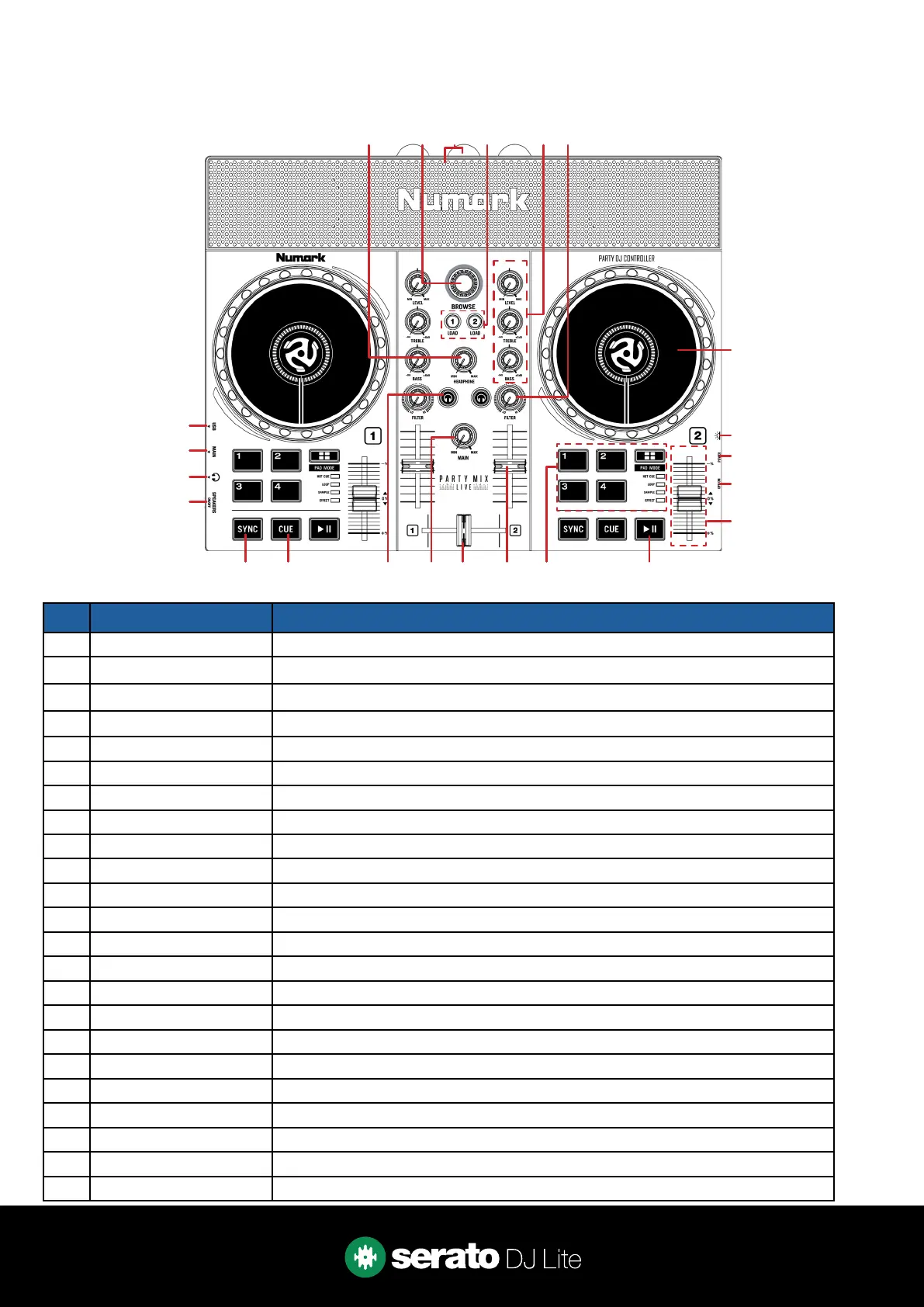
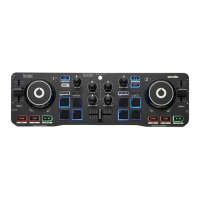
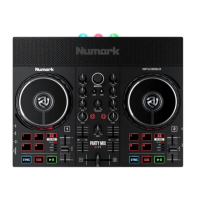
# PARTY MIX LIVE CONTROL FUNCTION
1 HEADPHONE Adjust headphone output level
2 BROWSE Library Scroll. Press to toggle between track and crate selection
3 LIGHTS / SPEAKERS Built-in lights & speakers
4 LOAD 1 / 2 Load highlighted track to respective deck. Double press to Instant Double
5 EQ / GAIN Adjust channel EQ (treble & bass) and channel gain (level)
6 FILTER Low & High pass combo lter (per channel)
7 JOG WHEEL Control waveform within Serato DJ in vinyl mode, or pitch bend
8 PARTY BALL LIGHTS SEE LIGHTS FOR MORE INFORMATION
9 POWER Connect AC adapter to power device
10 ON / OFF Toggle to turn device on
11 TEMPO SLIDER Adjust tempo/pitch
12 PLAY / PAUSE Toggles Play/Pause on selected deck
13 PERFORMANCE PADS SEE PERFORMANCE PADS FOR MORE INFORMATION
14 CHANNEL FADER Adjust channel volume
15 CROSSFADER Crossfade audio between channel 1-2
16 MAIN Adjust Master output level
17 CHANNEL CUE Press to cue channel for monitoring in headphones
18 CUE Cues from temp cue point/Set temp cue point
19 SYNC
Press to turn SYNC on. Hold the PAD MODE button while pressing to turn SYNC o.
20 SPEAKERS ON / OFF Toggle built-in speakers
21 HEADPHONE OUT Output to headphones (3.5mm or 1/8”)
22 MAIN OUT Connect 3.5mm or 1/8” output to speakers
23 USB Connect USB data cable to PC
Overview
1 2 3 4 5 6
14 12131516171819
22
23
21
20
7
10
11
9
8



 To Next Page