5 Settings Menu
In Stand-by Mode (unit turned off but plugged into power),
press and hold + and – Buttons (Right-Compt) at the same time
for 3 seconds to enter into the Settings Menu, which contains two
functions, Pr(Battery Protection Settings) and CF(°C/°F Settings).
Press Power Button to toggle between Battery Protection
Settings and °C/°F Settings.
Right-Compt Temperature
Adjustment Buttons
MAX ECO
Power Button
4 Max/Eco Mode
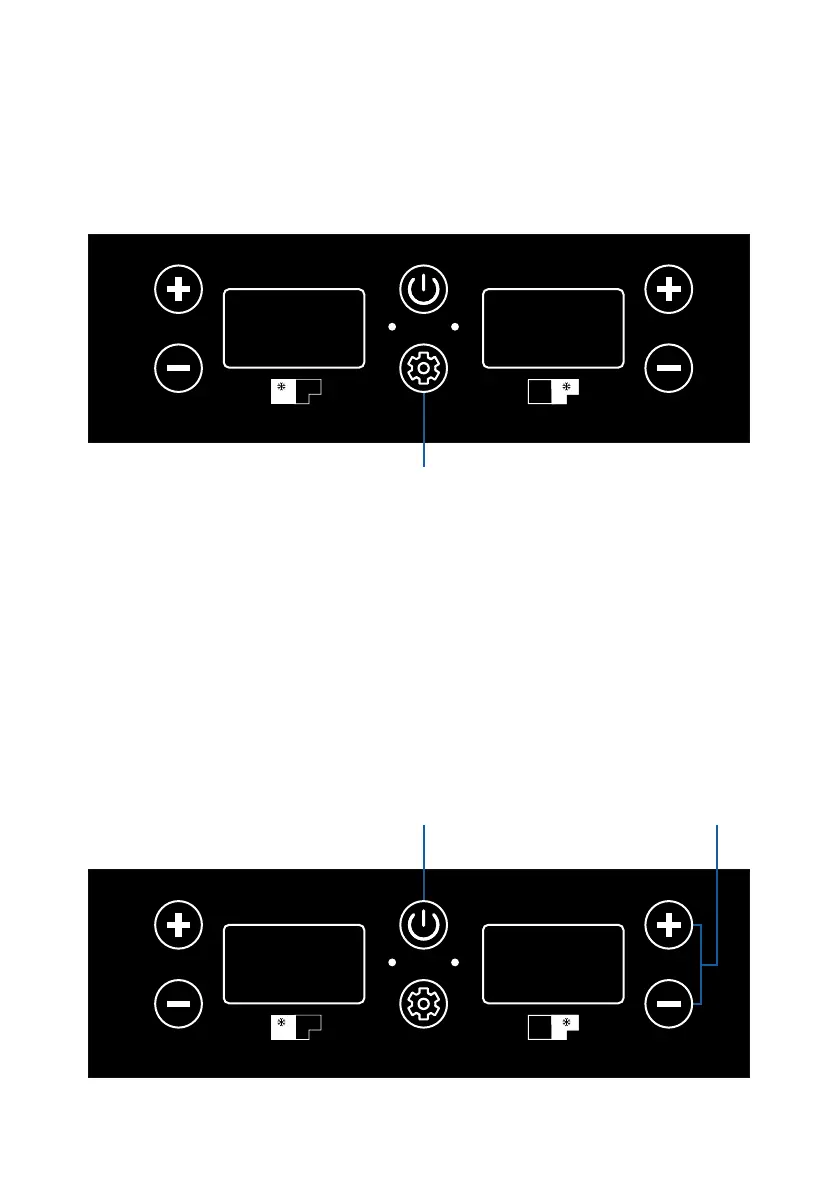
With the unit turned on, press the Set Button to toggle between Max
(Fast Cooling) Mode and Eco (Energy Saving) Mode. The
corresponding light will be on at the same time: the blue light is for
Max mode, while green one refers to Eco Mode.
MAX ECO
Set Button
04



 To Next Page