5.1 Battery Protection Settings
MAX ECO
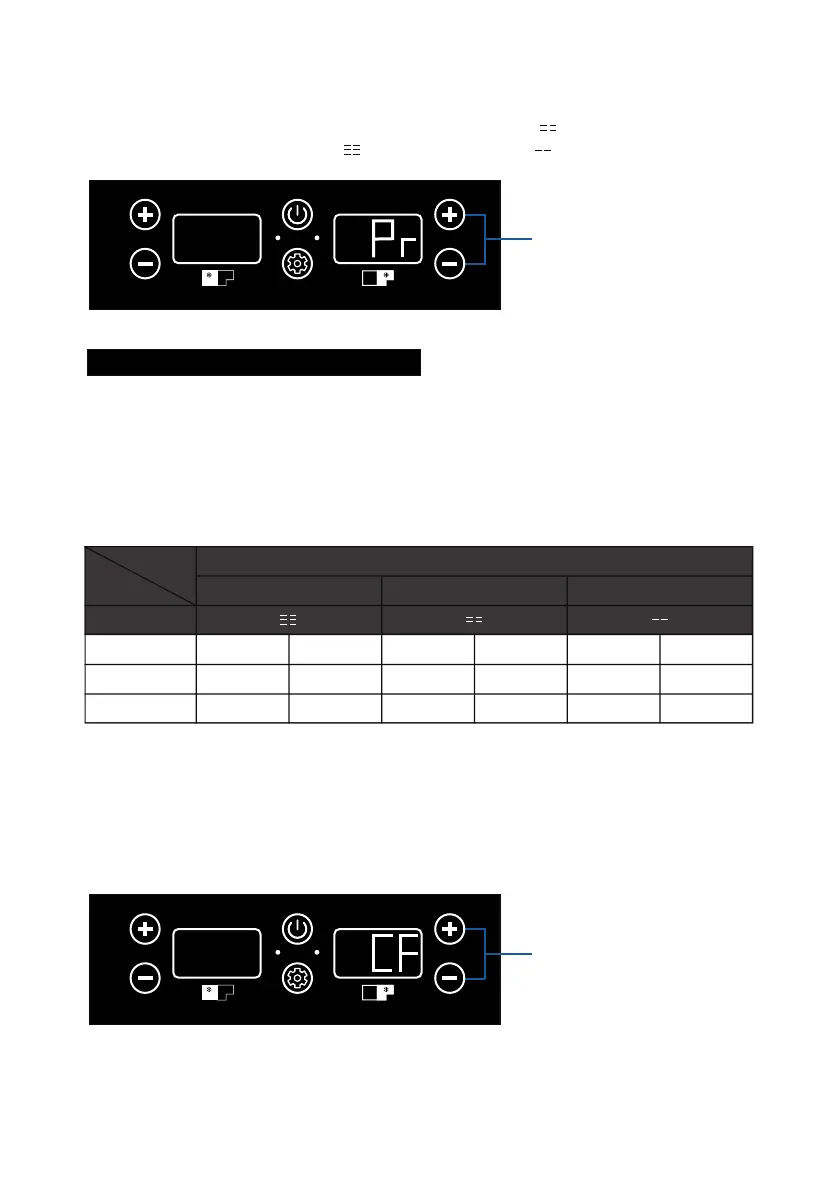
When “Pr” displays on the right gauge, press + or – button(Right-Compt) to choose
protection level. There are 3 protection levels available, “ ” refers to Middle Level,
which is also the default value. “ ” means High Level, “ ” means Low Level.
What is Battery Protection Settings?
This function is designed to prevent over-discharge and battery depletion.
When the measured DC voltage is below the Cut-off value, the compressor
will shut off to prevent battery depletion. After the voltage is higher than
Start-up value, the compressor will go back to work again. Improper
protection setting or low-power battery may cause E1 error, please lower the
battery protection or recharge the battery in time.
Power
Source
Display
Mid Level is the Default Setting
HIGH MID LOW
Start-up Cut-off Start-up Cut-off Start-up Cut-off
12V
24V
12.4V
25.7V
11.1V
24.3V
11.7V
24.2V
10.4V
22.8V
10.9V
22.7V
9.6V
21.3V
5.2 Switch Between °C to °F
MAX ECO
Right-Compt Temperature
Adjustment Buttons
When “CF” displays on the right gauge, press + or –(Right-Compt) to switch between
C(Celsius) and F(Fahrenheit).
Right-Compt Temperature
Adjustment Buttons
Protection
Level
05



 To Next Page