27
Adjusting appliance for floor
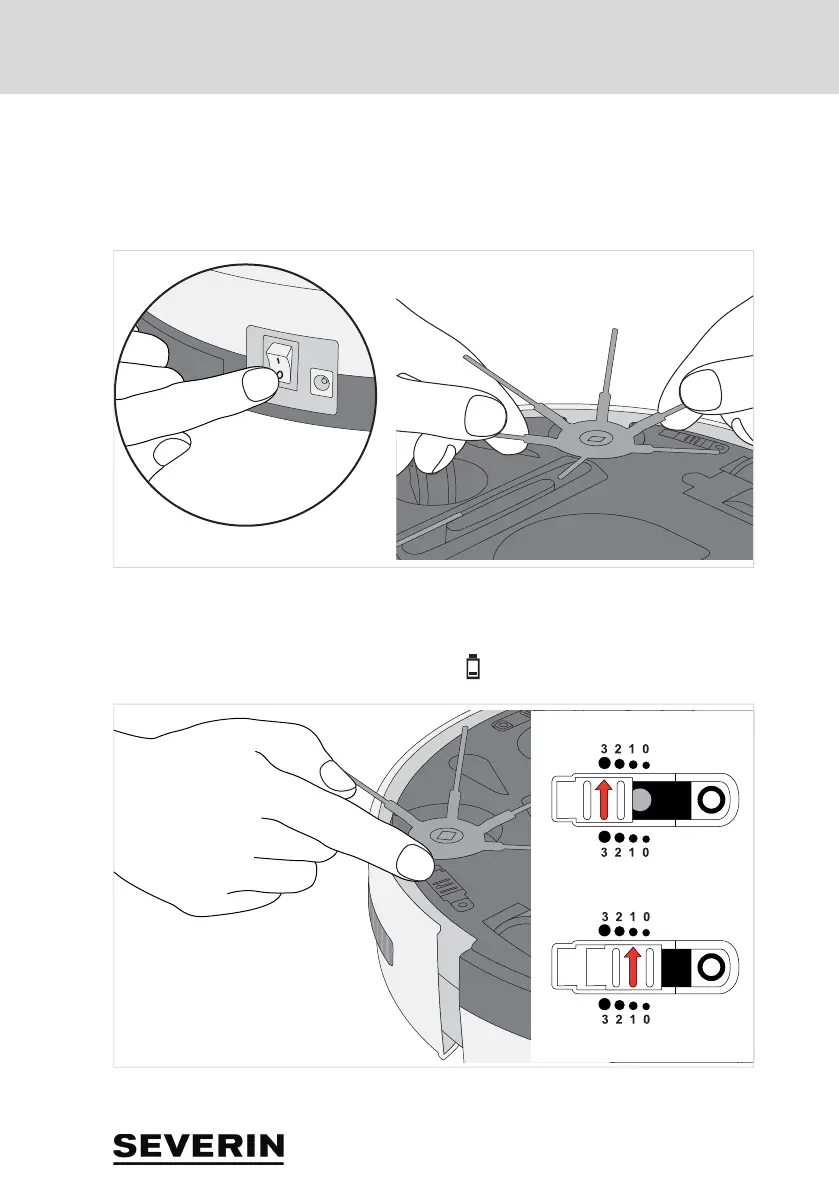
5 Adjusting appliance for floor
1. Make sure that the appliance is switched off.
2. Depending on the floor, attach or remove brushes:
– If you want to clean hard floors, attach the round brushes (see figure).
– If you want to clean short-pile carpeting, remove the brushes (see figure).
3. Put all 3 sensors in the correct position:
– For light floors and flat steps, position 0 to 1.
– For dark floors and higher steps, position 2 to 3.
TIP: If the drop sensors are not set correctly, the LED lights up on the top of the appliance.
TIP: If the robot always moves backwards on dark floors, select position "3".
RB7023.book Seite 27


 To Next Page