22
mainTaininG anD cleaninG The aPPliance
4 Maintaining and cleaning the appliance
Before changing or cleaning the lters, switch the appliance off and disconnect the power plug from
the socket.
Clean lters latest when the light on the ON/OFF switch is blue (Fig. 2).
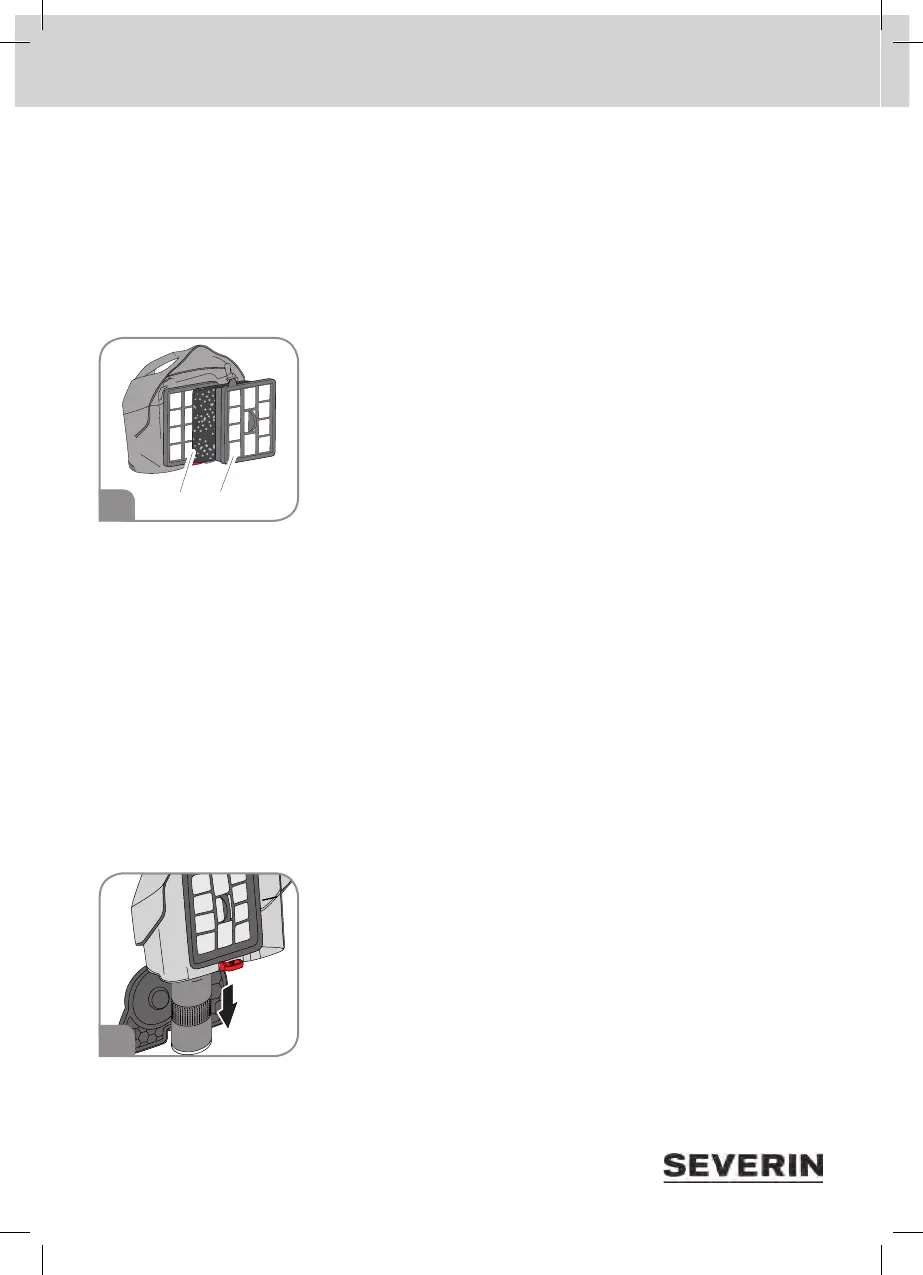
Cleaning the dual motor lter
1. Remove and empty dust container (“Emptying the dust container” on
page 21).
2. Remove dual motor lter.
3. Detach foam lter (Fig. 3/1) from dual motor lter.
4. Remove foam from the foam lter frame.
5. Rinse foam and frame thoroughly under running water (maximum
40 °C) and allow to dry for at least 24 hours at room temperature.
The foam and frame of the dual motor lter are washable, but neither
dishwasher-safe nor washing machine-safe.
6. Rinse motor protection lter (Fig. 3/2) thoroughly under running water and allow to dry for at least
24 hours at room temperature.
The motor protection lter is washable, but neither dishwasher-safe nor washing machine-safe.
Wait until all parts are completely dry before reassembling and reinserting the dual motor lter into
the appliance.
7. Reinsert foam into frame of foam lter.
8. Press foam lter to motor protection lter again.
9. Reinsert complete dual motor lter into dust container.
10. Reinsert dust container into the appliance. Dust container clicks into place.
Cleaning the lter screen
1. Remove and empty dust container
(“Emptying the dust container” on page 21).
2. Pull out round lter screen (Fig. 4).
3. Rinse lter screen thoroughly under running water (maximum 40 °C)
and allow to dry for at least 24 hours at room temperature.
The lter screen is washable, but neither dishwasher-safe nor washing
machine-safe.
Wait until lter screen is completely dry before pushing it back into dust
container.
3
4



 To Next Page