Document ID: sv_secure_local_access_en_v18_04
https://sevio.it 11
Windows 7
®
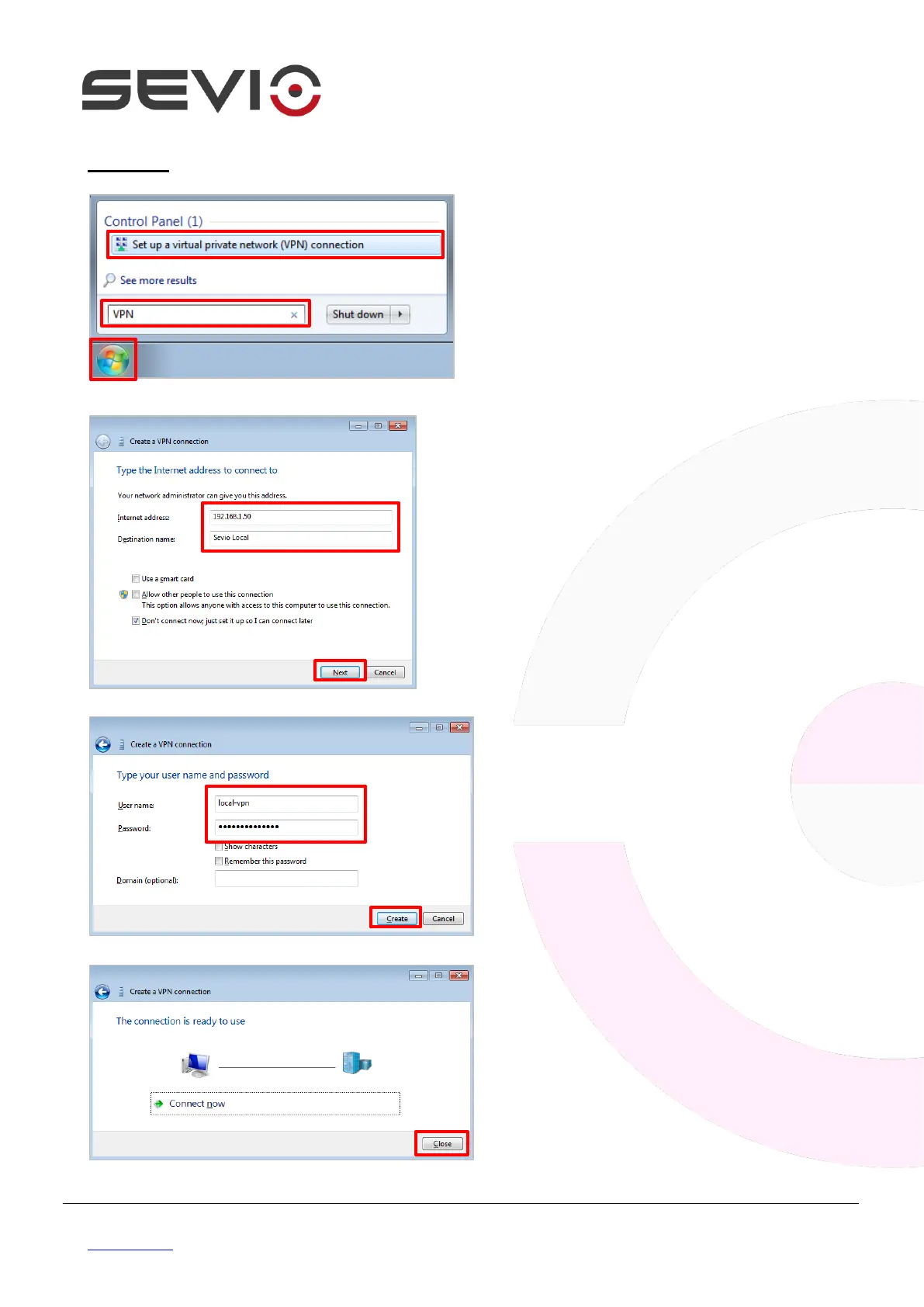
Click on Start button, type VPN in the
search field, press enter then select
Set up a virtual private network
(VPN) connection.
Set in Internet address field The
Sevio Router WAN IP address (E.g.
192.168.1.50) and assign a
connection name (E.g. Sevio Local).
Flag on Don’t connect now, just set
it up so I can connect later.
Click Next.
Type in Use name field local-vpn and
in Password field the key sets on
Sevio Portal, then Create.
The Local VPN network is configured,
click on Close to complete setup.


 To Next Page