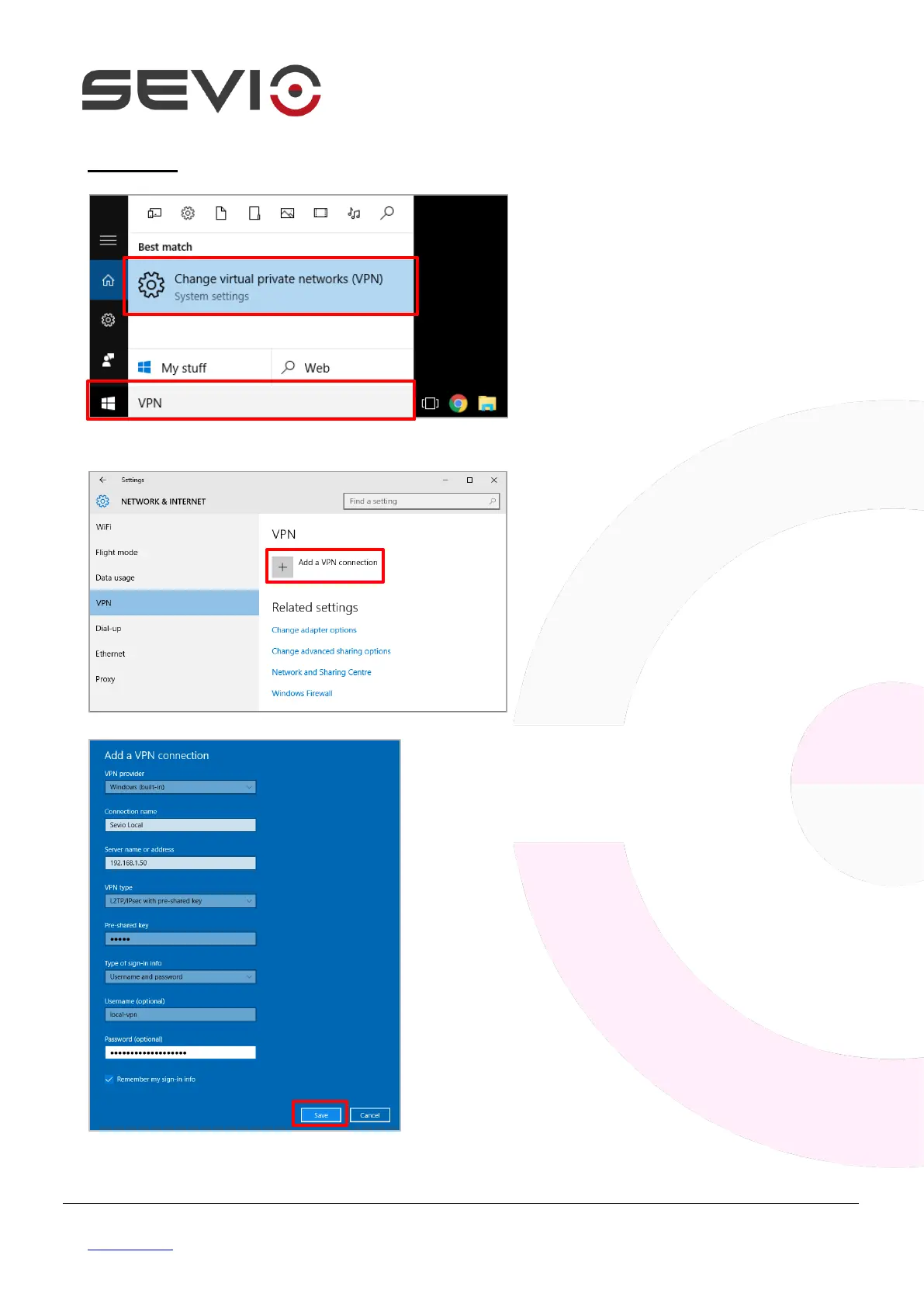
Click on Start button, type “VPN” and
press Change virtual private
network.
Select a built-in VPN provider, assign
a connection name (E.g. Sevio Local).
In Server name field type Sevio
Router WAN IP address (E.g.
192.168.1.50).
Select VPN type L2TP/IPsec with
pre-shared key then as pre-shared
key type sevio.
Type in Username field local-vpn and
in Password field the key sets on
Sevio Portal.
Flag Remember my sign-in info,
then Save.


 To Next Page