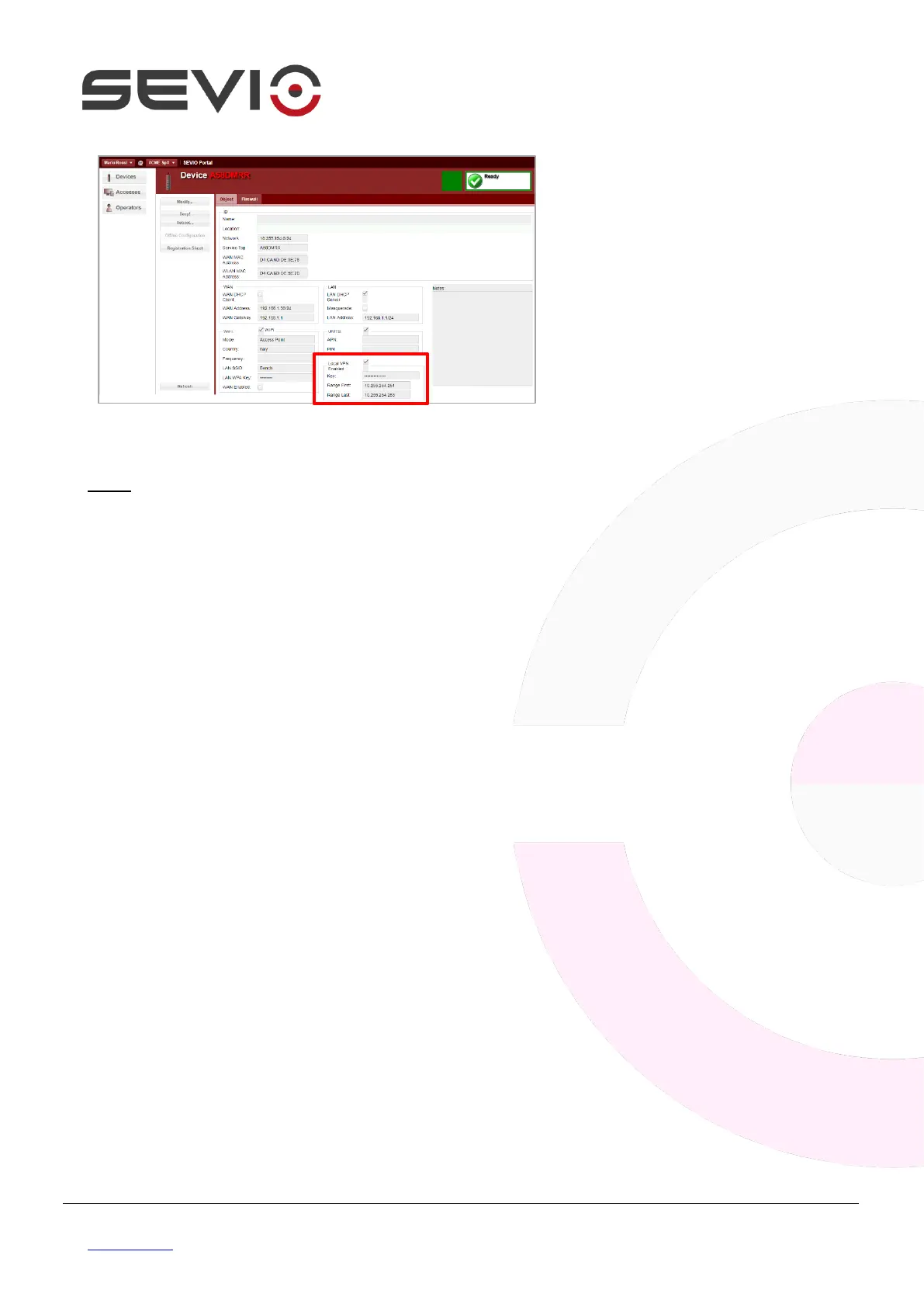
Press Modify and select Local VPN
enabled.
Select or personalize the Key to set
up on Local Control Station.
Set up the IP address range
dedicate to Local Control Station.
NOTE: Each Local Control Station using a specific IP address on Sevio Network, then follow as
indicated below:
1. The IP address range indicates the amount of Local Control Stations allowed to connect
simultaneously to automation devices. The range can change from 1 Local Control Station (E.g. from
x.x.x.250 to x.x.x.250) to a maximum of 4 Local Control Station (E.g. from x.x.x.250 to x.x.x.253).
2. The first three octects in range fields must coincide with the Sevio network, 10.255.254.x in the
example.
3. The IP address range configured in the interface must be different and not overlapping with any IP
address used for remote devices (E.g. if the remote IP address is 10.255.254.250, must set up the
range from 10.255.254.251 to 10.255.254.254).


 To Next Page