MAINTENANCE
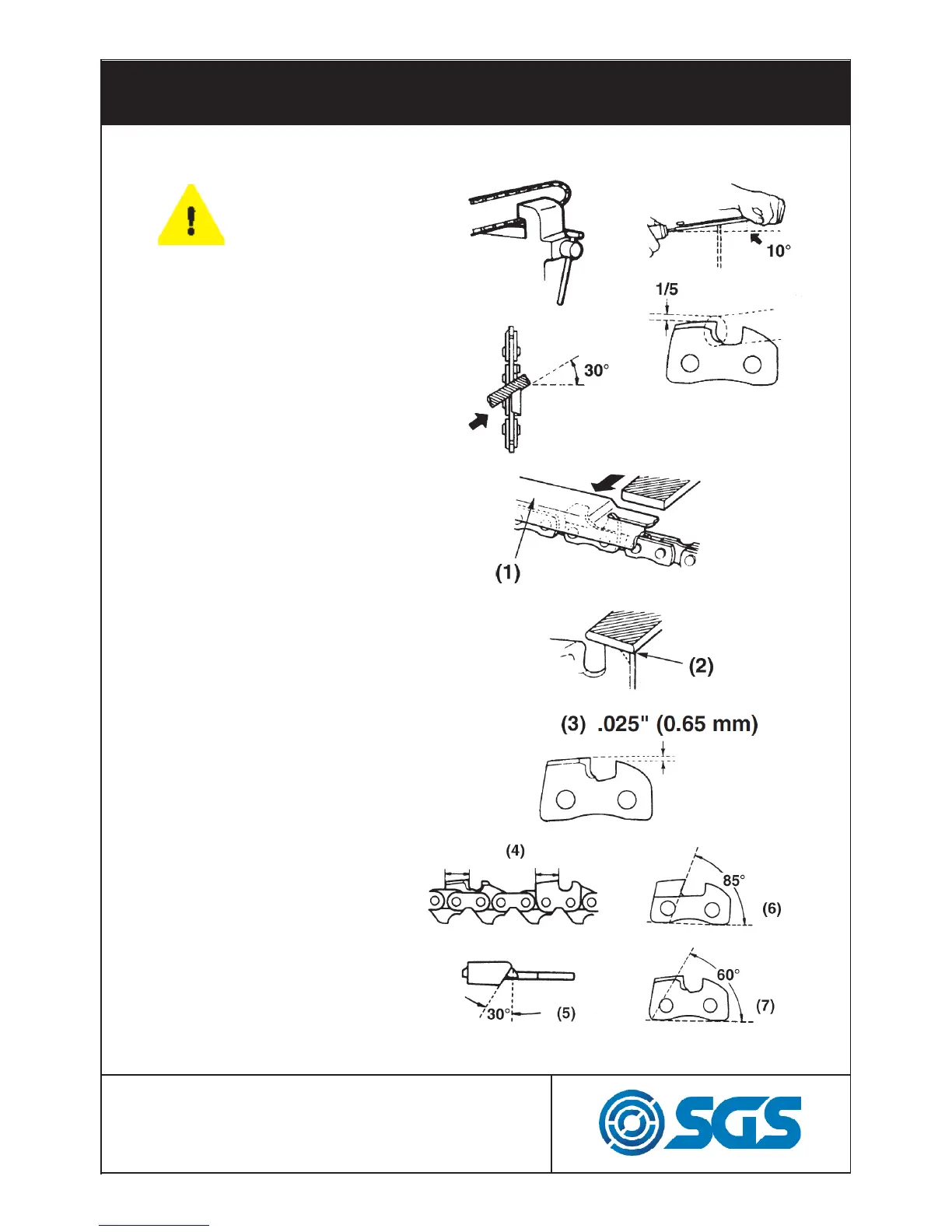
Place your file on the cutter
and push straightforward.
Keep the file position as
illustrated to the right.
After every cutter has been
set, check the depth gauge
and file it to the proper level
as illustrated in 1, 2 and 3.
Make sure every cutter
has the same length
and edge angles
as illustrated in
4, 5, 6, and 7.
WEAR GLOVES
DURING THIS
PROCESS!


 To Next Page