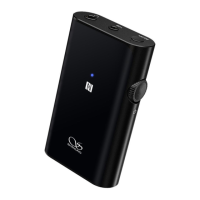
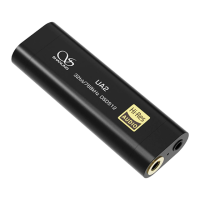
Power ON / OFF / Standby
Operation Instructions
1. Power on: Press and hold the multifunctional button for 3 seconds,
the Shanling UP2 will power on and the blue light indicator will flash
3 times.
2. Power Off: Press and hold the multifunctional button for 3 seconds,
the red light indicator will stay on for 2 seconds and then the
Shanling UP2 will power off.
3. Standby: After connecting successfully, the Shanling UP2 automatically
enters the standby mode, and the blue light indicator flashes once
every 5 seconds.
Pairing mode
1. While the Shanling UP2 is powered off, press and hold the
multifunctional button for 5 seconds, until the indicator flashes red
and blue lights alternately. The Shanling UP2 is now ready for pairing.
2. After powering on, the Shanling UP2 will firstly try to reconnect to
the last connected device. If it fails to reconnect within 30 seconds,
the Shanling UP2 will enter the pairing mode and the indicator will
flash red and blue lights alternately. The Shanling UP2 can now be
paired with another device.
3. After manually disconnecting the connected device, the Shanling UP2
will automatically enter the pairing mode and the indicator will flash
red and blue lights alternately. The Shanling UP2 can now be paired
with another device.


 To Next Page