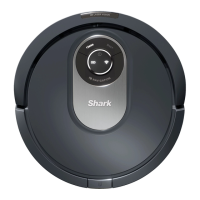
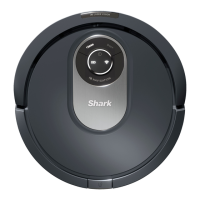
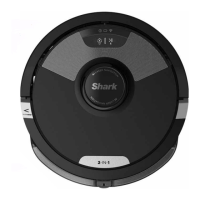
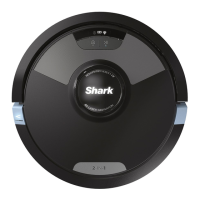
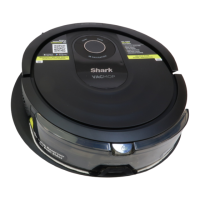
The device is a Shark AI Robot VACMOP™ Wet/Dry Robot Floor Cleaner, 2000WD Series, designed for automated floor cleaning. It functions as both a vacuum and a mop, offering a comprehensive solution for maintaining floor cleanliness.
Function Description:
The Shark AI Robot VACMOP™ is an intelligent robotic floor cleaner that utilizes IQ Navigation™ and AI Laser Vision for efficient navigation and obstacle detection. It can perform both dry vacuuming and wet mopping tasks. For vacuuming, the fluid reservoir must NOT be attached, and the dust bin must be properly installed. For mopping, the fluid reservoir must be filled with VACMOP™ cleaning solution or room temperature water, and a mop pad must be securely attached. The robot is capable of simultaneous vacuuming and mopping when the reservoir and pad are installed. It can navigate around furniture, walls, and other obstacles, and users can set up "no-go zones" in the accompanying app to restrict access to certain areas. The robot also features Recharge & Resume functionality, allowing it to return to its dock to recharge and then resume cleaning from where it left off, which is particularly useful for larger homes. It is designed to avoid carpets and rugs when mopping, provided Carpet Detection is set up in the app. The device is compatible with voice control through Amazon Alexa and Google Assistant.
Important Technical Specifications:
- Model Series: 2000WD Series
- Navigation Technology: IQ Navigation™ and AI Laser Vision
- Cleaning Modes: Wet/Dry (Vacuuming and Mopping)
- Battery Type: Pre-installed rechargeable lithium-ion battery (RVBAT850A)
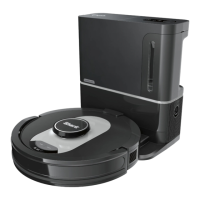
- Charging Dock: Shark® charging dock XDCKRV2000
- Expected Runtime: 60 minutes
- Expected Charging Time: Up to 6 hours (fully charged)
- Laser Class: Class 1 laser
- Wi-Fi Connectivity: Requires a 2.4GHz Wi-Fi network for app functionality.
- Obstacle Detection: Navigates around obstacles taller than 2.8 inches.
- Threshold Climbing: Can climb over most thresholds, but high thresholds may require no-go zones.
- Cliff Sensors: Requires 8 inches of clearance from stairs for proper operation; BotBoundary® strips can be used to block off stairs if clearance is insufficient.
Usage Features:
- App Control: The SharkClean™ App (available on App Store and Google Play) provides extensive control and features, including:
- Scheduling: Set whole-home cleanings for any time.
- Control From Anywhere: Manage the robot remotely.
- Cleaning Reports: Receive reports after each cleaning session.
- Explore Run: Conduct an initial run to create a map of the home.
- No-Go Zones: Define areas the robot should avoid.
- Carpet Detection: Identify carpets and rugs to avoid during mopping.
- Recharge & Resume: Enable for complete coverage in larger homes.
- Voice Control: Integrates with Amazon Alexa and Google Assistant for hands-free operation (e.g., "start cleaning," "pause my robot," "send my robot to the dock").
- Manual Operation: Clean and Dock buttons on the robot allow for manual start/stop of cleaning and sending the robot back to the dock.
- Docking: The robot automatically returns to its charging dock when cleaning is complete or the battery is low.
- Wet Mopping Setup:
- Attach the mop pad by inserting it through the slot in the reservoir and securing it.
- Fill the reservoir with VACMOP™ cleaning solution or room temperature water to the MAX fill line.
- Firmly push the reservoir into the back of the robot until latches click into place.
- The robot primes the mop pad for 30 seconds before starting a mopping run.
- Vacuum Only Operation: Ensure the fluid reservoir is NOT attached and the dust bin is properly installed.
- Initial Setup: Requires an Explore Run and an initial vacuuming run to create a home map and set up Carpet Detection before mopping.
Maintenance Features:
- Dust Bin:
- Emptying: Press the Dust Bin Release Button and slide out the dust bin. Empty debris into trash.
- Cleaning: Wash the dust bin with water only, if necessary.
- Mold Prevention: Clean the area between the filter and plastic shield after every mopping run and periodically after vacuuming to avoid mold buildup.
- Filter:
- Cleaning: Remove and tap the filter to remove debris after each use. Rinse with water once a month for a deeper clean.
- Drying: Allow the filter to air-dry completely for up to 24 hours before reinstalling. Do not use soap or scrub.
- Replacement: Replace once a year for optimal performance (available at sharkaccessories.com).
- Self-Cleaning Brushroll:
- Maintenance: The brushroll actively removes hair wrap. If debris remains, continue running the robot to allow it to self-clean. If necessary, manually remove any remaining hair or debris.
- Access: Push up tabs on the brushroll door and lift off the door to access.
- Replacement: Replace every 6 to 12 months, or when visibly worn (available at sharkaccessories.com).
- Side Brushes:
- Cleaning: Unwind and remove any string or hair. Wipe with a dry cloth.
- Reinstallation: Snap brushes over pegs and spin manually to ensure correct installation.
- Replacement: Remove and replace if bent or damaged.
- Charging Sensors and Contacts:
- Cleaning: Gently dust off sensors and contacts on the bottom of the robot and on the dock with a dry cloth. Regular cleaning ensures effective operation of cliff sensors.
- Wheels:
- Front Wheel: Clean periodically.
- Drive Wheels: Periodically clean the drive wheels and their housing by rotating each wheel while dusting.
- Fluid Reservoir and Mopping Pad:
- Emptying: Remove the reservoir after mopping by pressing release buttons and sliding it out. Empty the reservoir after each use.
- Cleaning: Rinse the reservoir and let it air-dry. Do not put the reservoir in the dishwasher.
- Mopping Pads: Machine wash warm with light colors, using mild detergents (no bleach or fabric softeners). Air-dry or tumble-dry on low (no dryer sheets).
- Storage: Ensure reservoir and pad are completely dry before storing.

 Need help?
 General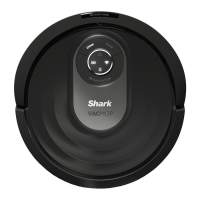



 To Next Page