sharkclean.comsharkclean.com
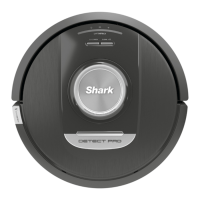
ROBOT INDICATOR LIGHTS
NOTE: Side brush design may vary.
If your robot is low on battery power, the left LED
light will pulse RED. Manually place the robot on the
base to begin charging. When the robot is charging,
the battery indicator light will pulse, based on the
current battery charge level: RED for low, YELLOW
for medium, GREEN for high.
Battery level during cleaning is represented by
number of LEDs illuminated during cleaning. For
example, at full battery, it will reflect 5 green
indicator lights, at 80% battery it will reflect 4
yellow indicator lights, and so on.
When your robot triggers DirtDetct behavior, the robot indicator lights will flash PURPLE and then begin to
reflect the level of how much debris it is picking up by showing the indicator lights lighting from left to right
to function as an indicator dial.
When your robot activates ActiveLift to better navigate your home, your indicator lights will flash ORANGE to
indicate that it has activated.
SELF-EMPTY BASE SETUP
INSTALLING THE SIDE BRUSH
SELF-EMPTY BASE INDICATOR LIGHTS
DIRTDETECT
ACTIVELIFT
Attach the side brush to the post on the
bottom of the robot.
• Dock ON and Robot Charging – Solid Blue
• Dock ON but Robot Not Charging – Solid Green
• Robot Evacuating into Self-Empty Base – Pulsing Green
2 ft.
1 ft.
1 ft.
• Place the base with its back against a wall. Select a level surface on a bare floor in a central area with a
strong Wi-Fi signal. Do not place it against baseboard heaters or other heating elements.
• Select a permanent location for the Self-Empty Base because every time you relocate it, your robot will
have to completely re-map your house. Remove protective film from robot and the base.
• Remove any objects that are closer than 3 feet from either side of the base or closer than 5 feet from the
front of the base.
• Plug in the base. The indicator light will illuminate green when the base has power.
Charging
BATTERY LED pulsing
RED for low, YELLOW for medium,
GREEN for high
LEFT
NOTIFICATION
BATTERY WI-FI RIGHT
Low Battery
LEFT
NOTIFICATION
BATTERY WI-FI RIGHT
LEFT LED pulsing RED






 To Next Page