EasyManua.ls Logo

Shark Cordless Detect Pro IW1600 Series - User Manual

Shark Cordless Detect Pro IW1600 Series
13 pages
Print Icon
To Next Page IconTo Next Page
Loading...
Cordless Detect Pro
Vacuum
IW1600 Series
IW3600 Series
OWNER’S GUIDE
Question and Answer IconNeed help?

Do you have a question about the Shark Cordless Detect Pro IW1600 Series and is the answer not in the manual?

Summary

Important Safety Instructions

Battery Pack

Odor Neutralizing Cartridge

Fragrance Cartridge First Aid

Assembly Instructions

Auto-Empty Assembly (IW3600)

Steps for assembling the auto-empty dock for the IW3600 series.

Non-Auto-Empty Assembly (IW1600)

Steps for assembling the non-auto-empty vacuum for the IW1600 series.

Odor Neutralizer Technology

Adjusting the Odor Intensity

Instructions for adjusting the odor intensity dial on the dock.

Odor Neutralizer Technology Tips

Tips for maintaining and using the odor neutralizer technology.

Odor Cartridge Replacement

Li-Ion Battery

Runtimes Per Fully Charged Battery

Details on the vacuum's runtime with a full battery charge.

LED Battery Power and Charging Indicators

Explanation of LED lights indicating battery status and charging.

Recycling the Li-Ion Battery

Information on proper disposal and recycling of Li-ion batteries.

Charging

Charging While in Storage Mode

Instructions for charging the vacuum while in storage mode.

Upright Dock Charging (IW3600 Series)

How to charge the IW3600 series using the upright dock.

Hand Vacuum Release Buttons

How to detach and attach the hand vacuum from the wand.

In Handheld Vacuum (IW1600 Series)

How to charge the battery inside the IW1600 handheld vacuum.

Out of the Vacuum (IW1600 Series)

How to remove and charge the battery separately for the IW1600.

Battery Removal

Removing the Battery

Step-by-step guide to remove and reinstall the battery.

Storage On The Go

Using Your Vacuum

Controls and Cleaning Modes

Explanation of power controls and different cleaning modes.

Clean Indicator

Understanding the LED indicator for debris detection and suction power.

Edge Indicator

How the headlights indicate edge detection for targeted cleaning.

Above-Floor Cleaning

Above-Floor with Hand Vacuum

How to use the vacuum for cleaning above-floor areas with the hand vacuum.

Above-Floor with Wand

How to clean above-floor areas using the wand attachment.

Maintaining Your Vacuum

Emptying the Dock Dust Bin

Instructions for emptying the dust bin from the auto-empty dock.

Emptying the Handheld Vacuum Dust Cup

How to empty the dust cup from the handheld vacuum unit.

Using Your Vacuum

Using the Auto-Empty Dock

How to place the vacuum on the dock for auto-evacuation and charging.

Quiet Mode Button Location

Location and function of the quiet mode button on the dock.

Dust Bin Full Indicator

Explanation of the dust bin full indicator and how to reset it.

Maintaining Your Vacuum

Cleaning the Dust Cup and Filter

Instructions for cleaning the dust cup and various filters.

Removing the Hand Vac HEPA Filter

Steps to access, remove, and replace the hand vac HEPA filter.

Maintaining Your Vacuum

Cleaning the Auto-Empty Dock Filter

How to clean the filter located in the auto-empty dock.

Cleaning the Sensors

Guide to cleaning DirtDetect, LightDetect, and Edge Detect sensors.

Nozzle Maintenance

Instructions for cleaning the vacuum nozzle and brushroll.

Maintaining Your Vacuum

Checking for Blockages in the Vacuum

How to check for and clear blockages in the hand vacuum, wand, and nozzle.

Checking for Blockages in the Auto-Empty Dock

How to check for and clear blockages in the charging post and dock.

Troubleshooting

Vacuum Not Picking Up Debris

Solutions for low or no suction issues.

Vacuum Lifts Area Rugs

Tips for preventing the vacuum from lifting area rugs.

Brushroll Not Spinning

Troubleshooting steps when the brushroll in the floor nozzle doesn't spin.

Vacuum Turns Off On Its Own

Reasons and solutions for the vacuum shutting off unexpectedly.

Battery Indicator Lights Flashing

Interpreting flashing battery indicator lights and potential causes.

Additional Accessories

Five (5) Year Limited Warranty

Technical Specifications

Odor Neutralizer Specifications

Details on the odor neutralizer cartridge composition and ingredients.

Two (2) Year Limited Battery Warranty

Battery Removal and Disposal

Overview

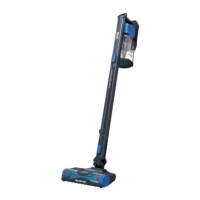
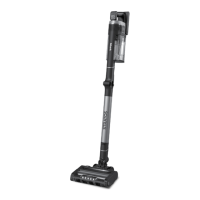
This document describes the Shark Cordless Detect Pro™ Vacuum, available in IW1600 and IW3600 Series models. It functions as a cordless vacuum cleaner designed for household use, offering various cleaning modes and features for efficient debris removal.

Function Description:

The Shark Cordless Detect Pro™ Vacuum is a versatile cleaning appliance consisting of a motorized nozzle, a wand, and a handheld vacuum. It is designed to pick up dry debris from various floor surfaces. The IW3600 Series includes an Auto-Empty Dock for automatic dust bin emptying, while the IW1600 Series is a non-auto-empty model. Both series feature a Detect Pro™ system that senses debris levels and edges, adjusting suction power and illuminating headlights accordingly for targeted cleaning. The vacuum is powered by a rechargeable Li-ion battery.

Important Technical Specifications:

  • Voltage: 18V
  • Battery: Li-ion, with a full charge taking approximately 4.5 hours and providing up to 60 minutes of runtime.
  • Odor Neutralizer Cartridge (IW3600 Series):
    • Product Name: Odor Neutralizer Cartridge
    • Manufacturer: SharkNinja
    • Weight: 17.4g / 0.61oz
    • Ingredients: Solid SM composite polymer C17 + fragrance SE 272235
  • Power Cord Length: 1.2m

Usage Features:

  • Assembly: The vacuum components (floor nozzle, wand, handheld vacuum) click into place for easy assembly. The IW3600 Series includes an Auto-Empty Dock that also requires assembly and power cord connection.
  • Power and Mode Selection: The vacuum is powered on/off via a button on the UI screen. Users can toggle between ECO, AUTO, and BOOST modes using a mode selection button.
  • Detect Pro™ System:
    • Clean Indicator: A blue LED indicates no heavy debris and normal suction. A red LED indicates heavy debris, prompting increased suction. An amber LED indicates debris is being removed, and cleaning should continue until the light turns blue.
    • Edge Indicator: Headlights illuminate on one side when an edge is detected, focusing on targeted debris.
  • Charging:
    • IW3600 Series (Upright Dock Charging): The unit is charged by placing it on the dock, ensuring contacts on the wand align with the charging post.
    • IW1600 Series (In Handheld Vacuum Charging): The charger plugs directly into a port below the handle of the handheld vacuum.
    • IW1600 Series (Out of the Vacuum Charging): The battery can be removed and charged separately by plugging the charger into the battery's charging port.
    • Battery Indicators: LEDs on the battery pack pulse yellow (0-75% charge), pulse green (75-100% charge), and turn white when fully charged.
  • Hand Vacuum Release: A front latch release button allows the handheld vacuum to detach from the wand for above-floor cleaning.
  • Above-Floor Cleaning: The handheld vacuum can be used with or without the wand, and accessories can be attached directly to the handheld vacuum or the wand.
  • Storage: For short-term storage, the handheld vacuum can be attached to the pre-assembled wand storage clip. The IW3600 Series dock provides a storage solution.
  • Odor Neutralizing Technology (IW3600 Series):
    • Odor Dial: A dial on the auto-empty dock allows users to adjust the intensity of the odor neutralizer or unlock it for cartridge access.
    • Intensity Settings: Low (decreased intensity) and High (highest intensity, recommended for optimal performance).
    • Quiet Mode: A button on the dock initiates Quiet Mode, allowing the vacuum to dock without auto-evacuation.

Maintenance Features:

  • Dust Cup Emptying:
    • Dock Dust Bin (IW3600 Series): The dock dust bin holds up to 30 days of debris. It is emptied by lifting it out of the handle, holding it over trash, and pressing a release button to open the bottom.
    • Handheld Vacuum Dust Cup (Both Series): Turn off power, hold over trash, and press the release button to open the lid and release debris. For deep cleaning, the lid can be opened completely, wiped with a dry cloth, rinsed with water, and air-dried.
  • Filter Cleaning:
    • Handheld Vacuum Filters (Pre-motor and Post-motor HEPA): Press release buttons to slide the dust cup out, then pull out the filter housing. Rinse filters with water only and allow to air-dry for at least 24 hours (up to 48 hours for HEPA filter). Clean at least once a month.
    • Auto-Empty Dock Filter (IW3600 Series): Remove the filter door, then remove the filter. Rinse with water and air-dry.
    • Auto-Empty Exhaust Foam Filter (IW3600 Series): Remove the dust bin, vacuum fine debris from the surface, then lift out the foam filter. Rinse with water only and air-dry.
    • Important: Do not use soap on filters. Ensure all filters are completely dry and installed before use.
  • Brushroll Maintenance:
    • Turn off the vacuum, detach the nozzle, and press the brushroll release button to slide it out.
    • Clear blockages, remove debris, tap off loose debris, and wipe clean with a dry towel. Hand wash with water if needed and allow to air-dry completely for at least 24 hours.
  • Sensor Cleaning:
    • Turn off power and remove the floor nozzle.
    • Locate the DirtDetect Sensor (nozzle of hand vac), LightDetect Sensor (top of nozzle), and EdgeDetect Sensor (side of nozzle).
    • Gently wipe sensors with a microfiber cloth to remove hair and debris.
  • Odor Cartridge Replacement (IW3600 Series):
    • Remove the odor dial from the dock by aligning teal arrows and pulling the handle.
    • Rotate the old cartridge counterclockwise and pull it out.
    • Remove the new cartridge from its sealed packaging.
    • Align yellow arrows on the cartridge and dial cover, insert, and rotate clockwise to lock.
    • Reinstall the dial into the dock, aligning teal arrows, and rotate counterclockwise to engage an intensity setting.
    • Replace cartridges every 6 months for optimal performance.
  • Blockage Checks: Regularly check the hand vacuum, wand, floor nozzle, and auto-empty dock (charging post and dock exit) for blockages and debris.
  • Battery Replacement: When the Li-ion battery needs replacement, dispose of it according to local ordinances or regulations, preferably through authorized recycling centers.
  • Troubleshooting: The manual provides guidance for common issues like no suction, vacuum lifting rugs, brushroll not spinning, and vacuum turning off on its own, along with explanations for various battery indicator light flashes.

Shark Cordless Detect Pro IW1600 Series Specifications

General IconGeneral
BrandShark
ModelCordless Detect Pro IW1600 Series
CategoryVacuum Cleaner
LanguageEnglish

Related product manuals