EasyManua.ls Logo

Shark DuoClean IF200EU - User Manual

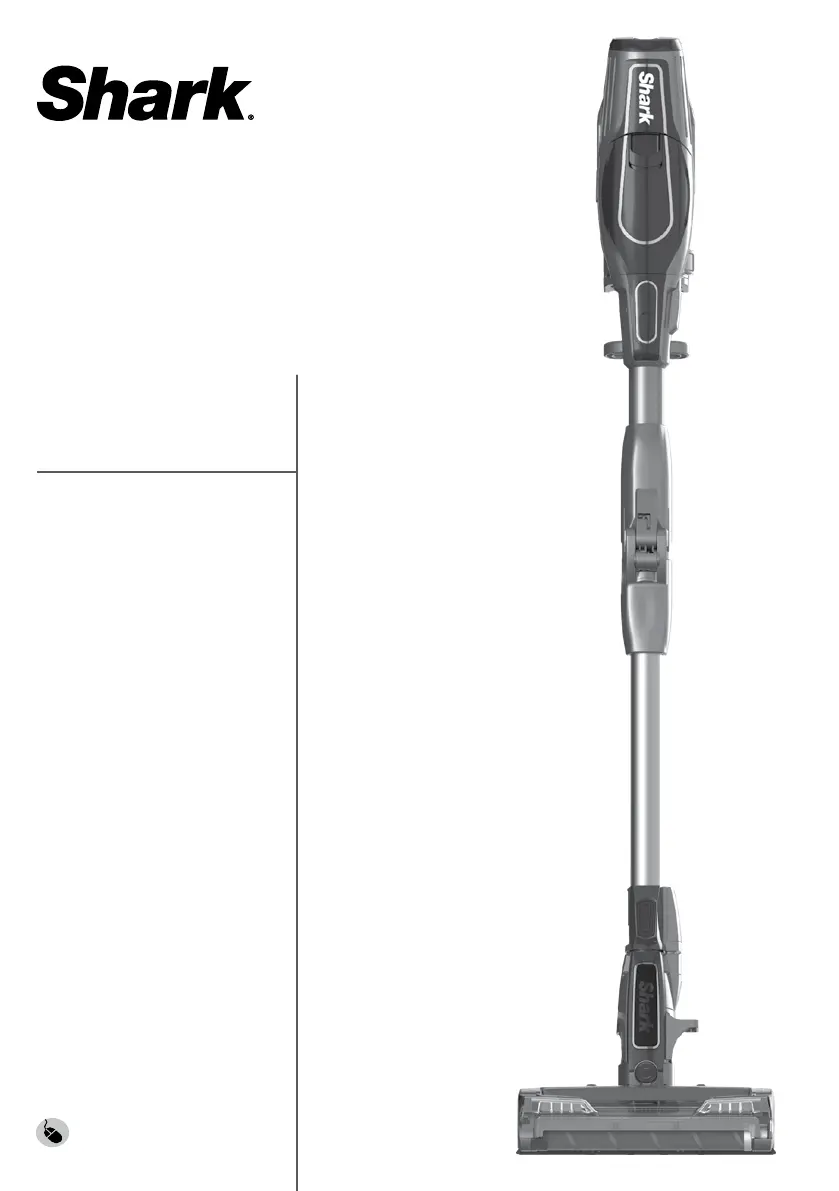
Shark DuoClean IF200EU
112 pages
Go to English
Print Icon
To Next Page IconTo Next Page
Loading...
IF200EU
IF250EU
BRUGERVEJLEDNING
GEBRAUCHSANWEISUNG
INSTRUCTIONS
INSTRUCCIONES
INSTRUCTIONS
ISTRUZIONI
INSTRUCTIES
INSTRUKSJONER
OHJEET
INSTRUKTIONER
sharkclean.eu
DuoClean
batterisvsuger/Akkustaubsauger/
Aspiradora sin cable/Aspirateur balai/
Cord-Free Vacuum/Aspirapolvere
cordless/draadloze stofzuiger/
Cord-Free Vacuum/johdoton pölynimuri/
sladdfri dammsugare

Table of Contents

Questions and Answers

  • M
    Miguel HarmonJul 25, 2025
    Why is my Shark Vacuum Cleaner not picking up debris?
    • P
      padamsJul 25, 2025
      If your Shark Vacuum Cleaner isn't picking up debris and has no or light suction, first check the filters to see if they require cleaning. Make sure to rinse them and let them completely air-dry before placing them back in the vacuum. Also, the dust cup might be full, so empty it. Check the floor nozzle and the connection between the handvac and wand for any blockages and clear them if needed. Finally, remove any string, carpet fibres, or hair wrapped around the brushroll and Soft Roller or trapped behind the Soft Roller.
  • Z
    Zachary Larson Jr.Aug 1, 2025
    What to do if my Shark DuoClean IF200EU turns off on its own?
    • T
      tannertaylorAug 1, 2025
      If your Shark Vacuum Cleaner turns off on its own, check the LED lights on the Lithium ION Power Pack to see if it needs to be recharged. If the power pack doesn't need charging, turn off the vacuum and remove the power pack. Empty the dust cup and clean the filters. Inspect the wand, accessories, and inlet openings for any blockages. Allow the unit and Lithium ION Power Pack to cool for at least 45 minutes, until it returns to room temperature. Finally, return the power pack to the vacuum and press the Power button.
  • K
    kimberly37Aug 7, 2025
    How to fix a Shark Vacuum Cleaner when the brushroll does not spin?
    • S
      Samantha MurphyAug 7, 2025
      If the brushroll or Soft Roller on your Shark Vacuum Cleaner isn't spinning, and the Brushroll Indicator Light on the floor nozzle turns red, immediately turn off the vacuum, remove the Lithium ION Power Pack from the handheld vacuum, and clear any blockage before reconnecting and turning the vacuum back on. If the light turns green, the blockage has been successfully cleared. Also, if the headlights are not illuminated, there may be a connection issue between the handheld vacuum, wand, and nozzle. Try disconnecting and reattaching the pieces.
  • S
    Sherry WilsonAug 12, 2025
    Why does my Shark DuoClean IF200EU Vacuum Cleaner lift rugs?
    • S
      Shelby GrayAug 12, 2025
      If your Shark Vacuum Cleaner lifts rugs, ensure that the vacuum is in EXTENDED RUNTIME mode. Also, take extra care when vacuuming rugs with delicately sewn edges. You can also turn off the unit to disengage the brushroll and restart it using the Power button.
  • H
    hunter80Aug 18, 2025
    What does it mean when the LED lights on my Shark DuoClean IF200EU are flashing?
    • L
      Lindsay ReevesAug 18, 2025
      If the LED lights on your Shark Vacuum Cleaner's ION Power Pack are flashing, and the top 2 or bottom 2 LED lights are flashing, call Customer Service. If the bottom LED light is flashing, the Lithium ION Power Pack needs to be charged. If the top and bottom LED lights are flashing, the Lithium ION Power Pack temperature is not optimal, so charging is temporarily paused. Leave the power pack plugged in, and charging will resume soon.

Summary

Important Safety Instructions

Electrical and Power Pack Safety

Safety precautions for electrical components, power packs, and chargers.

General Usage and Maintenance Safety

Guidelines for safe operation, maintenance, and handling of the vacuum.

General Cleaning Precautions

Warnings about vacuuming specific materials, liquids, and in certain environments.

Lithium Ion Power Pack Battery Safety

Using Your Lithium ION Power Pack Battery

Assembling Your Vacuum

Using Smart Response Technology

Maintaining Your Vacuum

Emptying the Dust Cup

Steps to empty the dust collection bin.

Cleaning the Filters

Instructions for cleaning the foam and felt filters.

Maintaining Your Vacuum - Continued

Maintaining the Brushroll

Instructions for cleaning and maintaining the brushroll.

Maintaining the Soft Roller

Instructions for cleaning and maintaining the soft roller.

Troubleshooting Guide

Vacuum Not Picking Up Debris

Troubleshooting steps for loss of suction or light suction.

Brushroll;Soft Roller Does Not Spin

Steps to take if the brushroll or soft roller is not spinning.

Vacuum Turns Off On Its Own

Possible reasons and solutions for the vacuum shutting down unexpectedly.

Shark DuoClean IF200EU Specifications

General IconGeneral
ModelIF200EU
CategoryVacuum Cleaner
TypeCordless
Cord TypeCordless
Power SourceBattery
Battery TypeLithium-Ion
Voltage25.2V
Runtime40 minutes
Charging Time4 hours
Dust Capacity0.3 L
Filtration SystemHEPA
FiltrationHEPA
AccessoriesCrevice Tool
Special FeaturesDuoClean Technology

Related product manuals