9www.sharkclean.com
English
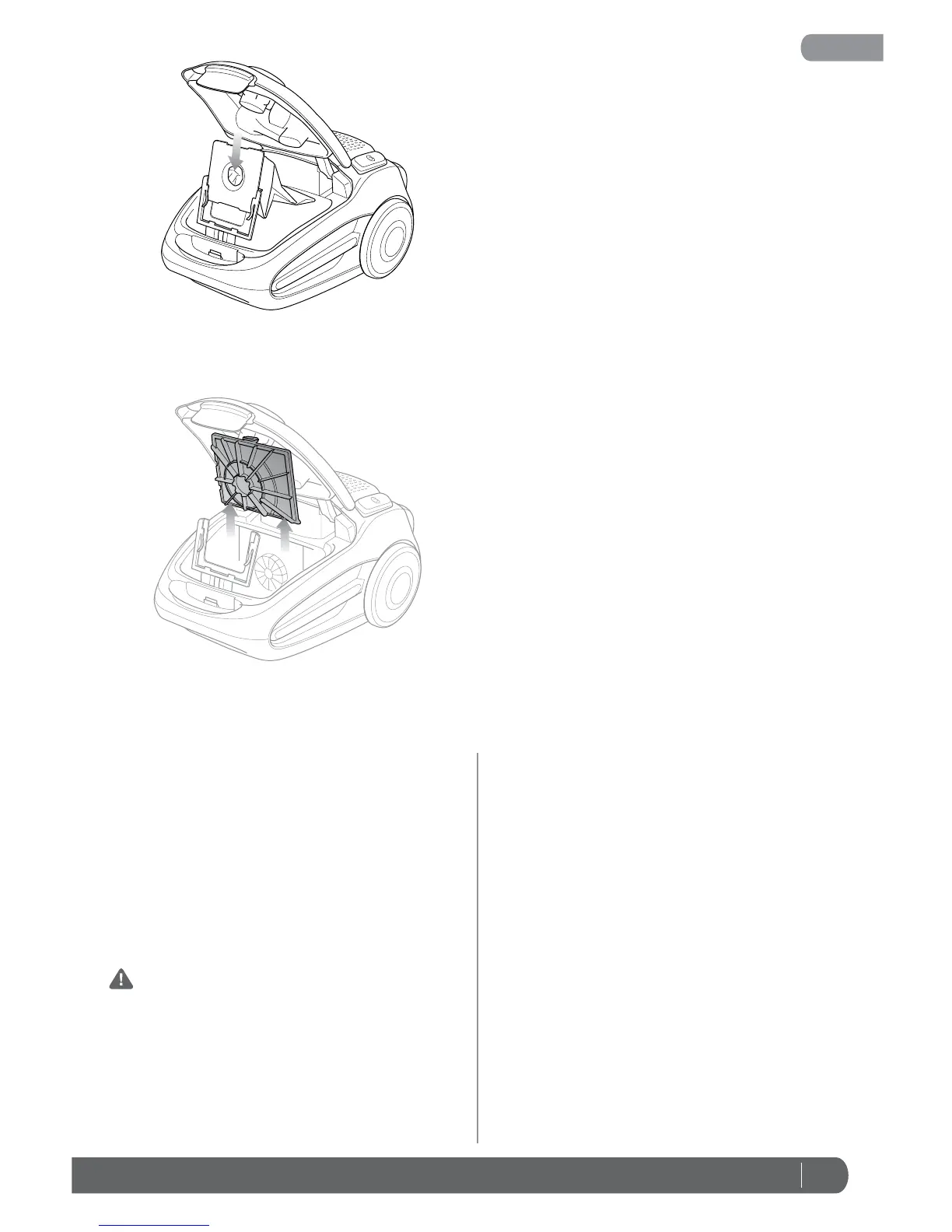
CAUTION: To reduce the risk of shock, the power
cord must be disconnected before removing or
inserting the dust bag.
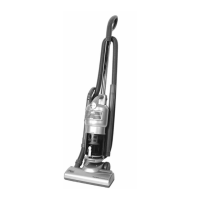
Cleaning the Pre-Motor Filter:
1 Press the On/Off Button to the “Off” position.
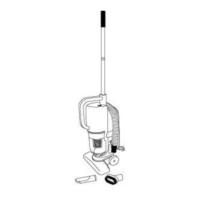
2 Open the top cover and pull the pre-motor filter
straight out. (Fig. 18)
3 Wash the filter in lukewarm water and allow to air
dry completely for 24 hours.
4 Slide a dry pre-motor into position between the
two posts and the motor intake.
Fig. 17
Fig. 18
To Reset the Motor Thermostat:
Your Shark
®
Professional Canister vacuum is equipped
with a protective Motor Thermostat. If the motor should
overheat, the thermostat shuts off the power.
1 Press the Power Button to turn the unit “Off”.
2 Unplug the vacuum.
3 Check for clogged hose or filter; unclog hose and
replace filter.
4 Wait 45 minutes for vacuum to cool; then plug in
the vacuum.
5 Press the Power Switch to start the vacuum.
Note: If vacuum still does not start, contact Customer
Service at: 1-800-798-7398.



 To Next Page