EasyManua.ls Logo

Shark HP200 Series - User Manual

Shark HP200 Series
2 pages
Print Icon
To Next Page IconTo Next Page
Loading...
READ AND SAVE THESE INSTRUCTIONS
Remove Enclosed Filter From
Packaging Before Operating
visit qr.sharkclean.com/hp200series or
SCAN HERE
USING YOUR SMARTPHONE CAMERA
FOR FULL INSTRUCTIONS, TO PURCHASE
ACCESSORIES, OR TO REPLACE FILTERS.
IMPORTANT SAFETY INSTRUCTIONS
HOUSEHOLD USE ONLY
WARNING
TO REDUCE THE RISK OF FIRE, ELECTRIC SHOCK, OR INJURY:
READ ALL THESE INSTRUCTIONS BEFORE USE.
1. This appliance has a polarized plug (one blade is wider
than the other). To reduce the risk of electric shock, this
plug is intended to fit in a polarized outlet only one way.
If the plug does not fit fully in the outlet, reverse the
plug. If it still does not fit, contact a qualified electrician.
Do not attempt to defeat this safety feature. Unplug
or disconnect the appliance from the power supply
before servicing.
2. DO NOT operate any unit with a damaged cord or
plug. Discard the unit or return to an authorized service
facility for examination and/or repair.
3. DO NOT run cord under carpeting. DO NOT cover
cord with throw rugs, runners, or similar coverings.
DO NOT route cord under furniture or appliances.
Keep cord away from high traffic areas where it will
not be tripped over.
4. If the power cord is damaged, it must be replaced by
the manufacturer, its service agent, or similarly qualified
persons in order to avoid a hazard.
5. This appliance is not intended for use by anyone
(including children) with reduced physical, sensory
or mental capabilities, or lack of experience and
knowledge, unless they have been given supervision or
instruction concerning use of the appliance by a person
responsible for their safety.
6. Children should be supervised to ensure that they
DO NOT play with the appliance.
7. Cleaning and user maintenance shall not be made by
children without supervision.
8. Prior to cleaning or other maintenance, the appliance
must be unplugged from the electrical outlet.
9. DO NOT handle plug or appliance with wet hands.
10. DO NOT use without filter in place.
11. Only use Shark® branded filters and accessories.
12. DO NOT damage the power cord:
a) DO NOT pull or carry appliance by the cord or use
the cord as a handle.
b) DO NOT unplug by pulling on cord. Grasp the plug,
not the cord.
c) DO NOT stand the appliance on the power cord,
close a door on the cord, pull the cord around sharp
corners, or leave the cord near heated surfaces.
13. DO NOT use with any opening blocked; keep free of
dust, lint, hair, and anything that may reduce airflow.
14. DO NOT use if airflow is restricted. If the air paths
become blocked, turn the appliance off and unplug from
electrical outlet. Remove all obstructions before you
plug in and turn on the unit again.
15. DO NOT use if appliance is not working as it should, or
has been dropped, damaged, left outdoors, or dropped
into water.
16. DO NOT place appliance on unstable surfaces such as
chairs or tables.
17. DO NOT use in the following areas:
a) Wet or damp surfaces
b) Outdoor areas
c) Spaces that are enclosed and may contain explosive
or toxic fumes or vapors (lighter fluid, gasoline,
kerosene, paint, paint thinners, mothproofing
substances, or flammable dust)
18. Turn off all controls before plugging in or unplugging
the appliance.
19. Unplug from electrical outlet when not in use and
before any maintenance or cleaning.
20. Hand-wash with water only. Washing with cleaning
chemicals could damage the unit.
21. Make sure filter is in place after routine maintenance.
22. Not suitable for use with solid-state speed controls.
REMOTE BATTERY
23. Dispose of batteries properly. Keep batteries away
from children at all times. Even used batteries can
cause injury.
WARNING: Chemical Burn Hazard. Keep batteries away
from children.
This product contains a lithium button/coin cell
battery. If a new or used lithium button/coin cell
battery is swallowed or enters the body, it can cause
severe internal burns and can lead to death in as little
as 2 hours. When not changing batteries, keep the
battery compartment completely closed. If the battery
compartment does not close securely, stop using the
product, remove the batteries, and keep them away
from children. If you think batteries might have been
swallowed or placed inside any part of the body, seek
immediate medical attention.

Question and Answer IconNeed help?

Do you have a question about the Shark HP200 Series and is the answer not in the manual?

Summary

Important Safety Instructions

General Safety Warnings and Usage Instructions

Essential safety precautions, operating instructions, and maintenance guidelines to prevent hazards.

Remote Battery Safety

Critical safety information regarding battery disposal, handling, and potential hazards to children.

Quick Start Guide

Setting Up Your Unit

Step-by-step instructions for unpacking, assembling, and initially powering on the air purifier.

Tips for Clean Air Confidence

Guidance on optimizing air purifier performance, including Auto Mode and filter longevity.

Recommendations for Air Quality

Advice on common causes of reduced air quality and how the purifier addresses them.

Summary

Important Safety Instructions

General Safety Warnings and Usage Instructions

Essential safety precautions, operating instructions, and maintenance guidelines to prevent hazards.

Remote Battery Safety

Critical safety information regarding battery disposal, handling, and potential hazards to children.

Quick Start Guide

Setting Up Your Unit

Step-by-step instructions for unpacking, assembling, and initially powering on the air purifier.

Tips for Clean Air Confidence

Guidance on optimizing air purifier performance, including Auto Mode and filter longevity.

Recommendations for Air Quality

Advice on common causes of reduced air quality and how the purifier addresses them.

Overview

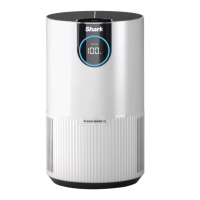
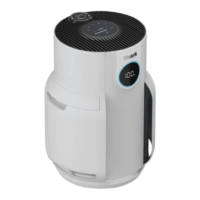
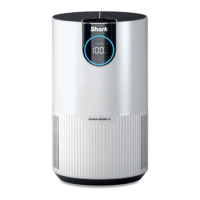
The Shark HP200 Series Air Purifier is designed to remove allergens, mold, bacteria, and other particles from the air, contributing to a cleaner home environment. It features a polarized plug for safety, ensuring it fits into an outlet only one way.

Function Description:

The primary function of this appliance is air purification. It operates by drawing in air, filtering out various airborne contaminants, and then releasing cleaner air back into the room. The unit is equipped with an Auto Mode that automatically adjusts fan speeds based on detected air quality. When 100% clean air status is achieved for 10 minutes in Auto Mode, the air purifier enters Eco Mode to conserve energy. If particles are subsequently detected, the fan will reactivate. The device also provides visual feedback on air quality through rotating lights and a display that shows the current air quality.

Important Technical Specifications:

While specific numerical technical specifications like power consumption or CADR (Clean Air Delivery Rate) are not provided in the manual, several operational and safety specifications are highlighted:

  • Power Cord: The appliance uses a polarized plug. The power cord must not be damaged, run under carpeting, covered, or routed under furniture or appliances. It should be kept away from high-traffic areas and heated surfaces.
  • Filter Type: The unit uses Shark® branded filters. These filters are designed for optimal performance for 8-12 months and should not be washed.
  • Remote Battery: The remote control (not explicitly shown but implied by "REMOTE BATTERY" section) uses a lithium button/coin cell battery. Proper disposal of batteries is emphasized, and they should be kept away from children due to the chemical burn hazard.
  • Speed Control: The unit is not suitable for use with solid-state speed controls.

Usage Features:

  • Setup:
    1. The air purifier must first be flipped upside down to access the filter door, which is then twisted to unlock.
    2. The filter, which comes in plastic packaging, must be removed from its packaging and reinserted into the unit. The air purifier should not be operated without the filter properly installed and unwrapped.
    3. After reinstallation, the filter door is twisted until it clicks into place.
    4. The unit should be placed on a level surface, at least 3 inches (8 cm) away from walls and objects, to ensure proper airflow.
    5. Once plugged into an electrical outlet and the power button is pressed, the unit begins to analyze air quality, indicated by rotating lights, and then displays the current air quality.
  • Control Panel: The top control panel includes a power button and likely other controls for settings. The manual mentions holding the "Air Info" and "Child Lock" buttons simultaneously for two seconds to mute the unit's beeping.
  • Operating Modes: The Auto Mode is a key feature, allowing the unit to automatically adjust fan speed based on air quality. Eco Mode is activated after prolonged clean air status.
  • Air Quality Monitoring: The device provides real-time air quality feedback through visual indicators.
  • Safety Features:
    • Polarized Plug: Prevents improper insertion into outlets.
    • Blocked Openings/Restricted Airflow: The unit should not be used with any blocked openings, and if airflow is restricted, it should be turned off, unplugged, and obstructions removed before restarting.
    • Unstable Surfaces: Avoid placing the appliance on unstable surfaces like chairs or tables.
    • Environmental Restrictions: Do not use in wet/damp surfaces, outdoor areas, or enclosed spaces with explosive/toxic fumes or vapors (e.g., lighter fluid, gasoline, kerosene, paint, paint thinners, mothproofing substances, or flammable dust).
    • Damaged Unit: Do not use if the appliance is not working as it should, or if it has been dropped, damaged, left outdoors, or dropped into water.
    • Wet Hands: Do not handle the plug or appliance with wet hands.
    • Filter Presence: Do not use without the filter in place.
  • Remote Control (Battery Safety): The remote uses a lithium button/coin cell battery. Users are warned about the chemical burn hazard if swallowed and instructed to keep batteries away from children. The battery compartment must be securely closed. If a battery is swallowed or suspected to be inside the body, immediate medical attention is required.

Maintenance Features:

  • Filter Replacement: The filters are designed to last 8-12 months and should not be washed. The manual directs users to qr.sharkclean.com/hp200series or a QR code to purchase replacement filters.
  • Cleaning:
    • The appliance must be unplugged from the electrical outlet prior to cleaning or maintenance.
    • Cleaning and user maintenance should not be performed by children without supervision.
    • Hand-wash with water only; cleaning chemicals could damage the unit.
    • Ensure the filter is in place after routine maintenance.
  • General Maintenance: If the power cord is damaged, it must be replaced by the manufacturer, its service agent, or similarly qualified persons to avoid a hazard. The unit should be unplugged from the electrical outlet when not in use and before any maintenance or cleaning.

The manual also provides recommendations for understanding lower air quality, listing potential causes such as cooking, burning food, dust, smoke, pollen, and cleaning products. It encourages users to run the unit in Auto Mode for optimal performance and to not wash the filters.

Shark HP200 Series Specifications

General IconGeneral
BrandShark
ModelHP200 Series
CategoryAir Cleaner
LanguageEnglish

Related product manuals