EasyManua.ls Logo

Shark HE400 Series - User Manual

Shark HE400 Series
7 pages
Print Icon
To Next Page IconTo Next Page
Loading...
Air Purifier 4
HE400 Series
OWNER’S GUIDE
IMPORTANT SAFETY INSTRUCTIONS
HOUSEHOLD USE ONLY • READ ALL INSTRUCTIONS BEFORE USE
This appliance has a polarized plug (one blade is wider than the other). To reduce the risk of electric shock, this plug
is intended to fit in a polarized outlet only one way. If the plug does not fit fully in the outlet, reverse the plug. If it still
does not fit, contact a qualied electrician. Do not attempt to defeat this safety feature. Unplug or disconnect the
appliance from the power supply before servicing.
WARNING
TO REDUCE THE RISK OF FIRE, ELECTRIC SHOCK, OR INJURY:
GENERAL WARNINGS
1. DO NOT operate any fan with a damaged cord or plug.
Discard fan or return to an authorized service facility for
examination and/or repair.
2. DO NOT run cord under carpeting. DO NOT cover cord
with throw rugs, runners, or similar coverings. DO NOT
route cord under furniture or appliances. Keep cord
away from high traffic areas and place cord where it will
not be tripped over.
3. If the power cord is damaged, it must be replaced by
the manufacturer, its service agent, or similarly qualified
persons in order to avoid a hazard.
4. This appliance is not intended for use by anyone
(including children) with reduced physical, sensory
or mental capabilities, or lack of experience and
knowledge, unless they have been given supervision or
instruction concerning use of the appliance by a person
responsible for their safety.
USE WARNINGS
5. Children should be supervised to ensure that they DO
NOT play with the appliance.
6. Cleaning and user maintenance shall not be made by
children without supervision.
7. Prior to cleaning or other maintenance, the appliance
must be unplugged from the electrical outlet.
8. DO NOT handle plug or appliance with wet hands.
9. DO NOT use without filter in place.
10. Only use Shark™ branded filters and accessories.
11. DO NOT damage the power cord:
a) DO NOT pull or carry appliance by the cord or use
the cord as a handle.
b) DO NOT unplug by pulling on cord. Grasp the plug,
not the cord.
c) DO NOT stand the appliance on the power cord,
close a door on the cord, pull the cord around sharp
corners, or leave the cord near heated surfaces.
12. DO NOT use with any opening blocked; keep free of
dust, lint, hair, and anything that may reduce airflow.
13. DO NOT use if airflow is restricted. If the air paths
become blocked, turn the appliance off and unplug from
electrical outlet. Remove all obstructions before you
plug in and turn on the unit again.
14. DO NOT use if appliance is not working as it should, or
has been dropped, damaged, left outdoors, or dropped
into water.
15. DO NOT place appliance on unstable surfaces such as
chairs or other furniture.
16. DO NOT use in the following areas:
a) Wet or damp surfaces
b) Outdoor areas
c) Spaces that are enclosed and may contain explosive
or toxic fumes or vapors (lighter fluid, gasoline,
kerosene, paint, paint thinners, mothproofing
substances, or flammable dust)
17. Turn off all controls before unplugging the appliance.
18. Unplug from electrical outlet when not in use and
before any maintenance or cleaning.
19. Hand wash with soapy water only. Washing with
cleaning chemicals could damage the unit.
20. Make sure filter is in place after routine maintenance.
21. Not suitable for use with solid-state speed controls.
REMOTE BATTERY WARNINGS
22. Dispose of coin cell batteries according to local
regulations. Keep batteries away from children at all
times. Even used batteries can cause injury.
WARNING: Chemical Burn Hazard. Keep batteries away
from children.
This product contains a lithium button/coin cell battery.
If a new or used lithium button/coin cell battery is
swallowed or enters the body, it can cause severe
internal burns and can lead to death in as little as 2
hours. After changing batteries, always completely close
and secure the battery compartment. If the battery
compartment does not close securely, stop using the
product, remove the battery, and keep it away from
children. If you think battery might have been swallowed
or placed inside any part of the body, seek immediate
medical attention.
READ AND SAVE THESE INSTRUCTIONS
Read and review instructions for
operation and use.
Indicates the presence of a hazard
that can cause personal injury, death,
or substantial property damage if the
warning included with this symbol is
ignored.
For indoor and household use only.
When using electrical appliances, basic
safety precautions should always be
followed, including the following:

Questions and Answers

Summary

Important Safety Instructions

General Safety Warnings

Covers essential precautions for operating the air purifier safely, including cord and appliance handling.

Use Warnings and Restrictions

Details specific usage guidelines, prohibited actions, and environmental conditions to avoid for safe operation.

Remote Battery Safety

Provides critical warnings regarding lithium button battery handling, disposal, and potential chemical burn hazards.

Setting Up Your Air Purifier

Setup Tips and Recommendations

Provides essential advice for optimal placement and operation of the air purifier for best performance.

Initial Unit Setup Procedure

Step-by-step guide for installing the filter, connecting the unit, and powering it on for the first time.

Control Panel and Remote Operations

Top Control Panel Functions

Details the top control panel's display, buttons, and their functions for managing air purifier settings.

Front Display Screen

Explains the information displayed on the front screen, reflecting real-time air quality status.

Remote Control Usage and Battery

Guide on operating the remote control, including battery replacement and safety precautions.

Air Quality Information and Optimization

Air Info Settings and Readings

Explains different air quality display options and real-time readings for clean air percentage and particle sizes.

Understanding Air Quality Indicators

Describes how ring colors and particle counts correspond to air quality levels (Good, Fair, Poor).

Optimizing Fan Speed Performance

Provides guidance on selecting the best fan speed settings for various cleaning needs like odor reduction or allergens.

Filter Maintenance and Troubleshooting

Installing and Removing the Filter

Step-by-step instructions for filter replacement, including resetting the filter life timer.

Maintaining Your Air Purifier

Covers procedures for cleaning the exterior and interior of the unit to ensure optimal performance.

Accessories and Troubleshooting

Available Accessories and Filters

Information on ordering replacement filters and compatible accessories for the air purifier.

Troubleshooting Common Issues

Provides solutions for common problems such as the unit not powering on or lack of airflow.

Warranty and Important Information

Two (2) Year Limited Warranty

Details the terms, coverage, exclusions, and how to obtain warranty service for the air purifier.

Battery Removal and Disposal

Instructions on safely removing, disposing of, or recycling the remote control's lithium button battery.

FCC Compliance Information

States FCC rules and warnings regarding radio frequency interference for the device.

Summary

Important Safety Instructions

General Safety Warnings

Covers essential precautions for operating the air purifier safely, including cord and appliance handling.

Use Warnings and Restrictions

Details specific usage guidelines, prohibited actions, and environmental conditions to avoid for safe operation.

Remote Battery Safety

Provides critical warnings regarding lithium button battery handling, disposal, and potential chemical burn hazards.

Setting Up Your Air Purifier

Setup Tips and Recommendations

Provides essential advice for optimal placement and operation of the air purifier for best performance.

Initial Unit Setup Procedure

Step-by-step guide for installing the filter, connecting the unit, and powering it on for the first time.

Control Panel and Remote Operations

Top Control Panel Functions

Details the top control panel's display, buttons, and their functions for managing air purifier settings.

Front Display Screen

Explains the information displayed on the front screen, reflecting real-time air quality status.

Remote Control Usage and Battery

Guide on operating the remote control, including battery replacement and safety precautions.

Air Quality Information and Optimization

Air Info Settings and Readings

Explains different air quality display options and real-time readings for clean air percentage and particle sizes.

Understanding Air Quality Indicators

Describes how ring colors and particle counts correspond to air quality levels (Good, Fair, Poor).

Optimizing Fan Speed Performance

Provides guidance on selecting the best fan speed settings for various cleaning needs like odor reduction or allergens.

Filter Maintenance and Troubleshooting

Installing and Removing the Filter

Step-by-step instructions for filter replacement, including resetting the filter life timer.

Maintaining Your Air Purifier

Covers procedures for cleaning the exterior and interior of the unit to ensure optimal performance.

Accessories and Troubleshooting

Available Accessories and Filters

Information on ordering replacement filters and compatible accessories for the air purifier.

Troubleshooting Common Issues

Provides solutions for common problems such as the unit not powering on or lack of airflow.

Warranty and Important Information

Two (2) Year Limited Warranty

Details the terms, coverage, exclusions, and how to obtain warranty service for the air purifier.

Battery Removal and Disposal

Instructions on safely removing, disposing of, or recycling the remote control's lithium button battery.

FCC Compliance Information

States FCC rules and warnings regarding radio frequency interference for the device.

Overview

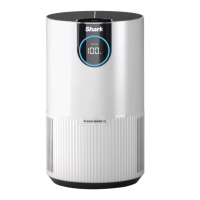
The Shark Air Purifier 4 (HE400 Series) is a household appliance designed to improve air quality by filtering out pollutants and allergens. It features a polarized plug for safety, ensuring it fits into an outlet only one way to reduce the risk of electric shock. The unit is intended for indoor use and should be operated according to the provided safety instructions to prevent fire, electric shock, or injury.

Function Description:

The air purifier operates by drawing in air, filtering it through a specialized filter, and then releasing cleaner air. It is equipped with a built-in sensor that detects air quality in real-time, providing users with information on particle sizes (PM1, PM2.5, and PM10) and an overall air quality rating. The unit offers four fan speed settings (Low, Medium, High, Maximum) to optimize cleaning performance based on user preference or air quality needs. An Auto Mode feature automatically adjusts the fan speed based on real-time air quality readings, aiming for optimal filter life and performance. The device also includes a Shut-Off Timer, allowing users to set a specific duration (1-12 hours) for operation before it automatically turns off.

Usage Features:

The air purifier can be controlled via a top control panel or a remote control. The top control panel includes buttons for On/Off, Air Info (to switch between display options), Auto Mode, Filter Life (to show remaining filter life), Brightness (to adjust display brightness), Shut-Off Timer, and Fan Speed. The front display screen mirrors the current air quality status based on the selected Air Info mode. The remote control offers the same functionalities as the top control panel, with a range of up to 15 feet (5 meters). For best results, the unit should be placed upright on a level floor, at least 3 inches (8cm) away from walls, large objects, or electronics, and in the space where users spend the most time. It is crucial to ensure that the filter is properly installed and its plastic packaging removed before the first use. The unit should not be moved while running, and all nearby doors and windows should be closed during operation for optimal performance. The air quality is visually indicated by colored rings on both the front and top displays: blue for "Good" (85-100% clean air), amber for "Fair" (70-84% clean air), and red for "Poor" (0-69% clean air).

Maintenance Features:

Regular maintenance is essential for the optimal functioning and longevity of the air purifier. The filter is a consumable part and needs to be replaced when its life expires, indicated by the FILTER LIFE button flashing and displaying "0 hours" remaining. Filters cannot be cleaned or recycled; used filters should be wrapped in an airtight plastic bag and disposed of according to local regulations. When handling dirty filters, wearing gloves is recommended. To replace the filter, the unit must be turned off and unplugged, the back cover removed, and the old filter pulled out. The new filter, with all packaging removed, is then inserted, and the cover is replaced. After installing a new filter, the Filter Life timer must be reset by pressing and holding the Filter Life button for 3 seconds. For exterior cleaning, the unit's surface should be wiped every two months or as needed with a microfiber cloth, dampened with warm, soapy water for sanitization. Abrasive chemical cleaners and excessive water should be avoided. Interior cleaning, also recommended every two months or as needed, involves removing the filter cover and filter, then using a vacuum cleaner or microfiber cloth to remove dust and debris from the unit's interior. Abrasive chemical cleaners should not be used inside the unit. To maximize filter life, it is recommended to flip the filter's direction every three months to equalize and balance the distribution of captured particles. The appliance should not be operated without a filter in place, and only Shark™ branded filters and accessories should be used. If the power cord is damaged, it must be replaced by the manufacturer or an authorized service facility. The unit should be unplugged from the electrical outlet before any cleaning or maintenance.

Shark HE400 Series Specifications

General IconGeneral
ModelHE400 Series
Pre-filterYes
Odor ReductionYes
Auto ModeYes
DisplayDigital
Filter Life IndicatorYes
Filter TypeHEPA
FiltrationHEPA

Related product manuals