EasyManua.ls Logo

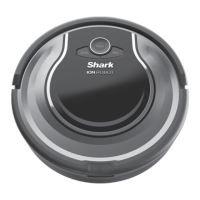
Shark ION RV870 Series - User Manual

Shark ION RV870 Series
68 pages
Print Icon
To Next Page IconTo Next Page
Loading...
Robot Vacuum
Aspirateur Robot
Aspiradora Robótica
RV870 Series • Série • Serie
OWNER’S GUIDE
GUIDE D’UTILISATION
MANUAL DEL PROPIETARIO
ION
TM
FPO

Questions and Answers

  • W
    William CruzAug 16, 2025
    What to do if CLEAN (RED) and ! are flashing together on my Shark Vacuum Cleaner?
    • M
      mreynoldsAug 16, 2025
      If the CLEAN (RED) and ! lights are flashing together on your Shark Vacuum Cleaner, it indicates a suction motor failure. To resolve this, remove any blockages, clean the filters, and ensure nothing is blocking the suction where the dust bin is located.
  • C
    cookejessicaAug 19, 2025
    How to fix if all LED lights are off on my Shark ION RV870?
    • J
      Jennifer ZimmermanAug 19, 2025
      If all the LED lights on your Shark Vacuum Cleaner are off, first ensure the power switch is turned ON (I). Press any button to wake the robot from Sleep Mode. If the lights remain off, the robot likely has no charge. Place it on the dock, leaving a small gap between the robot's front and the dock. A beep and cycling charge indicator lights will confirm it's charging.
  • W
    whitneyramseyAug 22, 2025
    What to do if CLEAN (RED) and DOCK are flashing together on my Shark Vacuum Cleaner?
    • D
      David McdonaldAug 22, 2025
      If the CLEAN (RED) and DOCK lights are flashing together on your Shark Vacuum Cleaner, it means the cliff sensors are reporting an error. Wipe the cliff sensors with a clean cloth. Turn the power off, wait five seconds, and turn it back on. Also, make sure the robot is on a level surface without any obstructions.
  • D
    daltonnathanAug 26, 2025
    How to troubleshoot CLEAN (BLUE), MAX, and ! flashing together on Shark ION RV870?
    • A
      Anthony Davies IIIAug 26, 2025
      If the CLEAN (BLUE), MAX, and ! lights are flashing together on your Shark Vacuum Cleaner, clean any obstructions or debris from the bumper. Gently push the bumper up and down and back and forth to ensure smooth movement.
  • M
    Mrs. Laurie WeaverAug 28, 2025
    What does it mean if CLEAN (RED) and MAX are flashing together on my Shark ION RV870 Vacuum Cleaner?
    • J
      John ThomasAug 28, 2025
      If the CLEAN (RED) and MAX lights are flashing together on your Shark Vacuum Cleaner, it means the dust bin has been removed. Reinsert the dust bin to resolve the issue.
  • A
    Andrea GreenAug 31, 2025
    How do I fix MAX and ! flashing together on my Shark ION RV870?
    • E
      ebrownAug 31, 2025
      If the MAX and ! lights are flashing together on your Shark Vacuum Cleaner, remove any debris from the side brushes.
  • K
    Kristen HerreraSep 3, 2025
    What to do if CLEAN (RED), MAX, and ! are flashing together on my Shark ION RV870?
    • T
      thompsonmarySep 3, 2025
      If the CLEAN (RED), MAX, and ! lights are flashing together on your Shark Vacuum Cleaner, remove any debris from the wheel.
  • V
    vincent13Sep 6, 2025
    Why are CLEAN, DOCK, MAX, and ! flashing together on my Shark ION RV870 Vacuum Cleaner?
    • K
      Kristen JonesSep 6, 2025
      If the CLEAN, DOCK, MAX, and ! lights are flashing together on your Shark Vacuum Cleaner, inspect the wheels for any obstructions. Remove anything that might be stuck or wrapped around them. Press down on the wheels to ensure they spring back, and rotate them back and forth.
  • Y
    yarmstrongSep 9, 2025
    What to do if DOCK, MAX, and ! are flashing together on my Shark Vacuum Cleaner?
    • J
      Jesse FoxSep 9, 2025
      If the DOCK, MAX, and ! lights are flashing together on your Shark Vacuum Cleaner, remove any obstructions that may be present.
  • M
    Mercedes WhiteSep 12, 2025
    Why are DOCK and ! flashing together on my Shark ION RV870 Vacuum Cleaner?
    • J
      Jessica HowardSep 12, 2025
      If the DOCK and ! lights are flashing together on your Shark Vacuum Cleaner, ensure you are using the dock that came with your robot.

Summary

IMPORTANT SAFETY INSTRUCTIONS

General and Use Warnings

Safety precautions covering general operation, component risks, and specific use cases.

Battery Use Precautions

Important safety guidelines for battery charging, handling, and storage.

PREPARING FOR USE

CHARGING THE SHARK ION ROBOT

Charging the Robot

Steps to charge the robot, including manual placement on the dock.

USING THE SHARK ION ROBOT

Buttons and Indicator Lights

Description of control buttons and status indicators on the robot.

App and Voice Controls

Using the Shark Clean app and voice assistants for remote robot operation.

MAINTENANCE

Troubleshooting Error Codes

Guide to identifying and resolving common error codes and operational issues.

ONE (1) YEAR LIMITED WARRANTY

Shark ION RV870 Series Specifications

General IconGeneral
Battery TypeLithium-Ion
Battery LifeUp to 90 minutes
ConnectivityWi-Fi
Weight7.5 lbs
BaglessYes
CordlessYes
NavigationSmart Sensor Navigation
Filter TypeHEPA
RuntimeUp to 90 minutes
Self-ChargingYes
Multi-Surface CleaningYes
Filter Type (general)HEPA
TypeRobotic
ControlApp, Voice
Cleaning ModesAuto, Spot, Edge
Smart FeaturesApp Control, Voice Control
Dustbin Capacity (quarts)0.4 quarts
Voice ControlYes
Charging Time3-4 hours

Related product manuals