
 Need help?
Do you have a question about the Shark ION ROBOT RV720 Series and is the answer not in the manual?
General safety guidelines for operating the appliance, covering usage, environment, and user interaction.
Safety precautions related to vacuum cleaner filters, including cleaning and replacement.
Safety instructions for vacuuming various materials and preventing damage or hazards.
Safety guidelines for charging the robot, battery handling, and disposal.
Information regarding FCC compliance and measures to correct interference.
Instructions on how to start and stop cleaning using the CLEAN button.
How to send the robot back to its charging dock using the DOCK button.
Using the SPOT button for concentrated cleaning of specific areas.
Explanation of the '!' error indicator light and basic troubleshooting steps.
Understanding the battery charge indicator lights on the robot.
Information about the Schedule indicator light.
Instructions on how to set up the charging dock for the robot.
Key details about charging the robot, including initial charge and return to dock.
Explanation of the blue LED lights indicating battery charge status during charging.
Step-by-step guide to installing the side brushes onto the robot.
How to use the remote control, including battery installation and basic functions.
Guide to setting the current day and time on the robot's remote control.
Instructions for programming a cleaning schedule using the remote control.
How to view existing cleaning schedules programmed on the remote.
Steps to enable or disable the programmed cleaning schedule.
Step-by-step guide to emptying the robot's dust bin.
Instructions for cleaning the robot's dust bin filters.
Guide on how to remove, clean, and reinstall the main brushroll.
How to clean the robot's cliff sensors and charging pads for optimal performance.
Instructions for cleaning the side brushes to remove tangled debris.
Steps to remove and install new side brushes.
Guide to cleaning the front caster wheel and its sensors.
Instructions on how to remove and replace the robot's battery.
Tips for preparing your home by clearing cords and obstructions.
Advice on managing furniture with low clearance to prevent robot entrapment.
Guidance on dealing with doorway thresholds and potential robot challenges.
Tips for ensuring the robot can successfully return to its charging dock.
Instructions on how to cut, place, and connect BotBoundary strips for 'no-go zones'.
 General
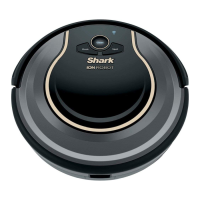
| Style | robotic vacuums |
|---|---|
| Color | silver, gray |
| Floor Type | all floors |
| Dust Bin Capacity | 0.4 gallons |
| Filter | replaceable |
| Washable Filter | no |
| Bagless | yes |
| ?leaning Area | 11 inches |
| Brushes and Accessories | 2 x side brush, docking station |
| Remote Control | yes |
| Voltage | 14.8 volts |
| Current | 1.8 amperes |
| Battery Life | 60 minutes |
| Battery Charging Time | 180 minutes |
 Weight and Dimensions
| Length | 12.6 inches |
|---|---|
| Height | 2.6 inches |
| Width | 12.6 inches |
| Net Weight | 5.5 pounds |



 To Next Page