
 Need help?
Do you have a question about the Shark ION R85 and is the answer not in the manual?
General and use warnings for safe operation, including user age and specific conditions.
Guidelines and precautions for safe and proper use of the robot's battery.
Preparing the home environment by clearing obstacles, managing furniture, and ensuring dock access.
Instructions on how to attach the side brushes to the robot.
Guide on correctly positioning the charging dock for optimal robot access.
Understanding the meaning of the blue LED lights indicating battery charge level.
How to manually start/stop cleaning and understand button functions and indicators.
Steps to download and install the Shark ION Robot mobile application.
Instructions for integrating the robot with voice assistants like Google Assistant and Alexa.
Step-by-step guide for pairing the robot with the mobile app via Wi-Fi.
How to use BotBoundary strips to create no-go zones for the robot.
Instructions for emptying the dust bin after each use.
Guide on cleaning the filter weekly and replacing it every two months.
Instructions for cleaning and maintaining the robot's brushroll.
How to clean the robot's sensors and charging pads for optimal performance.
Procedures for cleaning the robot's wheels and side brushes.
Instructions for safely removing and replacing the robot's battery.
A chart detailing error codes and their corresponding solutions.
Details license terms, restrictions on use, distribution, and reverse engineering of software.
Acknowledges third-party software components and their usage terms.
Specifies what is covered and excluded under the product's limited warranty.
Provides instructions on how to obtain customer service and support for the product.
Fields to record essential product details like model number and date of purchase.
Information on expected runtime, charging, and guidelines for battery disposal.
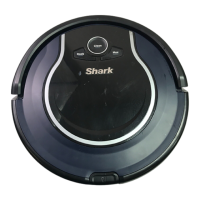
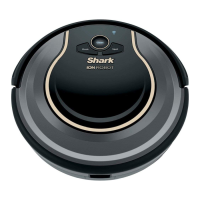
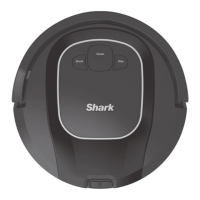
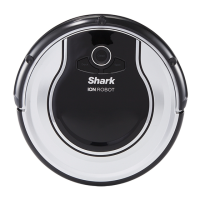
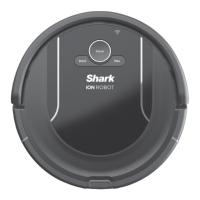
This document is an owner's guide for the Shark ION Robot Vacuum, RV850 Series. It provides comprehensive instructions for the robot's function, usage, and maintenance, emphasizing important safety precautions for household use.
The Shark ION Robot Vacuum is designed for automated floor cleaning, utilizing Smart Sensor Technology to navigate around obstacles and furniture. It employs an array of sensors to detect walls, furniture legs, and other obstructions, allowing it to clean effectively while minimizing collisions. The robot may gently bump into objects or linger in one spot, and it might not cover every area in a single cleaning session. For optimal results, users are advised to prepare their home by clearing obstructions and to schedule daily cleanings to ensure all floor areas are regularly maintained.
The robot vacuum consists of a main robotic unit and a charging dock with a power supply. It features a main brushroll, side brushes, and a dust bin with a filter for collecting debris. The robot is powered by a pre-installed rechargeable battery. It can be controlled manually via buttons on the robot or remotely through the Shark ION Robot app, which offers additional features like scheduling cleaning times up to 7 days a week, starting, stopping, or docking the robot from a smartphone, and access to tips, tricks, FAQs, and tech support. Voice control is also supported via Google Assistant or Amazon Alexa.
Regular maintenance is crucial for optimal performance and longevity of the robot vacuum.
 General
| Type | Robot Vacuum |
|---|---|
| Battery Life | Up to 60 minutes |
| Navigation | Smart Sensor Navigation |
| Weight | 5.73 lbs |
| Connectivity | Wi-Fi |
| App Control | Yes |
| Bagless | Yes |
| Cordless | Yes |
| Battery Type | Lithium-ion |
| Smart Technology | Yes |
| Scheduling | Yes |
| Self-Charging | Yes |
| Edge Cleaning | Yes |
| Voice Control Compatibility | Amazon Alexa, Google Assistant |
| Run Time | Up to 60 minutes |
| Cleaning Modes | Auto, Spot, Edge |
| Voice Control | Yes |
| Virtual Wall Barrier | Yes |
| Cliff Sensors | Yes |
| Auto Recharge | Yes |
| Height | 3.5 inches |




 To Next Page