EasyManua.ls Logo

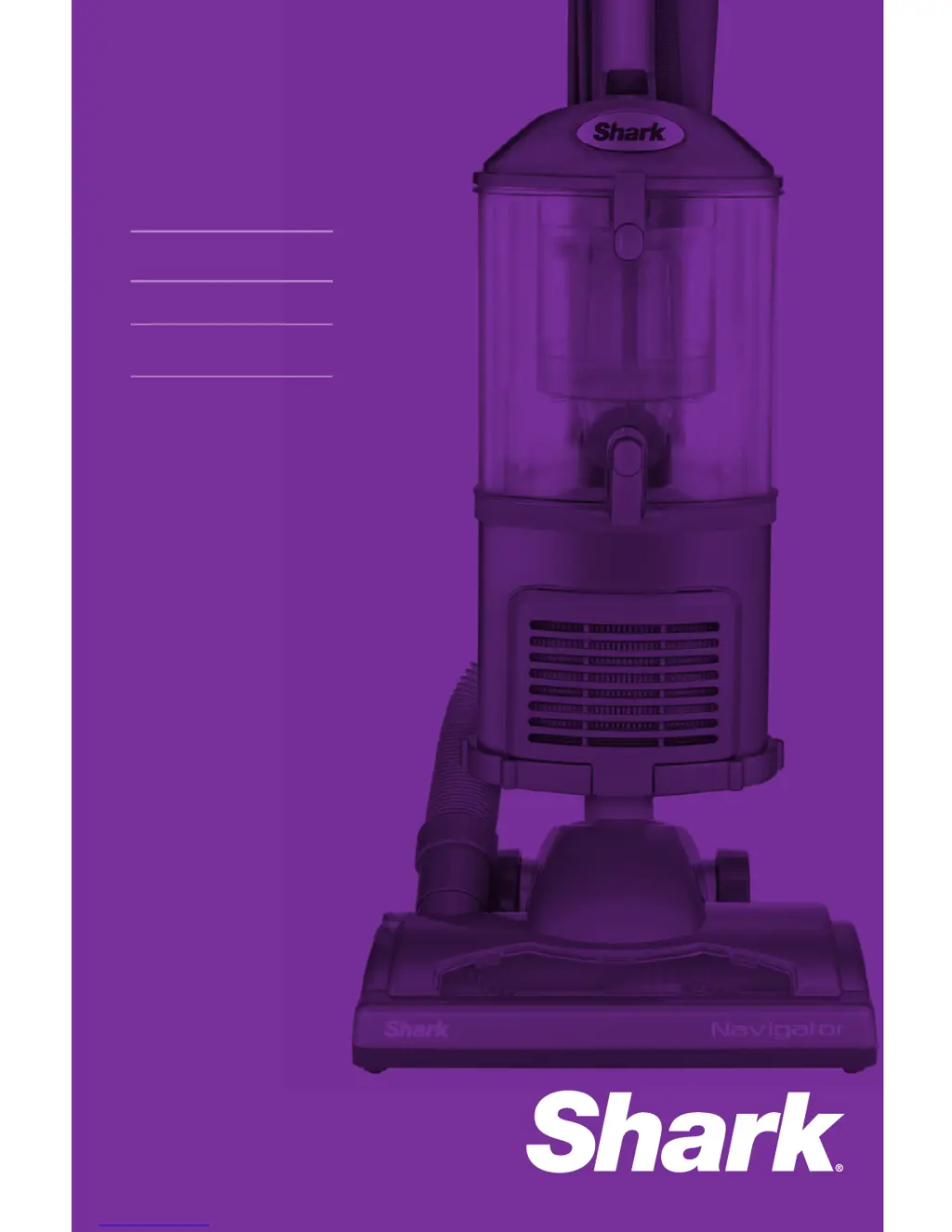
Shark NV351 - User Manual

Shark NV351
52 pages
Print Icon
To Next Page IconTo Next Page
Loading...
www.sharkclean.com
Owners guide
Guide du propriétaire
Guía del usuario
NV351
NV352
NV353

Questions and Answers

  • W
    William NortonAug 1, 2025
    How to troubleshoot a Shark Vacuum Cleaner that is not picking up dirt?
    • A
      Andrea WilliamsAug 2, 2025
      If your Shark Vacuum Cleaner isn't picking up dirt, here's what you can do: * Check the filters and clean them if necessary, following the instructions for rinsing and drying before re-inserting. * Empty the dust cup if it's full. * Inspect the hose and its connections for any blockages, and clear them out. * If the dust cup is empty and the attachment inlets are clear, check for other potential blockages.
  • C
    Cameron GonzalezAug 7, 2025
    What to do if my Shark Vacuum Cleaner has no suction?
    • M
      Matthew BrownAug 7, 2025
      If your Shark Vacuum Cleaner has restricted airflow, resulting in no or light suction, you can: * Check the filters to see if they need cleaning and follow the instructions for rinsing and drying them before placing them back. * Empty the dust cup if it's full. * Check the hose, hose connections, nozzles, and accessories for blockages and clear them if required. * Close the suction release on the handle to increase suction power. * If the dust cup is empty and the attachment inlets are clear, check for other blockages.
  • R
    Robert SandersAug 13, 2025
    Why does my Shark NV351 Vacuum Cleaner turn off by itself?
    • J
      Joshua BakerAug 13, 2025
      If your Shark Vacuum Cleaner turns off on its own, it may be overheating. To restart the motor thermostat: 1. Move the On/Off switch to the “O” (Off) position. 2. Unplug the vacuum. 3. Empty the dust cup and clean the filters. 4. Check for blockages in the hose, accessories, and inlet openings. 5. Allow the unit to cool for a minimum of 45 minutes. 6. Plug in the vacuum. 7. Turn the On/Off switch to the “I” (On) position to restart the vacuum. If it still doesn't start, contact Customer Service.
  • A
    amy72Aug 19, 2025
    What to do if the brush roll on my Shark Vacuum Cleaner does not spin?
    • S
      Steven Hernandez MDAug 19, 2025
      If the brush roll on your Shark Vacuum Cleaner isn't spinning: * Immediately turn off and unplug the vacuum. * Disconnect the nozzle and remove any blockage before reconnecting. * Pull the handle toward you and release the floor nozzle to disengage the auto-off feature. * Move the On/Off switch to the “II - Brush Roll On” position.
  • C
    Cynthia ButlerAug 25, 2025
    How to stop my Shark NV351 from lifting scatter rugs?
    • M
      Matthew BrooksAug 26, 2025
      If your Shark Vacuum Cleaner lifts scatter rugs, it's because the suction is powerful. Exercise caution when vacuuming scatter-type rugs or those with delicate edges. You can decrease suction power by opening the suction release on the handle or move the On/Off switch to “I - Suction Only” position to disengage the brush roll.

Summary

IMPORTANT SAFETY INSTRUCTIONS

POLARIZED PLUG

Explains the polarized plug feature for electrical safety.

GENERAL ELECTRICAL SAFETY

Provides essential electrical safety rules for using the appliance.

WARNING: FIRE, SHOCK, INJURY RISKS

Highlights critical warnings related to fire, shock, and injury hazards.

WARNING: OUTDOOR;WET USE PROHIBITED

Warns against using the vacuum outdoors or on wet surfaces due to electrical hazards.

HOSE ATTACHMENTS

Guidelines for using vacuum hose and attachments safely and effectively.

GENERAL USE

General advice and precautions for operating the vacuum cleaner.

DUST CUP;FILTERS;ACCESSORIES CHECKS

Procedures and checks for dust cups, filters, and accessories before operation.

GENERAL CLEANING PROHIBITIONS

Rules and prohibitions for what materials can and cannot be vacuumed.

TECHNICAL SPECIFICATIONS

Getting Started

ACCESSORIES

Describes the various cleaning tools and their specific uses.

MODES OF OPERATION

UPRIGHT VAC MODE

Describes the upright vacuuming mode for floors and carpets.

DETACHABLE CANISTER MODE

Explains how to use the vacuum in detachable canister mode for various cleaning tasks.

Mode 1: Upright Vac Assembly & Operation

TO ASSEMBLE

Step-by-step guide on how to assemble the Shark Navigator vacuum.

TO USE

Details on how to operate the vacuum, including power settings and brush roll.

Mode 2: Detachable Canister

LIFT AWAY FOR PORTABLE CLEANING

Instructions for detaching the canister for easy portability and cleaning.

Above-Floor Cleaning

CLEANING ABOVE THE FLOOR

Steps for performing above-floor cleaning in different vacuum modes.

Floor Cleaning with Detachable Canister

CLEAN THE FLOOR IN DETACHABLE CANISTER MODE

Steps for cleaning floors when the vacuum is in detachable canister mode.

Storing Your Vacuum

STORE YOUR VACUUM SAFELY

Guidelines for safe storage of the vacuum, including cord management.

Maintenance Overview

EMPTYING THE DUST CUP

Step-by-step guide on how to empty the vacuum's dust cup.

CLEANING PRE-MOTOR FILTERS

Process for cleaning the pre-motor foam and felt filters.

CLEANING POST-MOTOR HEPA FILTER

Guide to cleaning the HEPA filter to maintain air quality.

CLEANING MOTORIZED FLOOR BRUSH

Instructions for cleaning the motorized brush to ensure optimal performance.

CLEANING PET POWER BRUSH

Steps for cleaning the specialized brush for pet hair and upholstery.

CHECKING FOR BLOCKAGES

How to identify and clear obstructions in the hose, accessories, and brush.

Ordering Parts and Accessories

Troubleshooting Guide

LIMITED WARRANTY INFORMATION

Product Registration

Instructions on how to register the product to receive important safety notifications.

Shark NV351 Specifications

General IconGeneral
TypeUpright
Weight12.5 lbs
Cord Length25 feet
Swivel SteeringYes
Bagged/BaglessBagless
Power SourceCorded Electric
Voltage120V
Amps10 Amps
Height45.5 inches
Warranty5 years
AttachmentsCrevice Tool, Dusting Brush
Dust Cup Capacity1.2 dry quarts

Related product manuals