EasyManua.ls Logo

Shark RV2600WD Series - User Manual

Shark RV2600WD Series
2 pages
Print Icon
To Next Page IconTo Next Page
Loading...
Please be sure to read the enclosed Shark® Owners Guide prior to using your robot.
© 202 2 SharkNinja O perating LLC. SHARK and SHARKCLEAN are registered trademarks of SharkNinja Operating LLC. VACMOP is a
trademark of SharkNinja Operating LLC. APPLE, the Apple logo, and iPhone are trademarks of Apple Inc., registered in the U.S. and other
countries. APP STORE is a service mark of Apple Inc., registered
in the U.S. and other countries. GOOGLE, GOOGLE ASSISTANT, GOOGLE PLAY, the Google Play
logo, and Android are trademarks of GOOGLE LLC.
RV2600WD_QSG_30_E_PP_Mv5
CARPET AVOIDANCE NO-GO ZONES
WHAT TO EXPECT
When your home map is set up, you can use the
app to identify carpets and rugs so the robot can
avoid them when it mops. If rugs are blocking your
robot’s path to another room in mopping mode,
you may need to move them.
Create no-go zones in the app to keep your robot
out of the areas you would like it to avoid:
Near power cords or phone chargers.
In front of high thresholds.
AVOID MOVING THE ROBOT OR DOCK EMPTYING THE DUST BIN
GETTING THE MOST OUT OF YOUR ROBOT
While your robot is cleaning, do not pick it up
and move it, or move the charging dock—this will
impact the robot’s ability to map your home.
During the first few weeks of use, the dust bin will
need to be emptied more frequently, as the robot
cleans areas that were previously hard to reach.
Empty debris and dust into trash. Remove any
debris between the filter and the plastic shield.
SCHEDULING AND INTERACTIVE MAP
To get the best experience, download the SharkClean® app and follow the tips below.
For a constant state of clean, set up a whole-home
cleaning schedule in the app.
Use the interactive home map for an even more
customizable clean.
Before each clean, clear cords and remove small
objects like clothing or toys that are less than
3.5” tall.
Open interior doors in rooms you want your robot
to clean.
PREP YOUR HOME
2-in-1
ULTRA
ROBOT
Please be sure to read the online Shark® Owner’s Guide prior to using your robot.
QUICK START GUIDE
DOWNLOAD THE SHARKCLEAN
®
APP
Scan QR code with your
phone’s camera to quickly find
and download the app
Question and Answer IconNeed help?

Do you have a question about the Shark RV2600WD Series and is the answer not in the manual?

Overview

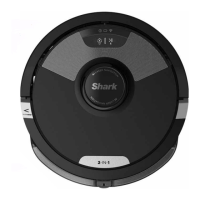
The Shark AI Ultra Robot 2-in-1 is an advanced robotic vacuum cleaner designed to provide comprehensive and customizable cleaning for your home. This device combines powerful vacuuming with an integrated mopping function, allowing it to tackle both dry debris and wet messes. It is equipped with smart navigation and mapping capabilities, enabling it to efficiently clean various floor types and adapt to your home's layout.

Function Description:

The primary function of the Shark AI Ultra Robot is automated home cleaning. It operates in two main modes: vacuuming and mopping. In vacuuming mode, it uses strong suction and a side brush to pick up dirt, dust, and debris from hard floors and carpets. For mopping, it utilizes a water reservoir and a mopping pad to clean hard floor surfaces. The "2-in-1" aspect highlights its ability to perform both tasks, though not simultaneously in all configurations; the manual indicates that in mopping mode, the robot will vacuum and mop simultaneously. The robot is designed to create an interactive map of your home, which can be customized through the SharkClean® app to define cleaning schedules, no-go zones, and carpet avoidance areas.

Important Technical Specifications (Inferred/Derived):

While specific technical specifications like battery capacity, suction power, or water tank volume are not explicitly listed with numerical values, the manual implies several key features:

  • Navigation: The robot uses advanced navigation to create a detailed home map, allowing for efficient path planning and coverage.
  • Connectivity: It requires a strong Wi-Fi signal (2.4 GHz network) for initial setup and app control.
  • Charging: It automatically returns to its charging dock when the battery is low. A full charge can take up to 6 hours.
  • Dust Bin: Features an integrated dust bin for collecting debris.
  • Water Reservoir: Includes a water reservoir for the mopping function, designed to be filled with water up to a marked line.
  • Sensors: Equipped with sensors to detect obstacles and prevent falls.

Usage Features:

  • SharkClean® App Control: The core of the robot's smart features is accessed through the SharkClean® app, available on both the App Store and Google Play. The app allows users to:
    • Schedule Cleaning: Set up whole-home cleaning schedules for consistent cleanliness.
    • Interactive Map: View and customize the home map, defining specific cleaning zones.
    • No-Go Zones: Create virtual boundaries to prevent the robot from entering certain areas (e.g., near power cords, high thresholds).
    • Carpet Avoidance: Identify carpets and rugs on the map so the robot can avoid them when mopping.
    • Mode Selection: Choose between different cleaning modes (e.g., vacuuming, mopping).
    • Real-time Status: Monitor the robot's status and cleaning progress.
  • Preparation for Cleaning: Before each clean, users are advised to clear cords and small objects (under 3.5" tall) and open interior doors to rooms they want cleaned.
  • Setup Process:
    1. Prep the Robot: Attach the side brush.
    2. Set Up the Dock: Find a permanent location for the dock with a strong Wi-Fi signal, place it against a wall, and ensure 3 feet of clear space in front and 1.5 feet on either side. Plug in the dock.
    3. Turn On and Charge Robot: Place the robot on the dock, ensuring the blue lights illuminate. It takes up to 6 hours for a full charge.
    4. Download the App: Download the SharkClean® app and follow the in-app instructions to connect the robot to Wi-Fi.
  • Explore Run: The robot needs to complete an "Explore Run" without the fluid reservoir attached to create an initial map of your home. This run helps it learn the layout and identify carpets.
  • Carpet Zones: After the Explore Run, users can create Carpet Zones in the app to prevent the robot from mopping rugs.
  • Mopping Setup:
    • Attach Mopping Pad: Insert the flat edge of the pad through the slot in the fluid reservoir, then secure the pad to the back of the reservoir.
    • Add Water and Floor Cleaner: Fill the reservoir with water up to the line, optionally adding Shark VACMOP™ Floor Cleaner.
    • Insert Fluid Reservoir: Push the reservoir into the back of the robot until it clicks into place.
  • Voice Control: The robot is compatible with Google Home or Google Assistant for voice commands.
  • Troubleshooting: The manual provides guidance for common issues like Wi-Fi connection problems, robot not charging, or the robot getting stuck.

Maintenance Features:

  • Dust Bin Emptying: Users are instructed to empty the dust bin frequently, especially during the first few weeks of use, and to remove any debris between the filter and the plastic shield.
  • Side Brush Maintenance: The side brush is detachable, implying it can be cleaned or replaced.
  • Mopping Pad Care: The mopping pad is removable and can be cleaned or replaced after use.
  • Filter Maintenance: The dust bin contains a filter, which likely requires regular cleaning or replacement, though specific instructions are not detailed in this quick start guide.
  • Dock and Robot Placement: Users are warned not to move the robot or the charging dock while the robot is cleaning, as this impacts its ability to map the home.
  • Rebooting: Instructions are provided for rebooting the robot and the charging dock to resolve issues.

The Shark AI Ultra Robot 2-in-1 aims to provide a hassle-free and intelligent cleaning experience, leveraging app control and smart mapping to adapt to individual home environments and cleaning preferences.

Shark RV2600WD Series Specifications

General IconGeneral
BrandShark
ModelRV2600WD Series
CategoryVacuum Cleaner
LanguageEnglish

Related product manuals