How to fix a blockage in the brushroll of a Shark Vacuum Cleaner?
- JJorge ReedAug 17, 2025
If the brushroll of your Shark Vacuum Cleaner is blocked, remove any debris from around and inside the brushroll, ensuring it can spin freely.

How to fix a blockage in the brushroll of a Shark Vacuum Cleaner?
If the brushroll of your Shark Vacuum Cleaner is blocked, remove any debris from around and inside the brushroll, ensuring it can spin freely.
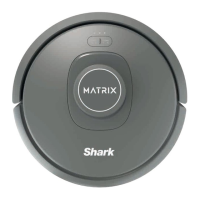
How to recharge a Shark MATRIX 2-in1 RV2400WD with critically low battery?
If your Shark Vacuum Cleaner robot's battery is critically low, pick it up and place it on the base. Ensure the base indicator light turns blue, confirming correct placement.
How to fix a stuck side brush on a Shark MATRIX 2-in1 RV2400WD Vacuum Cleaner?
To resolve a stuck side brush on your Shark Vacuum Cleaner, remove any debris around the side brush to allow it to move freely.
What to do if the fluid reservoir is empty on a Shark Vacuum Cleaner?
If the fluid reservoir of your Shark Vacuum Cleaner is empty, refill it with water or VACMOPTM solution before restarting.
What to do if the Shark MATRIX 2-in1 RV2400WD suction motor fails?
If your Shark Vacuum Cleaner's suction motor isn't working, you should remove and empty the dust bin, clean the filters, remove the brushroll and brushroll door, and clear any blockages.
What to do if my Shark MATRIX 2-in1 RV2400WD Vacuum Cleaner robot is stuck?
If your Shark Vacuum Cleaner robot is stuck, move it to a new location and ensure the front bumper moves freely in and out.
What to do if Shark MATRIX 2-in1 RV2400WD robot is stuck on an obstacle?
If your Shark Vacuum Cleaner robot is stuck on an obstacle, move it to a new location on a level surface.
How to reinstall the dust bin on a Shark MATRIX 2-in1 RV2400WD Vacuum Cleaner robot?
If your Shark Vacuum Cleaner robot dust bin needs to be reinstalled, insert the dust bin until it clicks into place.
What to do if the front bumper of my Shark Vacuum Cleaner is jammed?
If the front bumper of your Shark Vacuum Cleaner may be jammed, clean the bumper and ensure it moves in and out without obstruction.
How to fix a Shark MATRIX 2-in1 RV2400WD robot error during booting?
If your Shark Vacuum Cleaner robot has encountered an error while booting, turn the power off and then back on.
| Brand | Shark |
|---|---|
| Model | MATRIX 2-in1 RV2400WD Series |
| Category | Vacuum Cleaner |
| Language | English |
Essential safety precautions for operating electrical appliances and general use.
Detailed warnings for operating the robot cleaner to avoid hazards and damage.
Information on battery handling, setting no-go zones, and laser safety precautions.
Instructions for setting up the charging dock and installing the robot's side brush.
Procedures for charging the robot and understanding its charge indicator lights.
Explanation of how the robot enters and exits sleep mode.
Overview of the robot's buttons and various indicator lights.
Tips for preparing the home, managing obstacles, stairs, and dock placement.
Guide for the first cleaning run to create an initial home map.
Procedures for using the robot exclusively for vacuuming tasks.
Steps for setting up carpet zones and performing vacuuming and mopping.
Utilizing the SharkClean app and integrating voice commands.
Common Wi-Fi issues and solutions for app connectivity problems.
Step-by-step guide to remove, empty, and clean the robot's dust bin.
Instructions on cleaning, rinsing, and replacing the robot's filter.
Guide on cleaning the brushroll, sensors, and charging contacts.
Instructions for cleaning the side brush and maintaining the fluid reservoir.
Instructions for cleaning the robot's front and drive wheels.
Overview of available replacement parts for the robot.
A guide to error codes and their corresponding solutions for the robot.
Terms and conditions for using SharkNinja software applications.
Detailed terms covering license grants, restrictions, and warranties for software.
Information on the product's one-year limited warranty coverage and exclusions.
Instructions for registering the product and recording purchase details.
FCC regulations, warnings, and guidelines for battery removal and recycling.