Need help?
Do you have a question about the Shark S7001 Series and is the answer not in the manual?
General safety precautions to follow when using the steam mop.
Specific warnings and guidelines for operating the steam mop.
Step-by-step guide for assembling the steam mop unit.
Explanation of the three steam settings for different cleaning needs.
Instructions on how to use the steam mop for sanitizing surfaces.
Proper procedures for cleaning, emptying, and storing the steam mop.
Guidance on washing, drying, and maintaining the Dirt Grip mop pads.
Instructions and benefits for registering your product.
Spaces to log essential product details like model and serial numbers.
Information on obtaining product support and service options.
Steps required to start the process for a warranty claim.
Explanation of how state laws affect your warranty rights.
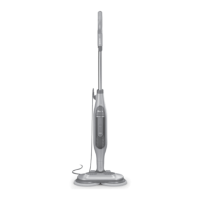
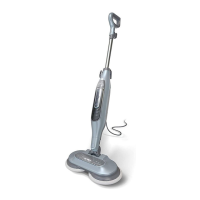
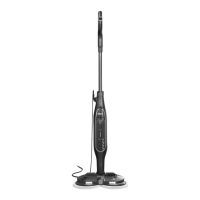
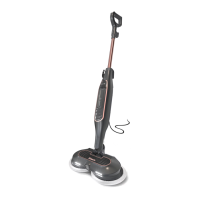
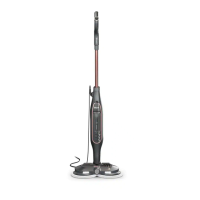
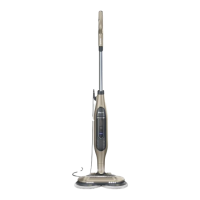
The Shark Steam & Scrub S7001 Series is a steam mop designed for scrubbing and sanitizing sealed hard floors. It utilizes steam and rotating scrubbing pads to clean various surfaces, offering a chemical-free cleaning solution.
The primary function of the Shark Steam & Scrub mop is to clean and sanitize sealed hard floors using steam. It features a scrubbing action provided by two rotating discs to which Dirt Grip® Soft Scrub Pads are attached. The mop offers three Intelligent Steam Control® settings: LIGHT, NORMAL, and DEEP, allowing users to select the appropriate steam level and scrubbing intensity for different cleaning tasks.
The LIGHT mode is ideal for delicate surfaces like laminate and hardwood, performing light cleaning and dusting, and loosening light dirt. In this mode, the pads spin at a slower speed, and less steam is produced.
The NORMAL mode is designed for basic, everyday cleaning of surfaces such as marble and tile, and for cleaning large areas. It provides a balance of steam and scrubbing power, with pads spinning faster and more steam produced than in LIGHT mode. This setting is also suitable for cleaning moderate to heavy traffic areas on stone floors.
The DEEP mode is the most powerful setting, intended for reaching hard-to-clean surfaces, tackling tough cleaning and removing stuck-on messes and stains, and deep cleaning heavy traffic areas. It is also effective for cutting through heavy dirt and grime and for sanitizing floors. In DEEP mode, the pads spin the fastest, and the maximum amount of steam is produced.
To sanitize, the mop requires clean Dirt Grip® Soft Scrub Pads and the DEEP setting. After plugging in and selecting DEEP mode, the unit needs 30 seconds to begin producing steam. Sanitization is achieved by moving the mop head slowly and evenly over the area, applying continuous downward pressure, and repeating the motion at least 15 times for three minutes.
The mop is designed for use on flat, horizontal surfaces and should not be used on walls, counters, or windows. It is specifically for sealed hard floors and should not be used on unsealed wood or unglazed ceramic floors, or on surfaces treated with wax, as the heat and steam may remove the sheen. Users are advised to test an isolated area of the surface before proceeding and to check the floor manufacturer's care instructions.
Assembly of the steam mop is straightforward, involving inserting the handle into the body until it clicks and attaching the Dirt Grip® Soft Scrub Pads to the rotating discs on the mop head. The pads are placed flat on the floor with plastic rings facing up, and the mop head is lowered onto them until secured.
The water tank is filled using a provided filling flask, with distilled water recommended, especially in hard-water areas, to prolong the mop's life. No cleaning solutions, scented perfumes, oils, or other chemicals should be added to the water tank, as this can damage the unit and make it unsafe.
Before use, the floors should be swept or vacuumed. The mop is plugged into an electrical outlet, and the quick-release cord holder is twisted to unwrap the power cord. When first plugged in, the unit enters Standby mode, indicated by blinking lights below the mode button. To activate, the mode button is pressed to select one of the three steam settings (LIGHT, NORMAL, or DEEP). Once a mode is selected, tilting the handle down activates the spinning pads and steam production. If the handle is not reclined, the mode selection may time out, and the pads will not spin.
The mop is operated with a forward and backward motion. When cleaning near baseboards, edges, or furniture, a slight pull from the unit making contact with these surfaces is normal.
After mopping, the mode button is pressed to return the unit to Standby mode (blinking lights). The handle is then lifted to the upright position, and the unit is unplugged. The pads should be allowed to cool completely before removal. If the water tank becomes empty during use, the unit will stop producing steam, and it should be unplugged before refilling.
Proper maintenance of the Shark Steam & Scrub mop ensures its longevity and optimal performance.
The Dirt Grip® Soft Scrub Pads are machine-washable. They should be washed separately with warm water using liquid detergent. Bleach, powdered detergent, or fabric softeners should be avoided, as these can damage the microfiber fabric, reduce cleaning performance, and impair absorbency. The pads should be line-dried or tumble-dried on a low setting to extend their life. If loose fibers appear, they should be trimmed with scissors rather than pulled, to prevent the weave from coming undone. For best cleaning results, it is recommended to replace the Dirt Grip® Soft Scrub Pads every 3 to 4 months, as dirt particles, grease, friction, and repeated washing can cause the fibers to break down, potentially increasing the effort needed to push or pull the mop. Replacement pads and other accessories can be purchased online.
After each use, the steam mop should be allowed to cool completely in an upright position before storing. The water tank should be emptied by pulling down the lid and pouring the water into a sink or bathtub. The unit should be stored in a cool, dry, and protected area.
It is important to never leave the steam mop unattended when plugged in and to always unplug it before servicing or when not in use. The mop should not be immersed in water or other liquids. The plug or mop should not be handled with wet hands, and the mop should not be operated without wearing shoes. The power cord should not be pulled or carried, used as a handle, closed in a door, or run over by the mop. The cord should be kept away from heated surfaces. Unplugging should always be done by grasping the plug, not the cord.
If the steam mop is not producing steam, troubleshooting steps include checking the plug, electrical outlet, water tank level, and mode selection. If the settings lights are blinking, pressing the mode button selects a steam setting. If the lights are illuminated steadily, a 30-second warm-up period is needed. If issues persist, customer service should be contacted.
If floors appear cloudy, streaky, or spotty after steaming, it may be due to dirty pads or accumulated soap/grease residue on the floor, requiring multiple cleanings. A mix of one part vinegar and two parts water can be used to rinse the floor, but no cleaning solutions should be put into the steam mop's water tank.
If the mop is hard to push or pull, the pads may not be wet enough, or they might be overly dirty and need to be replaced. If rotating discs are not turning or are wobbling, the mop may be in the upright position, or the pads may not be centered, requiring the unit to be turned off, unplugged, cooled, and the pads reinstalled.
If the steam mop vibrates or wobbles, the Dirt Grip® Soft Scrub Pads may not be centered on the rotating discs, requiring reinstallation after cooling. If the steam mop shuts off on its own, it likely needs to cool down. The user should turn it off, unplug it, remove pads, allow it to cool for at least 30 minutes, then reinstall pads, plug it in, select a steam mode, and resume cleaning.
 General
| Product Type | Steam Mop |
|---|---|
| Cord Length | 22 ft |
| Heat-Up Time | 30 seconds |
| Steam Control | 3 settings |
| Power | 1200 W |
| Accessories | Dirt Grip pad |

 To Next Page