EasyManua.ls Logo

Shark S3251 - User Manual

Shark S3251
20 pages
Print Icon
To Next Page IconTo Next Page
Loading...
OWNERS GUIDE
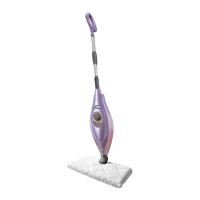
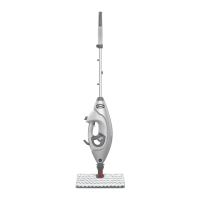
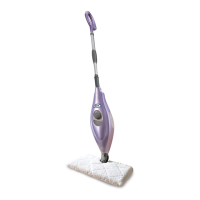
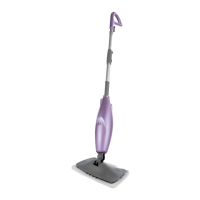
LIGHT & EASY™ STEAM MOP
WWW.SHARKCLEAN.COM
S3251

Questions and Answers

  • H
    hendersonalisonAug 1, 2025
    Why is my Shark Steam Cleaner not producing steam?
    • R
      Rodney BlackAug 1, 2025
      Ensure there is water in the water tank of your Shark Light & Easy™ Steam Mop. If the tank is empty, refill it following the instructions on page 5.
  • D
    Don HenryAug 7, 2025
    How to fix a Shark S3251 Steam Cleaner that will not turn on?
    • K
      kayla15Aug 7, 2025
      First, ensure your Shark Light & Easy™ Steam Mop is securely plugged into a working electrical outlet. Then, check your fuse or breaker. If the unit still doesn't turn on after these steps, it is recommended to call 1-800-798-7398.
  • R
    ronaldgarciaAug 19, 2025
    What to do if Shark S3251 leaves water on the floor?
    • M
      meredithyoungSep 12, 2025
      The micro-fiber cleaning pad on your Shark Light & Easy™ Steam Mop might be too wet. Unplug the steam mop and replace the micro-fiber cleaning pad.
  • S
    Stephanie OconnellAug 25, 2025
    Why is my Shark S3251 Steam Cleaner hard to push?
    • R
      ronald38Aug 26, 2025
      Ensure the steam pad is correctly attached to your Shark Light & Easy™ Steam Mop. Also, check if the cleaning pad is excessively dirty or wet. If it is, replace it.
  • C
    christopher96Nov 13, 2025
    Why are my floors cloudy after using Shark S3251?
    • L
      Lisa JohnsonNov 13, 2025
      Several factors can cause cloudy, streaky, or spotty floors after steaming with your Shark Light & Easy™ Steam Mop. * The pad may be dirty, so try changing it. * If you washed the pad with powder detergent, residual detergent may be left on it; wash it again with liquid detergent instead. * If cleaning a kitchen area with grease build-up, pretreat the area with a degreasing agent like an all-purpose cleaner or dish soap and paper towels. * Leaving the mop in one spot for too long can also cause this issue. Try using the steam mop a few more times to see if the cloudiness disappears. * Hard water could be the culprit, so consider switching to distilled water. * The cloudiness might be leftover residue from past cleaners used on the floor. Again, try using the steam mop a few more times to ...

Summary

Important Safety Instructions

General Usage Precautions

Basic safety precautions to follow when using the steam mop.

Warning: Scalding Danger

Caution regarding hot steam emitted from openings.

Warning: Polarized Plug

Explanation of the polarized plug for electrical shock prevention.

Operational Safety Rules

Guidelines for safe operation, surfaces, liquids, and handling.

Floor Surface Compatibility

Warnings and recommendations for specific floor types.

Quick Start Guide

Unit Assembly

Steps for assembling the steam mop extension tubes.

Filling the Water Tank

Instructions for filling the water tank using the flask.

Steam Cleaning Operation

How to adjust handle height and start steam cleaning.

Quick Tips and Notes

Tips for comfort and important usage advisories.

Technical Specifications

Product Specifications

Key technical details like voltage, power, and capacity.

Getting Started

Whats in the Box

Identification of all components included with the mop.

Initial Assembly Steps

Guide for connecting the extension tubes.

Connecting Handle to Base

Securing the handle assembly to the mop base.

Adjusting Handle Height

Method for customizing the mop's handle length.

Important Usage Warnings

Crucial warnings about pad attachment and floor types.

Attaching the Micro-Fiber Pad

How to correctly attach the cleaning pad to the mop head.

Water and Cooling Precautions

Guidelines on water usage and cooling time.

Filling the Water Tank

Detailed procedure for filling the water tank.

Water Quality Advice

Recommendation for using distilled water to prevent deposits.

Using Your Steam Mop

Initial Steam Production

How the mop heats water and produces steam initially.

Power Connection and Indicator

Steps for plugging in and checking the power light.

Essential Water Requirement

Reminder that water is necessary for steam generation.

Priming and Activating Steam

Pumping the handle to prime the system and moisten the pad.

Mopping Technique

How to move the mop for effective steam cleaning.

Warning: Damp Pad on Floor

Precaution against leaving a wet pad on the floor.

Care of Your Steam Mop

Post-Use Procedures

Steps for unplugging, cooling, and cleaning after use.

Storage Guidelines

Recommendations for storing the steam mop safely.

Micro-Fiber Pad Care

Instructions for washing and maintaining the cleaning pads.

Ordering Replacement Parts

Information on how to purchase new accessories.

Troubleshooting Guide

Mop Not Turning On

Solutions for power-related issues.

Steam Production Issues

Troubleshooting steps for lack of steam.

Floor Residue Problems

Addressing white spots or streaks on the floor.

Mop Handling Difficulties

Solutions for a mop that is hard to push.

One Year Limited Warranty

Warranty Terms and Conditions

Details of the limited warranty coverage and exclusions.

Product Registration Process

How to register your product for safety updates.

Questions or Problems?

Customer Support Information

Contact details for customer assistance and service.

Shark S3251 Specifications

General IconGeneral
BrandShark
ModelS3251
CategorySteam Cleaner
LanguageEnglish

Related product manuals