
 Need help?
Do you have a question about the Shark Pro Steam Pocket S3601 and is the answer not in the manual?
Steps to connect the Mop Handle, Mop Body, and Mop Head securely.
Instructions for plugging in, selecting steam, and mopping with the unit.
How to remove the cap, fill the tank with water, and replace the cap.
Details on steam settings (DUST, MOP, SCRUB) and their recommended usage.
Steps for stopping steam, unplugging, cooling, and storing the mop.
Instructions for washing the Dirt Grip™ Pocket Pads using liquid detergent.
Solutions for common issues like no steam, wet floors, or white spots.
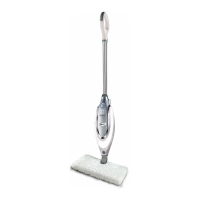
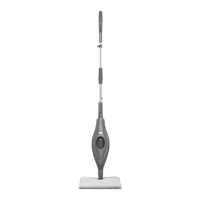
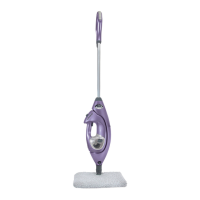
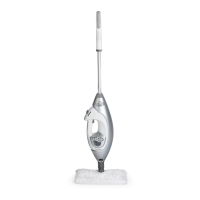
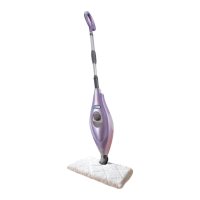
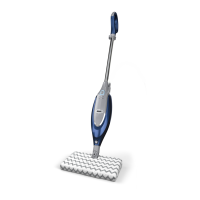
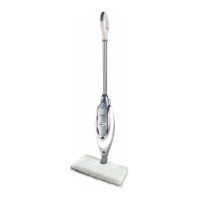
The Shark Pro Steam Pocket Mop with Intelligent Steam Control is a versatile cleaning appliance designed for effective and efficient floor cleaning across various sealed hard-floor surfaces. This steam mop utilizes the power of steam to clean and sanitize, offering different steam settings tailored to specific cleaning needs, from light dusting to deep scrubbing.
The primary function of the Shark Pro Steam Pocket Mop is to clean and sanitize sealed hard floors using steam. It achieves this by heating water in its internal tank to produce steam, which is then delivered through Dirt Grip™ Pocket Pads attached to the mop head. The Intelligent Steam Control feature allows users to select from three distinct steam settings: DUST, MOP, and SCRUB, each optimized for different levels of cleaning and types of surfaces. This intelligent control ensures that the right amount of steam is applied for optimal results without oversaturating the floor. The mop is designed for ease of use, featuring a simple assembly process and intuitive controls. Its ability to flip the mop head allows users to utilize both sides of the Dirt Grip Pocket Pad, extending cleaning time before needing to change or clean the pad.
Setting up and using the Shark Pro Steam Pocket Mop is straightforward. Assembly involves screwing the mop handle into the mop body, securing the mop head within a Dirt Grip Pocket Pad, and then snapping the steam mop body onto the mop head's post. Filling the water tank is also simple: the cap is removed by turning it counterclockwise, water is poured in using the provided filling flask (avoiding overfilling), and the cap is then replaced and turned clockwise to lock.
Once assembled and filled, the mop is ready for operation. Users plug the power cord into an electrical outlet, and the STEAM CONTROL BUTTON will flash blue. Pressing this button allows users to select their desired steam setting: one press for DUST (light cleaning and dusting), two presses for MOP (cleaning most surfaces and large areas), and three presses for SCRUB (deep cleaning and cleaning hard-to-clean surfaces). A fourth press will place the unit on standby. After selecting a setting, the unit takes approximately 30 seconds to begin producing steam.
The mop is then used with a forward and backward motion on appropriate sealed hard-floor surfaces. A key convenience feature is the reversible Dirt Grip Pocket Pad. When one side of the pad becomes dirty, the user can simply flip the mop head over to use the clean side, effectively doubling the cleaning area before needing to change the pad. This design enhances efficiency and reduces interruptions during cleaning tasks.
The Intelligent Steam Control system is central to the mop's usage. The DUST setting is ideal for laminate, hardwood, and marble floors, providing light cleaning and dusting. The MOP setting is recommended for hardwood, marble, tile, and stone, suitable for cleaning most surfaces and larger areas. For more intensive cleaning, the SCRUB setting is designed for tile and stone, offering deep cleaning for hard-to-clean surfaces. This tailored approach ensures effective cleaning while protecting different floor types.
After use, the unit is easily put into standby by pressing the Steam Control button until the LED light flashes blue, stopping steam production. The cord is then unplugged, and the mop is placed in an upright position to cool for 2-3 minutes.
Maintaining the Shark Pro Steam Pocket Mop primarily involves caring for the Dirt Grip Pocket Pads and proper storage of the unit.
The Dirt Grip Pocket Pads are washable and reusable. They should be washed in warm water, separately from other laundry. It is crucial to use only liquid detergent and avoid powder detergents, as residual powder can lead to white spots or streaks on floors. Fabric softeners should also be avoided. For drying, the pads can be line dried or dried on a low dryer setting. This reusability makes the mop an economical and environmentally friendly cleaning solution.
Removing the pads after use is made easy by quick fasteners and a loop on the side of the pad, allowing users to detach them without direct contact with the potentially hot pad.
For storage, after the unit has cooled and steam has been released, the mop head can be removed. The unit can then be hung on a large hook (not included) for convenient storage. Before storing for an extended period, it is recommended to empty the water tank to prevent water stagnation and potential mineral buildup.
Troubleshooting common issues is also straightforward. If the mop doesn't turn on, users should check if the power cord is correctly plugged into a working outlet. If it doesn't make steam, verifying that the Steam Control button is illuminated steadily in blue (indicating a selected steam setting) and that the unit is filled with water are the first steps. If steam mode cannot be activated, unplugging the unit for 15-30 seconds and then plugging it back in often resolves the issue.
If the mop leaves water on the floor or becomes hard to push, it's advised to confirm the pocket pad is properly affixed and not overly saturated. If the pad is too wet, unplugging the unit, waiting 2-3 minutes for the pad to cool, and then replacing it with a clean, dry pad can help. Always using the wet steam mop correctly and never leaving the unit with a damp or wet pad attached is important to prevent water marks.
White spots or cloudy, streaky, or spotty floors after steaming can be addressed by ensuring the pad is clean and free of residual powdered detergent. For kitchen areas with grease buildup, pre-treating the floor with a de-greasing agent (like all-purpose cleaner or dish soap) and wiping with paper towels is recommended. Leaving the mop in the same spot for too long can also cause issues. For hard water areas, using distilled water instead of tap water in the tank is suggested to prevent mineral buildup and improve cleaning results. Streaks and spots might also be caused by cleansers previously used on the floor surface, and cleaning with the Steam Mop a few more times can help remove leftover residues.
 General
| Steam Time | 15-20 minutes |
|---|---|
| Cord Length | 20 ft |
| Product Type | Steam Mop |
| Heat Up Time | 30 seconds |
| Power | 1200 W |
| Surface Recommendation | Hard Floors |
| Accessories | 2 Microfiber Pads |




 To Next Page