
 To Next Page

A
aoliverAug 13, 2025
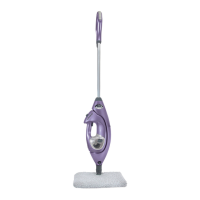
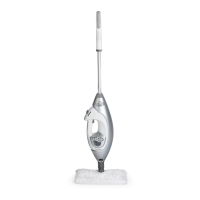
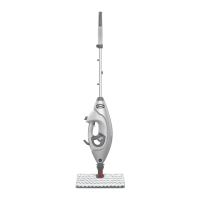
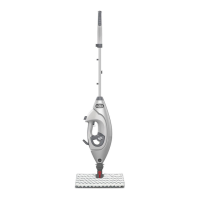
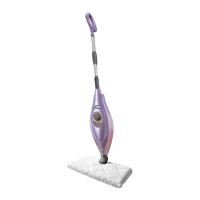
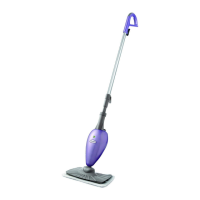
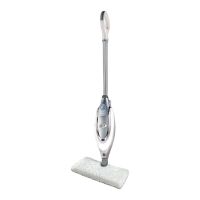
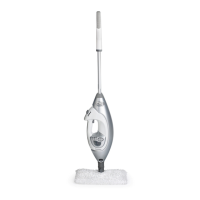
How to fix Shark Lift-Away Pro Steam Pocket Mop that won't turn on?
- CCharlene HoltAug 13, 2025
Ensure your Shark Steam Mop is securely plugged into an electrical outlet only. Also, check your fuse or breaker.

How to fix Shark Lift-Away Pro Steam Pocket Mop that won't turn on?
Ensure your Shark Steam Mop is securely plugged into an electrical outlet only. Also, check your fuse or breaker.
What to do if my Shark Steam Cleaner won't make steam?
If your Shark Steam Cleaner isn't producing steam, first check if there's water in the tank. If not, add water following the instructions. If it still doesn't make steam, clean the nozzle following the instructions.
Why does my Shark Lift-Away Pro Steam Pocket Mop leave white spots on the floor?
The Shark Lift-Away Pro Steam Pocket Mop may leave a white spot if left on the floor with a damp or wet cleaning pocket. If you're using tap water, switch to distilled water. Make sure the cap is securely on the water tank.
Why are floors cloudy after using Shark Steam Cleaner?
Cloudy, streaky, or spotty floors after steaming with your Shark Steam Cleaner may be due to a dirty cleaning pocket. Try flipping or changing it. If you washed the pocket with powder detergent, it might be damaged and need replacement. This issue can also indicate prior soap or grease buildup on the floor. Because our steam mops use only a small amount of water, it may not be enough to rinse off the accumulation that the steam is bringing to the surface. Try rinsing the floor with water only, let it dry, and then steam mop again with a clean pocket. For stubborn cases, rinse the floor with a mix of one part vinegar and two parts water.
What to do if Shark Lift-Away Pro Steam Pocket Mop leaves water on the floor?
If your Shark Lift-Away Pro Steam Pocket Mop leaves water on the floor, check if the cleaning pocket is too wet. Unplug the steam mop and change the cleaning pocket, ensuring it's attached correctly.
Why is my Shark Lift-Away Pro Steam Pocket Mop hard to push?
If your Shark Lift-Away Pro Steam Pocket Mop is hard to push, ensure the cleaning pocket is attached correctly. Also, check if the cleaning pocket is excessively dirty and replace it if needed.
What to do if I cannot select steam setting on Shark S3901?
If you cannot select a steam setting on your Shark Steam Cleaner and the blue light is flashing, unplug the unit and try a different outlet to reset the standby mode. Add water to the tank and select a steam setting by pressing the standby button.
Why does Shark S3901 Steam Cleaner nozzle leaves water drops on the garment?
If the Shark Steam Cleaner nozzle leaves water drops on the garment, the small steam bonnet frame must be in place during use. The bonnet prevents water drops and removes impurities from your water. If the steam bonnet is too wet or the frame has condensation, let the unit cool for 30 minutes, remove the steam bonnet and let it dry out before using again, or replace with a new steam bonnet.
Specific warning about the hot steam emitted from the mop.
Guidelines for use by persons with reduced capabilities and child supervision.
General safety guidelines to prevent fire, electric shock, or injury.
Steps and components for assembling the steam mop.
Instructions on how to operate the steam mop for cleaning.
Guide on using the carpet glider for freshening rugs.
How to detach and use the handheld steamer component.
Steps for cleaning, detaching, and storing the steam mop.
Recommendation to use distilled water to prevent mineral buildup.
Instructions for cleaning the steam nozzle to maintain performance.
Instructions on how to register the product for warranty.
 General
| Brand | Shark |
|---|---|
| Model | S3901 Series |
| Category | Steam Cleaner |
| Language | English |