EasyManua.ls Logo

Shark Wandvac WV200 - User Manual

Shark Wandvac WV200
2 pages
Print Icon
To Next Page IconTo Next Page
Loading...
WARNING
To reduce the risk of injury, fire, electric shock, and property damage
resulting from improper use of the appliance, carefully observe the
following instructions. This unit contains electrical connections and
moving parts that potentially present risk to the user.
POWER SUPPLY, CHARGING DOCK, AND VACUUM CONTAIN
ELECTRICAL CONNECTIONS:
1. There are NO serviceable parts.
2. DO NOT use to vacuum any liquids.
3. DO NOT immerse in water or other liquids.
4. If vacuum is damaged, discontinue use.
5.
To avoid fire, explosion, or injury, inspect vacuum and charging dock for any damage before use.
DO NOT
use damaged vacuum or charging dock.
6.
DO NOT
use outdoors or on wet surfaces. Use only on dry surfaces.
7.
If vacuum cleaner is not working as it should, or has been dropped, damaged, left outdoors, or immersed in
water, return it to SharkNinja Operating LLC for examination, repair, or adjustment.
8. DO NOT
handle charger or vacuum cleaner with wet hands.
9. DO NOT
leave vacuum cleaner unattended while powered on.
10.
Keep vacuum away from heated surfaces.
11.
Always turn o vacuum before connecting charging dock.
12.
Use only Shark® chargers and batteries. Other types of batteries may burst, causing injury and damage.
13.
Use charging dock on flat and stable surfaces only.
14. DO NOT
incinerate appliance, even if it is severely damaged, as lithium-ion battery may explode in a fire.
GENERAL USE
15. DO NOT
carry the charger by the cord or yank to disconnect from an outlet; instead grasp the plug and pull
to disconnect.
16.
Keep charger cord away from heated surfaces.
17.
Use only as described in this manual.
18.
Keep your work area well lit.
19.
To avoid unintentional starting, always turn o the vacuum cleaner before picking it up or carrying it, and
before attaching or detaching the charger, dust cup, filter, or any accessories.
20.
DO NOT
put any objects into openings.
21. DO NOT
use if any opening is blocked; keep free of dust, lint, hair, or anything that may reduce airow.
22.
This vacuum is not a toy, and must not be played with. Children over 8 years old and persons with reduced
physical, sensory, or mental capabilities may only use the vacuum with supervision or prior safety instruction and
an understanding of the hazards involved. Children may not clean or maintain the vacuum without supervision.
23. DO NOT
use without dust cup and filter in place.
24. DO NOT
use if airflow is restricted; if the air paths become blocked, turn o the vacuum cleaner. Clear all
obstructions and power on again.
25.
Keep nozzle away from hair, face, fingers, uncovered feet, or loose clothing.
26.
Only use manufacturer’s recommended attachments.
27. DO NOT
charge at temperatures below 50°F (1C) or above 104°F (40°C). Charging improperly or at
temperatures outside of the specified range may damage the battery and increase the risk of fire.
28.
Store the appliance indoors.
DO NOT
use or store it below 37.4°F (3°C). Ensure the appliance is at room
temperature before operating.
DUST CUP/FILTERS/ACCESSORIES
Before turning on the vacuum:
29.
Make sure filter is thoroughly dry after routine cleaning.
30.
Make sure dust cup and filter are in place after routine maintenance.
31.
Make sure accessories are free of blockages and keep openings away from face and body.
32.
Use only Shark® brand filters and accessories. Using other brands will void warranty.
GENERAL CLEANING
33.
DO NOT vacuum up hard or sharp objects such as glass, nails, screws, or coins that could damage the vacuum cleaner.
34.
DO NOT vacuum up drywall dust, fireplace ash, or embers.
35.
DO NOT use as an attachment to power tools for dust collection.
36.
DO NOT vacuum up smoking or burning objects such as hot coals, cigarette butts, or matches.
37.
DO NOT vacuum up flammable or combustible materials (e.g., lighter fluid, gasoline, or kerosene) or use
vacuum in areas where they may be present.
38.
DO NOT vacuum up toxic solutions (e.g., chlorine bleach, ammonia, or drain cleaner).
39.
DO NOT use in an enclosed space where vapors are present from paint, paint thinner, moth-proofing
substances, flammable dust, or other explosive or toxic materials.
40.
DO NOT immerse vacuum cleaner in water or other liquids.
41.
Use extra care when cleaning on stairs.
LITHIUM-ION BATTERY
42.
The battery is the power source for the appliance. DO NOT carry the appliance with your finger on the power
button. DO NOT charge appliance with the power on.
43.
Use only the included charging dock to charge. Use of incorrect charger may create a risk of fire.
44.
Use appliance only with included lithium-ion battery. Use of any other battery may create a risk of injury and fire.
45.
Under abusive conditions, liquid may be ejected from the battery. Avoid contact with liquid, as it may cause
irritation or burns. If contact occurs, flush with water. If liquid contacts eyes, seek medical help.
46.
Store the appliance indoors. To maintain battery life, DO NOT use or store battery at temperatures below
37.4°F (3°C) or above 10F (40°C).
47.
DO NOT expose appliance to fire or temperature above 266°F (13C) as it may cause explosion.
48.
There are NO serviceable parts. To ensure safety, DO NOT modify or attempt to repair the appliance.
IMPORTANT SAFETY INSTRUCTIONS FOR HOUSEHOLD USE ONLY
READ CAREFULLY BEFORE USE – SAVE THESE INSTRUCTIONS
WHAT'S INSIDE USING YOUR SHARK® WANDVAC™
NOTE: For maintenance, see reverse side.
CHARGING THE BATTERY
Prior to first use,
the lithium-ion battery
must be charged
completely, even if
it comes with a
partial charge.
Place the Shark®
WANDVAC™ onto the
WANDVAC Charging
Dock with the nozzle in
the cradle.
Plug the charging dock
into a wall outlet.
Solid blue
In Use
Dim
Charged
Fades in
and out
Charging
Blinking
Low Battery
NOTE: During first use, run the battery all the way down to properly
condition it, then charge fully. It takes approximately 2.5 hours to
charge battery completely.
4
1 2
3
1. Press Power button.
2. Run the nozzle over the surface to be cleaned.
3. To empty dust cup, hold your WANDVAC over the trash.
4. Slide dust cup button forward to release debris.
CORD-FREE HANDHELD VACUUM
WANDVAC
WV200
A
Shark® WANDVAC™
B
Crevice Tool
C
Multi-Surface Pet Tool
D
WANDVAC Charging Stand
E
WANDVAC Charging Base
C
2 3
A
D
E
B
1. Align the holes in the bottom of
the WANDVAC Charging Stand
with the posts on the front of the
Charging Base. Run the Charger
Cord between the posts.
2. With the cord in place, slide the
stand down until it clicks securely
into place on the base.
3. Route the cord
through the groove
in the bottom of the
base and out the
indent in the back.
WANDVAC CHARGING STAND ASSEMBLY
1
>Click<
Question and Answer IconNeed help?

Do you have a question about the Shark Wandvac WV200 and is the answer not in the manual?

Summary

Important Safety Instructions

General Safety Warnings and Precautions

Covers essential safety guidelines for operating the vacuum, charging, and handling the battery to prevent injury or damage.

Whats Inside the Box

Lists the components included with the Shark WANDVAC Cord-Free Handheld Vacuum.

Charging Stand Assembly Guide

Step-by-step instructions for assembling the WANDVAC charging stand for proper setup.

Battery Charging Procedure

Details how to charge the lithium-ion battery for the first time and indicators for charging status.

Operating Your WANDVAC

Instructions on how to turn on, use, and empty the Shark WANDVAC handheld vacuum cleaner.

Maintenance and Cleaning

Emptying the Dust Cup

Guide on how to properly empty the dust cup to maintain suction power and hygiene.

Cleaning the Filter System

Instructions for cleaning the filter and filter housing to ensure optimal vacuum performance.

Cleaning the Dust Cup Components

Steps for washing the dust cup and filter housing, emphasizing air-drying before reinstallation.

Troubleshooting Common Issues

Provides solutions for common operational problems and explains the meaning of light indicator codes.

Online Resources and Support

Information on finding FAQs, accessories, and support on the official Shark website.

Technical Specifications

Lists key technical details of the Shark WANDVAC Cord-Free Handheld Vacuum and its charger.

Two-Year Limited Warranty Details

Outlines the terms, coverage, exclusions, and process for claiming the two-year limited warranty.

Battery Removal and Disposal

Instructions and guidelines for the proper recycling or disposal of the lithium-ion battery.

Summary

Important Safety Instructions

General Safety Warnings and Precautions

Covers essential safety guidelines for operating the vacuum, charging, and handling the battery to prevent injury or damage.

Whats Inside the Box

Lists the components included with the Shark WANDVAC Cord-Free Handheld Vacuum.

Charging Stand Assembly Guide

Step-by-step instructions for assembling the WANDVAC charging stand for proper setup.

Battery Charging Procedure

Details how to charge the lithium-ion battery for the first time and indicators for charging status.

Operating Your WANDVAC

Instructions on how to turn on, use, and empty the Shark WANDVAC handheld vacuum cleaner.

Maintenance and Cleaning

Emptying the Dust Cup

Guide on how to properly empty the dust cup to maintain suction power and hygiene.

Cleaning the Filter System

Instructions for cleaning the filter and filter housing to ensure optimal vacuum performance.

Cleaning the Dust Cup Components

Steps for washing the dust cup and filter housing, emphasizing air-drying before reinstallation.

Troubleshooting Common Issues

Provides solutions for common operational problems and explains the meaning of light indicator codes.

Online Resources and Support

Information on finding FAQs, accessories, and support on the official Shark website.

Technical Specifications

Lists key technical details of the Shark WANDVAC Cord-Free Handheld Vacuum and its charger.

Two-Year Limited Warranty Details

Outlines the terms, coverage, exclusions, and process for claiming the two-year limited warranty.

Battery Removal and Disposal

Instructions and guidelines for the proper recycling or disposal of the lithium-ion battery.

Overview

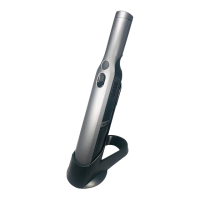
The Shark WANDVAC is a cord-free handheld vacuum designed for household use, offering convenient cleaning with its lightweight and portable design. This device is engineered for quick clean-ups and easy maneuverability, making it suitable for various surfaces within the home.

Function Description

The primary function of the Shark WANDVAC is to provide powerful suction for dry debris. It operates on a lithium-ion battery, allowing for cordless operation and freedom of movement without being tethered to an electrical outlet. The vacuum is equipped with a nozzle designed to efficiently pick up dirt, dust, and small particles. Its compact size makes it ideal for reaching tight spaces, cleaning upholstery, car interiors, and other areas where a larger vacuum might be cumbersome. The device features a simple power button for activation and deactivation, ensuring straightforward operation.

Usage Features

To begin using the Shark WANDVAC, the lithium-ion battery must first be fully charged. The vacuum comes with a dedicated charging stand and base, which are assembled by aligning the holes on the stand with the posts on the base, routing the charger cord between the posts, and sliding the stand down until it clicks securely into place. The charging dock is then plugged into a wall outlet. The vacuum is placed onto the charging dock with the nozzle in the cradle. During charging, a blinking blue light indicates the process, turning solid blue when fully charged, and dimming when fully charged. For optimal battery conditioning, it is recommended to run the battery completely down during first use before fully recharging it.

Once charged, the vacuum is activated by pressing the power button. Users can then run the nozzle over the surface to be cleaned. The compact design and included accessories enhance its versatility. The Crevice Tool (B) is designed for reaching into narrow gaps and corners, while the Multi-Surface Pet Tool (A) is ideal for tackling pet hair and debris on various surfaces. These attachments can be easily connected and detached, expanding the vacuum's cleaning capabilities.

The device is designed for dry vacuuming only; it should not be used to vacuum liquids, nor should it be immersed in water or other liquids. It is important to keep the vacuum away from heated surfaces and to avoid using it outdoors or on wet surfaces. For safety, the vacuum should always be turned off before connecting or detaching the charging dock, dust cup, filter, or any accessories. It is also crucial to ensure that the dust cup and filter are in place before operation to prevent damage and maintain performance. The vacuum should not be used if any opening is blocked, and users should clear any obstructions before resuming operation.

Maintenance Features

Regular maintenance is essential to ensure the Shark WANDVAC operates efficiently and prolongs its lifespan. The primary maintenance tasks involve emptying the dust cup and cleaning the filter.

Emptying the Dust Cup:

To empty the dust cup, first ensure the power is off. Slide the "Open Dust Cup" button forward, which will cause the dust cup to swing open. The vacuum should be held over a trash receptacle while performing this action to release debris. After emptying, the dust cup filter screen can be lightly tapped to dislodge any remaining dust and debris. The dust cup bristles can also be gently wiped with a dry cloth to remove accumulated dust and dirt.

Cleaning the Filter:

The filter system consists of a filter housing and a fabric filter, both of which require periodic cleaning. With the dust cup open and the power off, pinch both sides of the filter housing and slide it forward to remove it. To remove the fabric filter, lift it by its metal ring from the housing, preferably over a trash can to catch loose particles.

For light cleaning, the fabric filter can be tapped to remove dust and larger particles. For a deeper clean, the fabric filter should be hand-washed with water only and allowed to air-dry completely for 24 hours before reinstallation. The filter housing itself can also be hand-washed with water only, after the fabric filter has been removed. It is crucial to ensure that the filter is thoroughly dry before reinstalling it into the vacuum.

Reassembly:

After cleaning, to reinstall the filter, place the fabric filter back into the filter housing, then slide the filter housing back into the dust cup until it clicks securely into place. To reattach the dust cup, slide the tab on the dust cup into the slot on the bottom of the nozzle until it clicks into place. It is important to ensure that the filter and dust cup are correctly installed to prevent dust from escaping and to maintain optimal suction.

Troubleshooting:

The vacuum includes a light indicator system that provides feedback on its status. A blinking blue light indicates a low battery, while a blue light that blinks twice then pauses suggests a blockage. A solid blue light means the power is on, and a blue light that fades in and out steadily indicates that the unit is charging. A dim blue light signifies that the unit is fully charged, and no light means the power is off or the unit needs to recharge. These indicators help users diagnose common issues such as low battery, blockages, or improper charging.

The Shark WANDVAC is not designed for washing any of its parts or accessories in a dishwasher. Only hand-washing with water is recommended for the filter and dust cup components. Using only Shark® brand filters and accessories is advised, as using other brands may void the warranty. Regular inspection of the vacuum and charging dock for any damage is also recommended, and damaged components should not be used.

Shark Wandvac WV200 Specifications

General IconGeneral
TypeHandheld
Weight1.4 lbs
Dust Cup Capacity0.08 quarts
Battery TypeLithium-ion
Charging Time2.5 hours
CordlessYes
FiltrationWashable filter
AttachmentsCrevis tool
Warranty1 year

Related product manuals