5
8. The configurator
8.1 Starting the configurator
Starttheapplicationbydouble-clickingtheactualicononyourdesktoporviatherespectivesymbolinthe
taskbar.
8.2 Main window
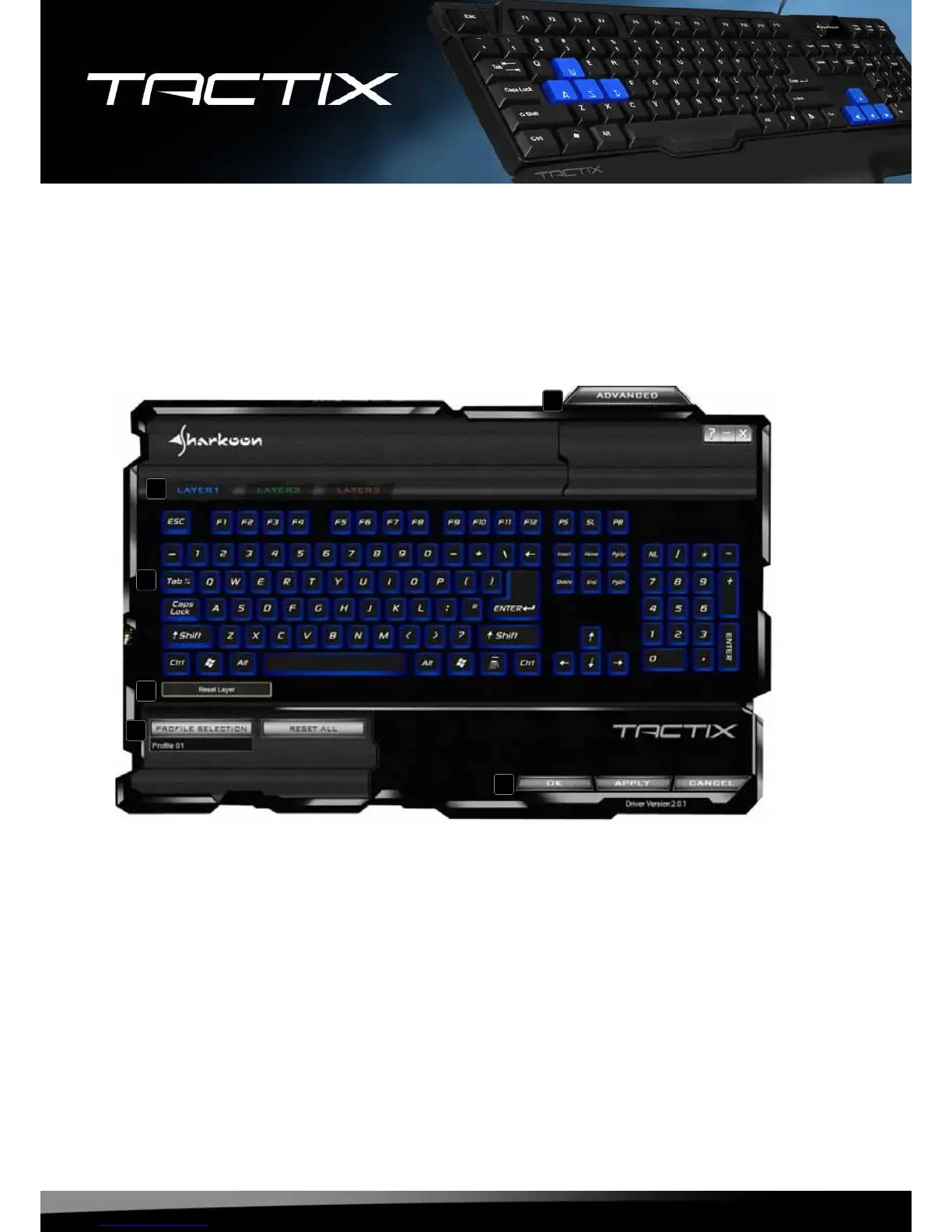
A – TheTactixprovidesthreedifferentlayersperkey(see8.4).
B – Everysinglekeyonthekeyboardcanbeindividuallyprogrammed(see8.3).
C – Viathisbuttonthecurrentlayercanberesettofactorydefault.
D – Proles:TheTactixcanbeassigneduptotendifferentproles.Witheverydifferentprogram/
applicationanindividualkeyboardlayoutcanbecongured(see8.5).
E – Invokesthe“Advanced”menu(see8.6).
F – “OK”transfersthesettingstothekeyboardandclosesthewindow;“Cancel”discardsthesettings;
“Apply”transfersthesettingstothekeyboard,andleavesthewindowopen.
A
B
C
D
E
F







 To Next Page