21B-FX1(AF);16-20; 00/6/1/18:00 G. K. Associates, Tokyo
E 18
ENGLISH
• The surround effect of ON can be adjusted using the SOUND menu. See
17
.
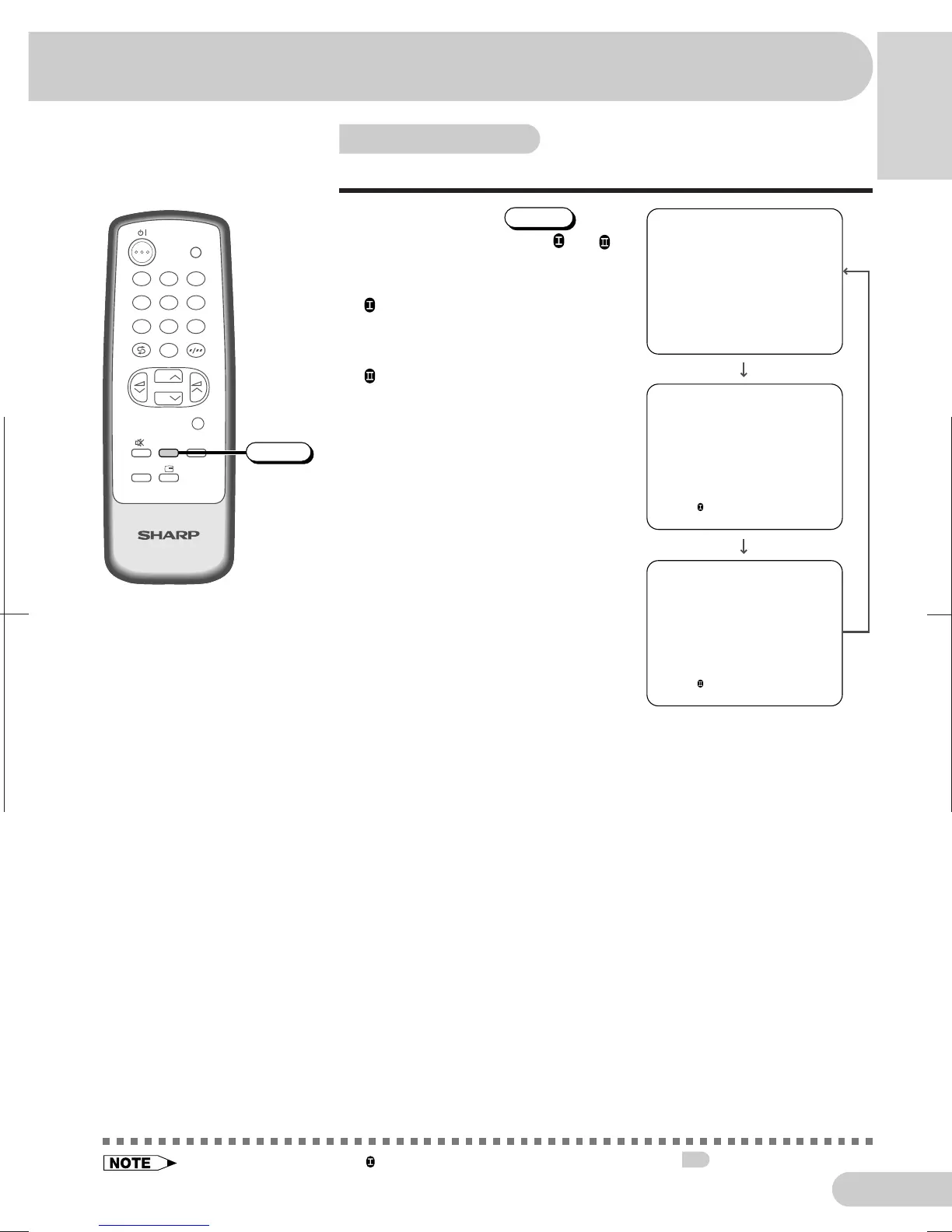
Surround sound
Produces a virtual surround sound from the TV’s speakers.
Each time you press
SURROUND
, the
mode changes between ON
, ON
and OFF.
OFF: Produces normal sound.
ON : Setting to this mode during stereo
signal reception produces a spacious
sound, making the most of the speakers’
performance.
ON
: Setting to this mode during
monaural signal reception creates
monaural sound that is similar to
stereophonic sound.
SURROUND
OFF
SURROUND
ON
SURROUND
ON
TV
4
7
2
8
3
6
9
0
MENU
NORMAL
LANGUAGE
1
5
CH
CH
TV/VIDEO
SURROUND
SURROUND



 To Next Page