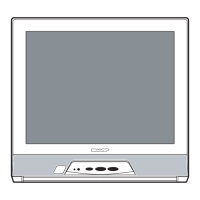
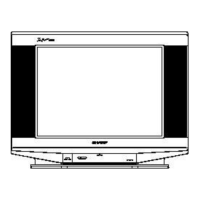
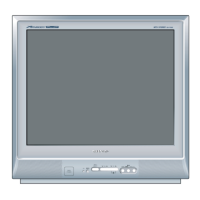
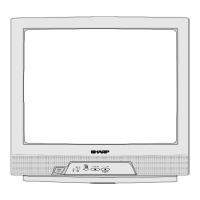
21F-PD250 / 21F-PT220 / 21F-PA18 / 21F-PA18(B)
3 – 22
10. A/V INPUT, OUTPUT CHECKING
NO
ADJUSTMENT POINT
WAVEFORM OR OTHERS
1 VIDEO AND AUDIO
(1) Receive the "PAL Color Bar" signal (100% White Color Bar, Sound
OUTPUT CHECK
400 Hz 100% Mod).
(2) Terminate the Video output with a 75 ohm impedance. Make sure the output
is as specified
(1.0 Vp-p ± 3 dB)
.
(3) Terminate the Audio output with a 10K ohm impedance. Make sure the O/P
is as specified
(1.5 Vp-p ± 3 dB)
.
2 VIDEO AND AUDIO
(1) Using the TV/VIDEO key on the remote controller, make sure that the modes
INPUT CHECK
change in order of TV, AV1, AV2 & TV* again and the video & audio output
are according to the input terminal for each mode.
:
a) When connect AV1 input, check TV also
b) When connect AV2 input, check TV also (Model 21F-PT220 only)
ADJUSTMENT CONDITION / PROCEDURE
11. FUNCTION OPERATION CHECKING (VIDEO AND AUDIO)
No.
Adjustment point
Adjustment procedure/conditions Waveform and others
CONTRAST key 1) Receive "Monoscope Pattern" signal.
2) Set MENU, then go into PICTURE mode to se-
lect CONTRAST.
3) Press Volume Up/Down key to check whether the
CONTRAST effect is OK or not.
1
1) Receive "Colour Bar" signal.
2) Set MENU, then go into PICTURE mode to se-
lect COLOUR.
3) Press Volume Up/Down key to check whether the
COLOUR effect is OK or not.
2
COLOUR key
BRIGHTNESS key 1) Receive "Monoscope Pattern" signal.
2) Set MENU, then go into PICTURE mode to se-
lect BRIGHTNESS.
3) Press Volume Up/Down key to check whether the
BRIGHTNESSeffectisOKornot.
3
TINT key 1) Receive the "NTSC Colour Bar" signal thru AV in.
2) Set MENU, then go into PICTURE mode to se-
lect TINT.
3) Press Volume Up/Down key to check TINT, UP
for GREEN direction and DOWN for PURPLE di-
rection whether is OK or not.
4
SHARPNESS
Key
1) Receive "Monoscope Pattern" signal.
2) Set MENU, then go into PICTURE mode to se-
lect SHARPNESS.
3) Press Volume Up/Down key to check whether
the SHARPNESS effect is OK or not.
5
CH DISPLAY
COLOUR
1) All Ch (0~99) will have an OSD display of the
channel number in green colour under AFT ON
condition.
6
*CAUTION :
- 21F-PA18, 21F-PA18(B), 21F-PD250
Change in order of TV is AV & TV
- 21F-PT220 Change in order of TV is
AV1, AV2 & TV


 To Next Page